Using Internet Fax Functions
66
3
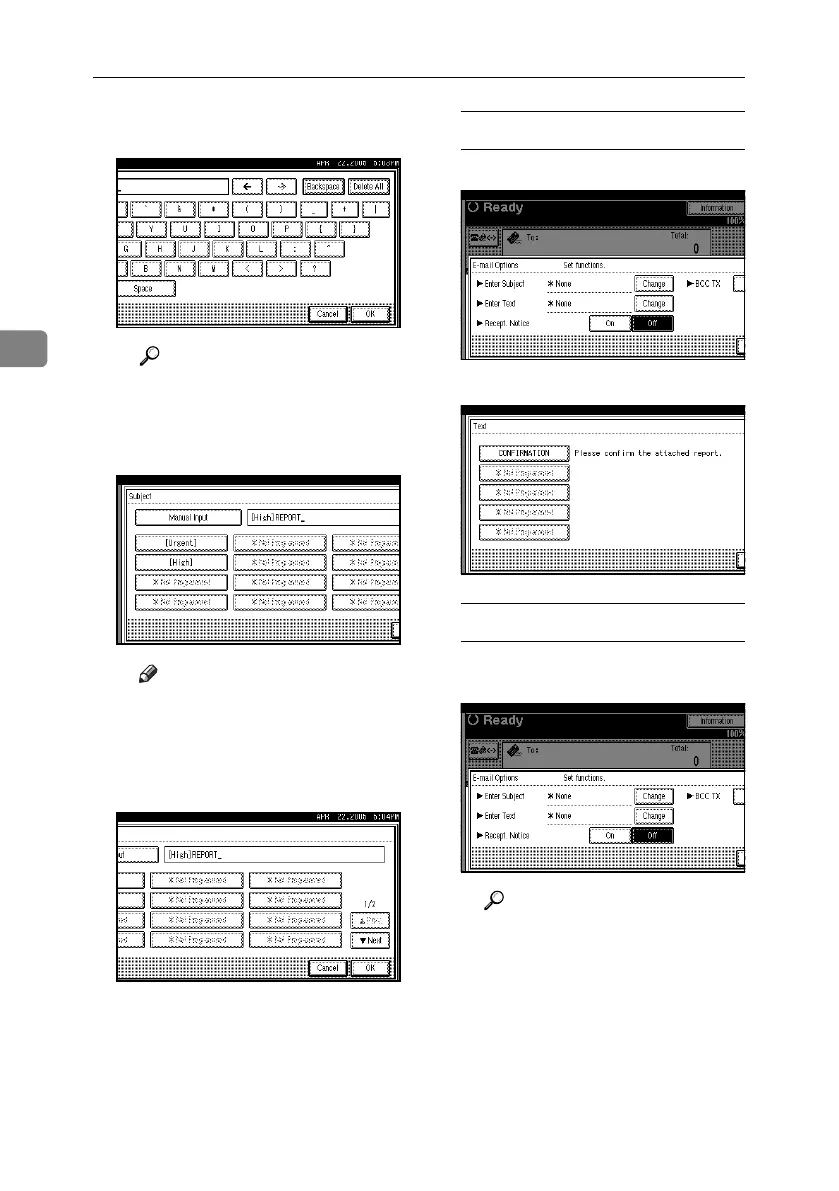
D After entering the subject, press
[OK].
Reference
“Entering Text”, General Set-
tings Guide
Entered characters appear in the
manual input column.
Note
❒ You can add a programmed
subject after the entered sub-
ject. Select the subject from
the displayed subjects.
E Press [OK].
To enter the text
A Press [Change] for Enter Text.
B Select a text, and then press [OK].
To set reception notice
A Select [On] or [Off] for Recept.
Notice.
Reference
p.71 “Confirming Reception”
RussianC4-EN_Combine-F_FM.book Page 66 Wednesday, April 27, 2005 2:01 PM



 To Next Page