1
、
when add a new local patient, the work list will refresh automatically.
2
、
patient ID, examination ID and patient name is empty and then click “inquiry” button.
Then the worklist will refresh by this operation.
:
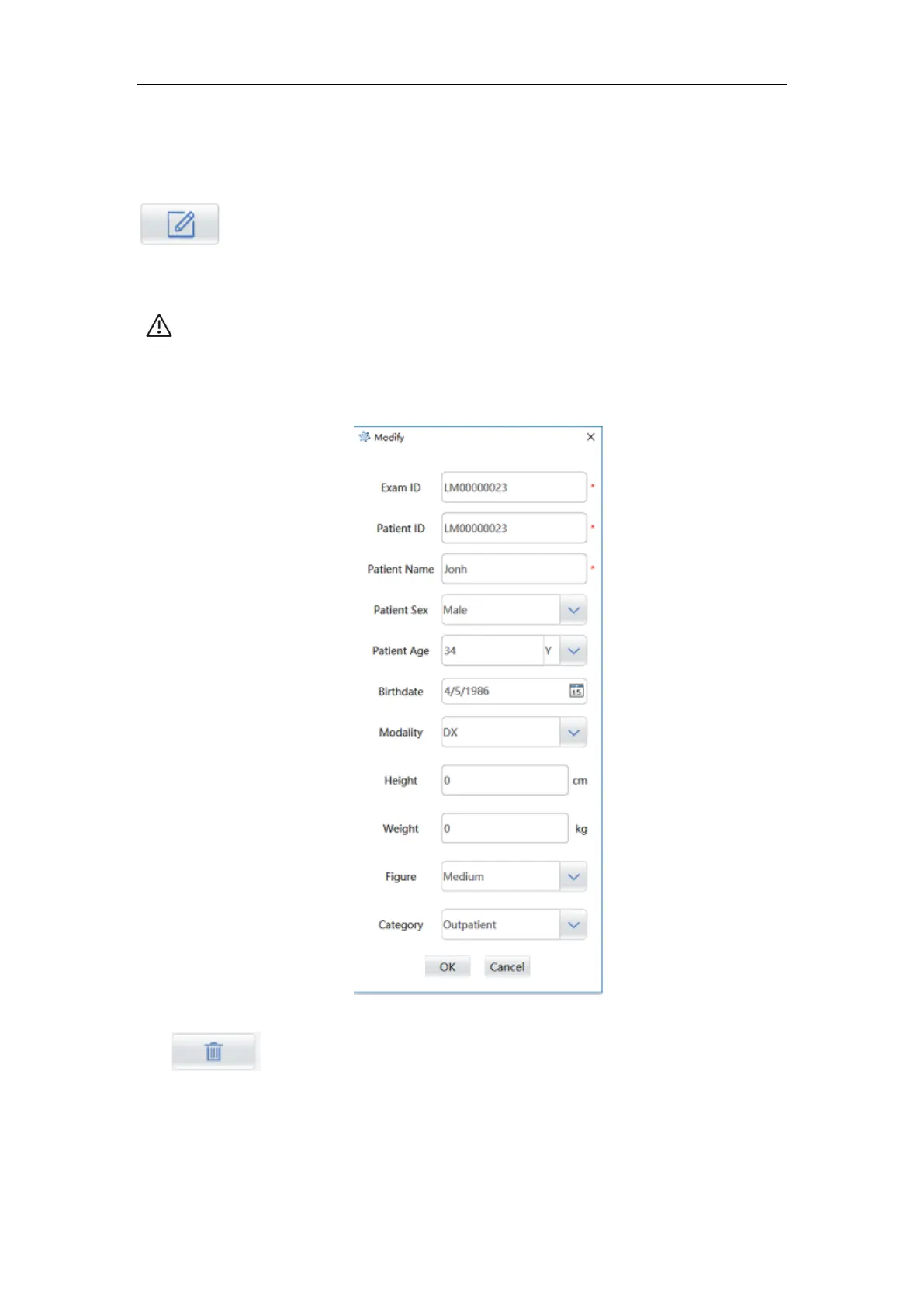
Modify patient registration information.
Select a patient record, click “modify” button to enter the patient information modify
screen.
NOTE: Only local registered patient information will be allowed to be modified;
Patient number and check number can not be changed;
After editing is completed, click "OK" to save the changes or click "cancel" to discard
changes.
Figure 6-6
:
Delete patient record. Select a patient record and click the “delete” button
and the pop-up dialog as following figure will be shown. Click the “Ok” button the record
will be record, click the “cancel” button the delete operation will be canceled. The delete
function support batch operation.



 To Next Page