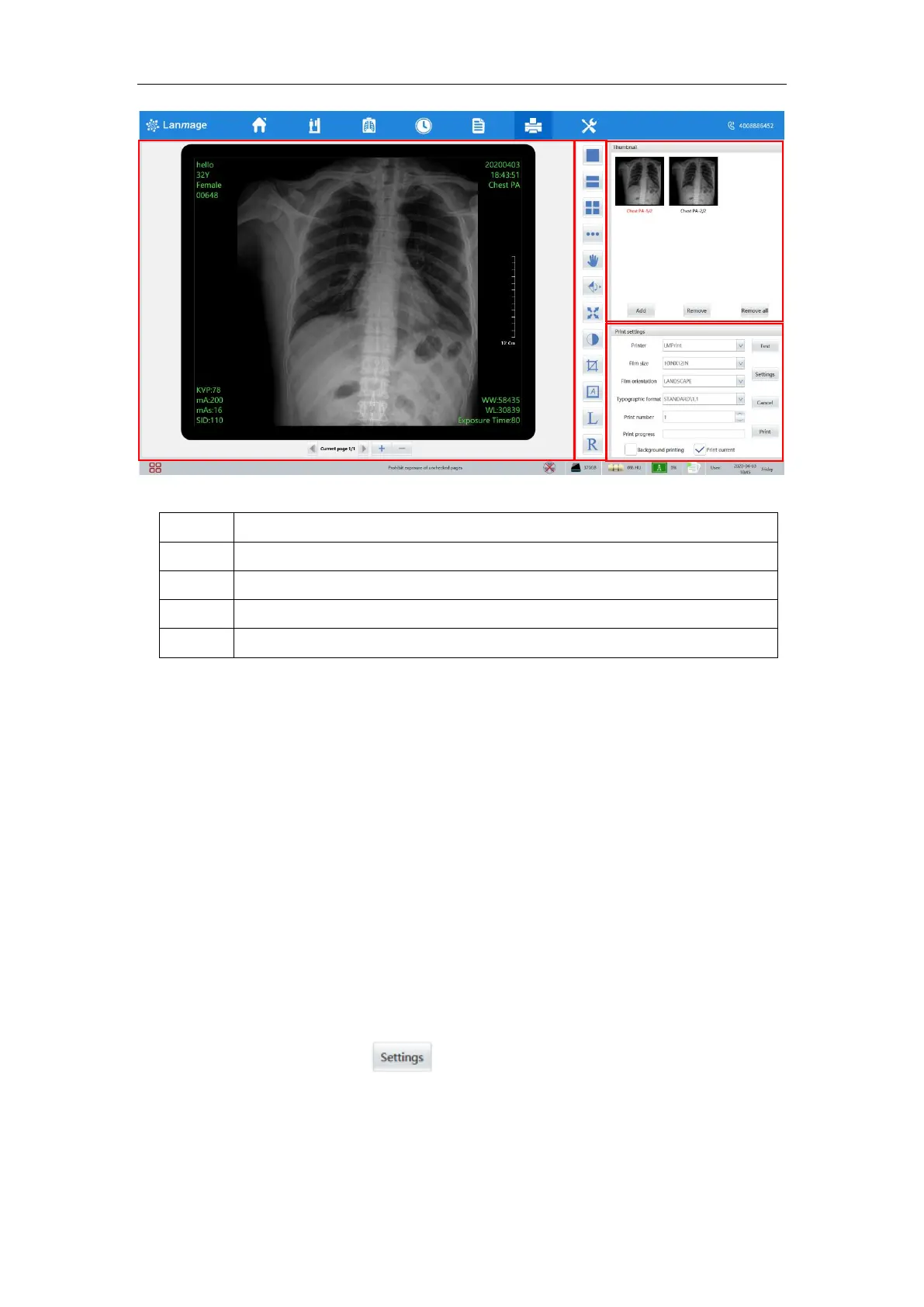
6.9.1 Image display area
See "image display area" for details.
6.9.2 Thumbnail area
See "parameter setting" for details.
6.9.3 Toolbar area
See “image processing toolbar” for details.
6.9.4 Printing property setting area
In the film printing interface, you can set print properties and related image
operations.
Printer: there are multiple printers in the printer setup and you can choose the printer
you want to print.
Printer attributes: there are two Settings.
Mode 1: set directly on the film printing interface;
Method 2: click the button” ”
Param settings: set parameters such as the number of copies, boundary density and
empty graph density. The parameters set in this window will be treated as default print
parameters when saved
Printer setting interface sets printer attributes: Remote AET, IP ,PORT,Device.



 To Next Page