6600 Product Manual
Operator Manual
6.5.5 Information display area
Display the patient's name, ID number, gender, age, examination date,
time, etc., which can be set as required;
Display the exposure parameters used in the patient examination: kV,
mA, ms;
Display the collection mode, and display the inspection area during
ordinary filming;
Display current image window width,
6.6 Image Preview
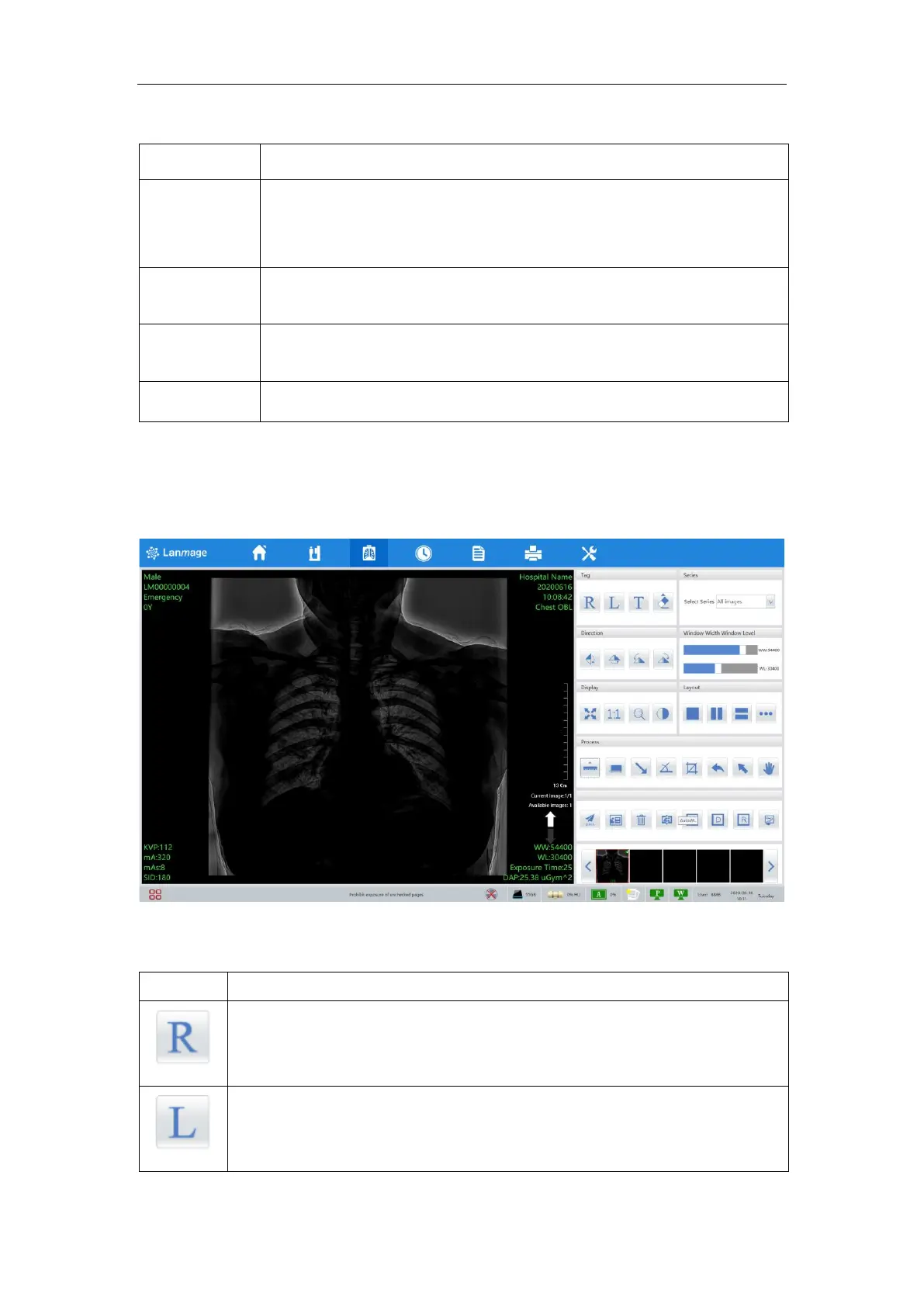
After the exposure is completed, the image is directly entered into the image preview
interface, and the captured image is displayed in the image preview area. In this page, the
image can be optimized and processed.
Figure 6-11
6.6.1 Tool
Operating method: after single-click the icon and clicking the position to be
mark, the Mark R appears on the image. Directly drag the mark If the position
of the mark is changed.
Operating method: after single-click the icon and clicking the position to be
mark, the Mark L appears on the image. Directly drag the mark If the position
of the mark is changed.



 To Next Page