:
Select an error record, click "reset", the error record is deleted;
:
Click "empty" to delete all error records;
NOTE: High level error records can only be deleted by clicking "clear" after the
error is solved.
6.5 Study management
There is several ways to enter the examination management interface:
1
)
Select a record in the patient list and click ;
2
)
Click “Registration” in the patient management interface. Click “start” button after
build a new patient record.
3
)
Click “Emergency” button in the patient management interface.
6
)
Select a record in the checked management interface and click .
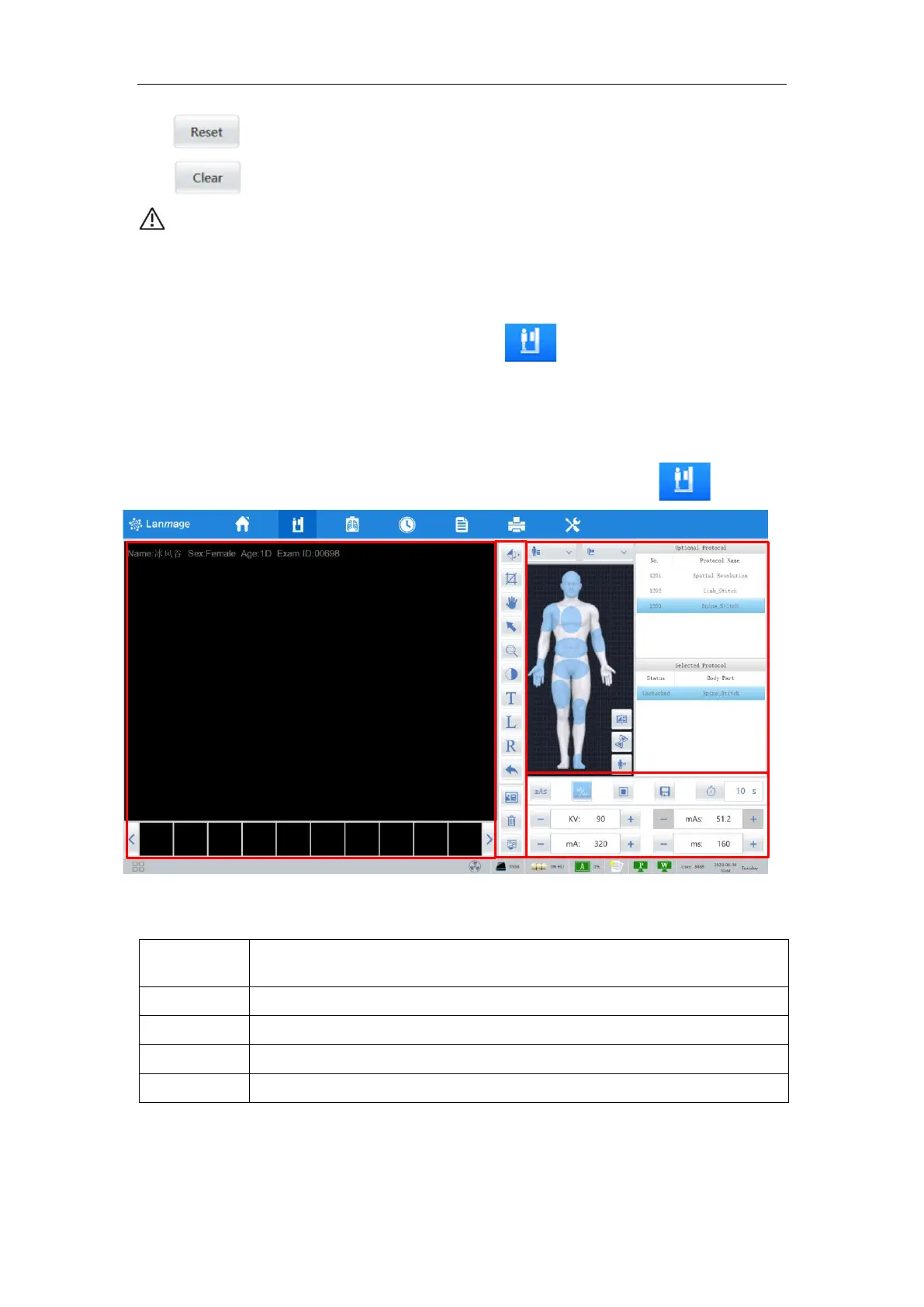
Figure 6-8
The study management interface consists of the following components:



 To Next Page