6600 Product manual
Operator Manual
Save the modifications to the image
1. If the image is modified, the system will prompt whether to give up the
modification of the image. No: close the confirmation box and return to the
original operation;
2. If there is no modification to the image, it will directly return to the history
interface.
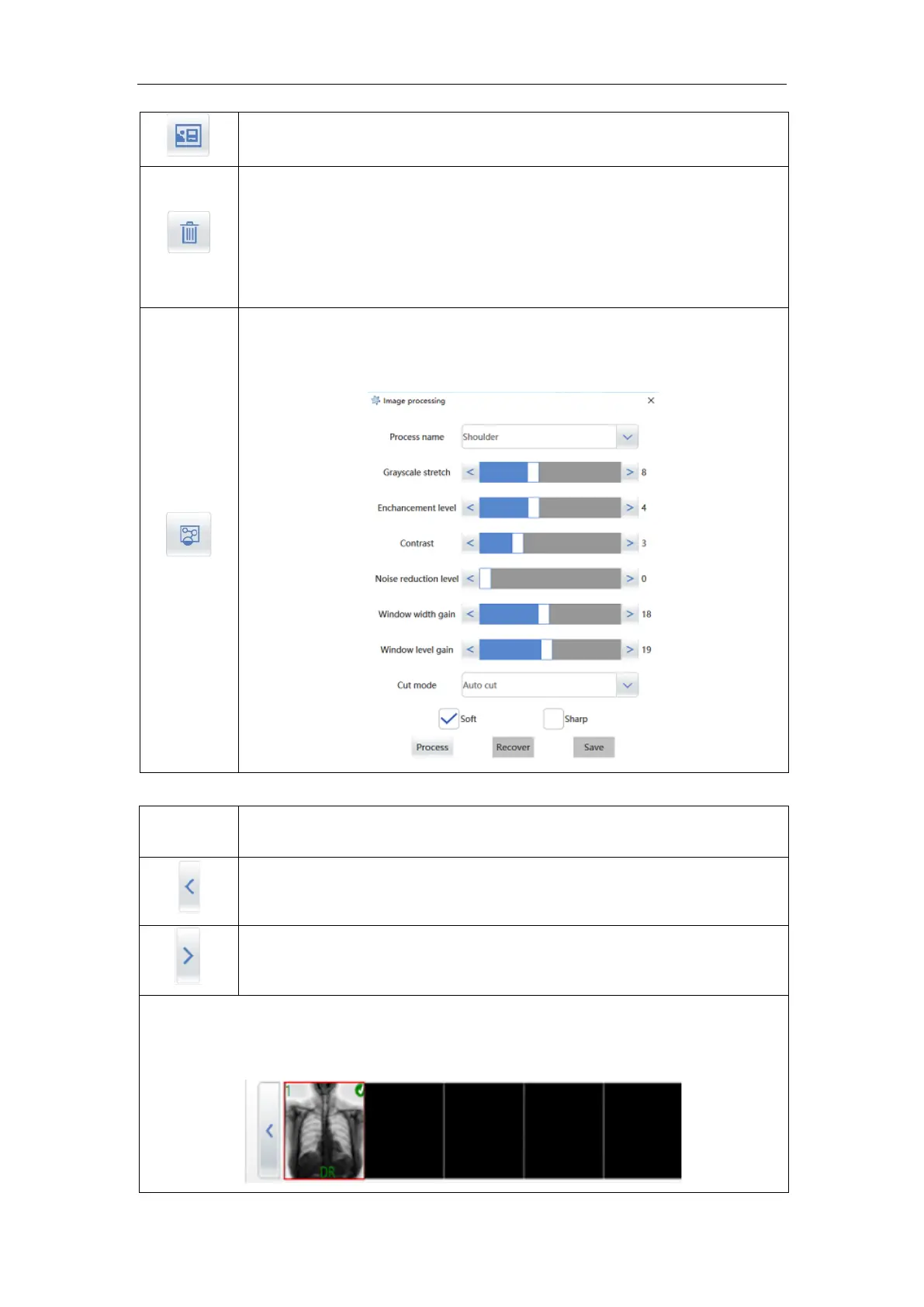
clicking the icon, you can image processing, As shown in the picture: you
can change the grayscale stretch, change level, contrast, Noise reduction
level, Window width gain , Window level gain ,
Each click moves to the left to view a thumbnail;
Each click moves to the right to view a thumbnail;
In the upper left corner of the thumbnail, the number is displayed as the current
number. Display the image acquisition mode below;
Click the normal thumbnail to enter the image display area.



 To Next Page