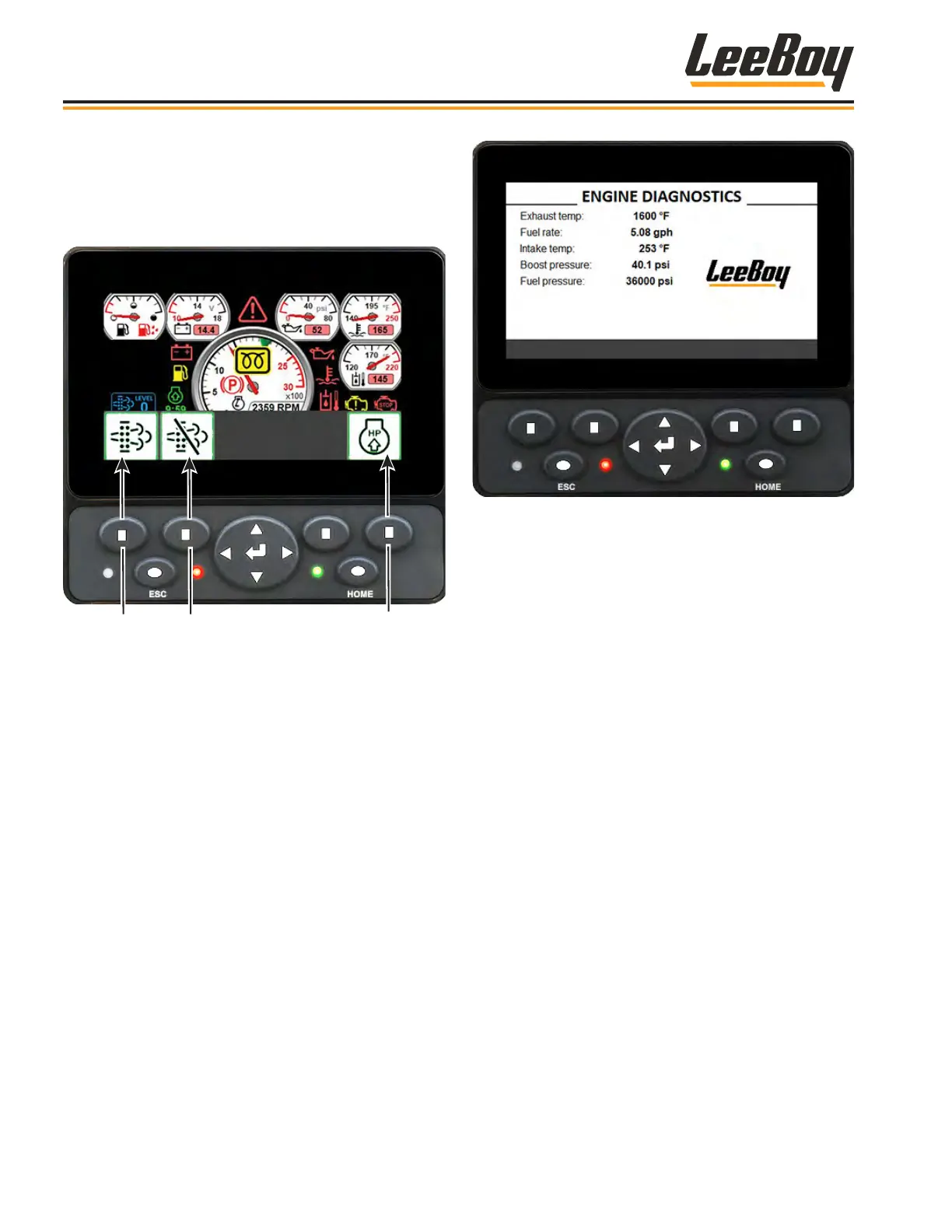
When you press Button 4 in the engine screen, a pop-
up banner appears with regeneration selections that
correspond with the controller buttons. (Figure 4-7)
NOTE: If the icon background is gray, the function is
unavailable (or unneeded) at the moment.
Button
#1
Button
#2
Button
#4
Figure 4-7. Engine Screen Pop-Up Banner
• Pressing Button #1 starts the regeneration process
described on Pages 4-32 to 4-33.
• Pressing Button #2 inhibits the regeneration
process.
• Pressing the ESC (escape) button exits the pop-up
to the engine screen.
Pressing the ESC (escape) button navigates to the
Engine Diagnostics screen, which displays engine
status and important information as shown in Figure
4-8.
Figure 4-8. Engine Diagnostics Screen
You can view active and logged engine fault screens
(shown on the following page) by pressing the screen
navigation button left and right. A complete listing
of engine fault codes is shown in Troubleshooting,
Section 5.
• The Active Diagnostics screen displays active
warnings or faults with the appropriate Suspect
Parameter Number (SPN) and Failure Mode
Indicator (FMI). It may also display text description
and ID/Name of the device that transmitted the
message. (Figure 4-9)
• The Logged Diagnostics screen displays nonactive
warnings or faults with the appropriate Suspect
Parameter Number (SPN) and Failure Mode
Indicator (FMI) that are stored in the system.
(Figure 4-10)
Operation
LeeBoy Model 5300B Compact Paver4-18



 To Next Page