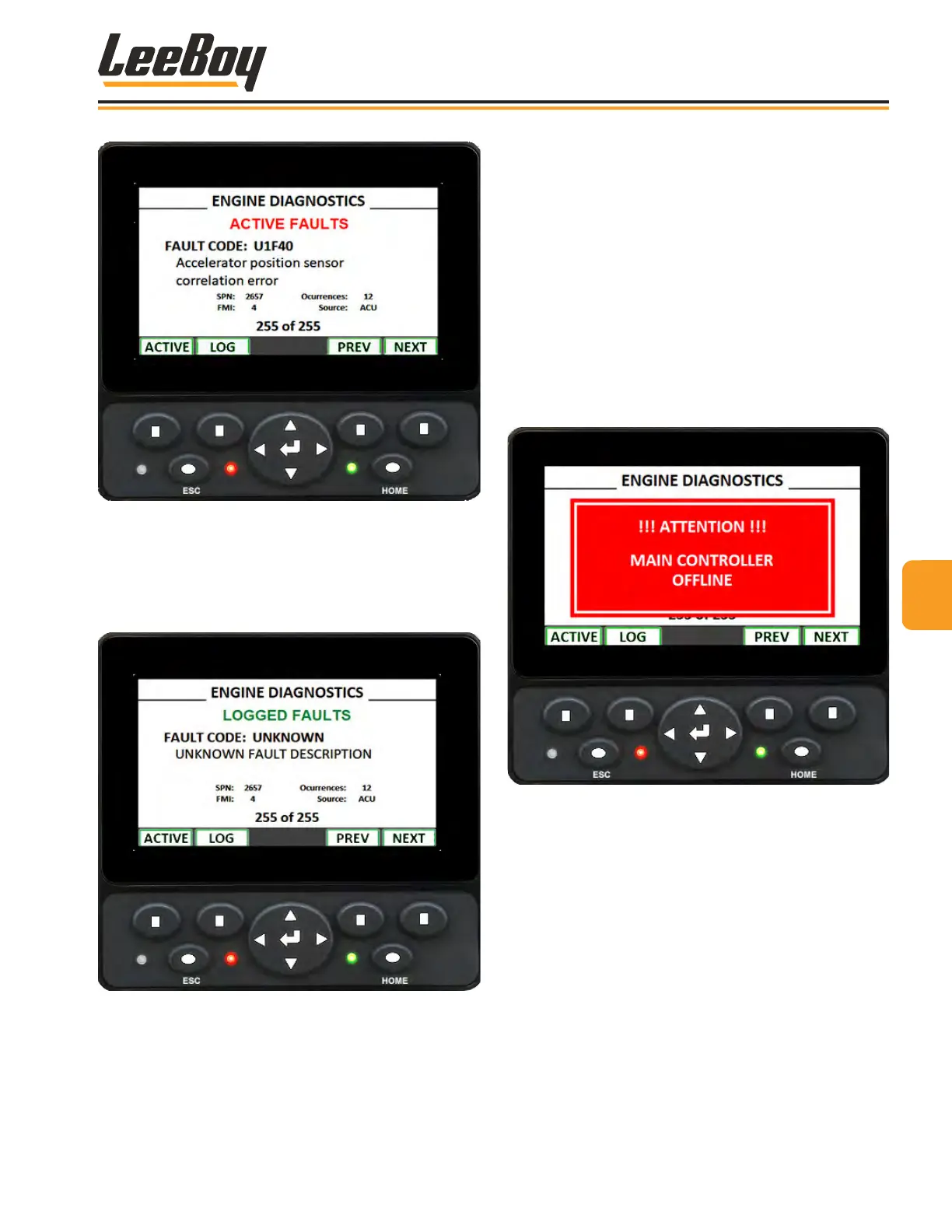
Figure 4-9. Active Engine Faults Screen
• Press Button #1 to view active engine faults.
• Press Button #2 to view logged engine faults.
• Use Buttons #3 and #4 (PREV [previous] and NEXT)
to scroll between fault screens.
Figure 4-10. Logged Engine Faults Screen
Engine Alert MessagesEngine Alert Messages
Message banners may pop up on the engine (and pave)
screen due to faults, or to alert the operator of issues.
Some can be dismissed by pressing the ESC [escape]
button and will periodically return to remind the operator
of the issue. If the initial alert message is ignored, red
alert messages will appear denoting an issue has
reached critical level, and the engine output will be
limited or will shut down. To prevent costly repairs, it is
important to resolve a problem when it rst arises.
If for some reason the DM430 controller has lost
communication with the Plus +1 system or machine drive
controller, the following alert message banner appears:
(Figure 4-11)
Figure 4-11. Main Controller Ofine Alert Screen
44
Operation
LeeBoy Model 5300B Compact Paver 4-19



 To Next Page