108
F428
MQ00283-c-EN 07/06/2014
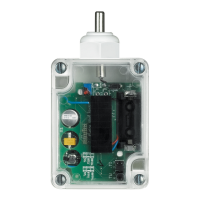
Contact interface
in DIN module
4. Scenario module control
4.1 Addressing
Function Virtual configuration (MYHOME_Suite) Physical configuration
Room (of the scenario module) 0-10 A=1-9
Light point (of the scenario module) 0-15 PL1, PL2=0-9
Virtual configuration (MYHOME_Suite) Physical configuration
Function Parameter / setting
Type of contact to terminals N1 and N2 Normally open (N/O) SPE=0
Normally closed (N/C) SPE=7
Scenario modification and activation
Scenario No. 1-16 SPE=6
1)
, M=1-8
Scenario activation
Scenario No. 1-16
SPE=4
2)
, M=1-8
4.2 Mode
NOTE:
For Delayed activation of the top/bottom button use MYHOME_Suite virtual configuration
NOTE 1): With SPE=6 you can call and program scenarios within module F420. M=1-8: group of
scenarios to be controlled (see table).
NOTE 2): With SPE=4 it is only possible to call up the scenario saved in module item F420. M=1-8:
group of scenarios to be controlled (see table).
Scenario programming
To program, change or delete a scenario you need to enable programming module F420
so that the status LED is green (press the
locking/unlocking button on the scenario module for at least 0.5 seconds) and then
continue with the following steps:
1) press one of the four special control buttons to which the scenario should be associated
to for 3 seconds and the corresponding LED will start blinking;
2) set the scenario using the corresponding controls for the various Automation,
Temperature control, Sound system, etc. functions;
3) confirm the scenario by briefly pressing the corresponding button on the special
control to exit the programming mode;
4) to change a scenario, or to create new ones to use with the other buttons, repeat the
procedure
starting from point 1. To recall an already set scenario, briefly pressing the corresponding
button on the control is enough. If you want to delete a scenario completely, press and
hold down the corresponding button for approximately 10 seconds.
NOTE:
PL2 must be equal to PL1, or not be configured (in which case the button connected to
terminal PL2 is disabled)
M First contact PL1 Second contact PL2
1 1 2
2 3 4
3 5 6
4 7 8
5 9 10
6 11 12
7 13 14
8 15 16
A=0-9 and PL1=1-9 are the room and the light point of the scenario module to be controlled. PL2
must be equal to PL1 or not be configured (in which case the second contact is disabled).


 To Next Page