131
H4651M2
L4651M2
AM581M2
573987
067242
067553
Virtual configuration (MYHOME_Suite) Physical configuration
Function Parameter / setting
Scenario activation and
modification
Scenario top button 1-16
SPE=6, M=1-4
1)
Scenario bottom button 1-16
Scenario activation Scenario top button 1-16
SPE=4, M=1-9
2)
Scenario bottom button 1-16
4.2 Mode
NOTE 1): With the special control you can retrieve, create, or modify 4 scenarios saved in the
scenario module F420. Each button on the control can be linked with one of the saved scenarios by
configuring position M, as shown in the table.
NOTE 2): Repeating scenario 1 – 9 of the scenario module F420 whose address is indicated in
positions A and PL of the control (complete the control with a double button cover).
Value of configurator M Button 1 (T1) Button 2 (T2) Button 3 (T3) Button 4 (T4)
1 scenario 1 scenario 2 scenario 3 scenario 4
2 scenario 5 scenario 6 scenario 7 scenario 8
3 scenario 9 scenario 10 scenario 11 scenario 12
4 scenario 13 scenario 14 scenario 15 scenario 16
NOTE: M = 1-4 identifies the group of scenarios to be controlled with the four buttons T1, T2, T3
and T4.
Scenario programming
To program, change or delete a scenario you need to enable programming module F420
so that the status LED is green (press the locking/unlocking button on the scenario mod-
ule for at least 0.5 seconds) and then continue with the following steps:
1) press one of the four special control buttons to which the scenario should be associat-
ed to for 3 seconds and the corresponding LED will start blinking;
2) set the scenario using the corresponding controls for the various Automation, Tem-
perature Control, and Sound System functions;
3) confirm the scenario by briefly pressing the corresponding button on the special con-
trol to exit the programming mode;
4) to change a scenario, or to create new ones to use with the other buttons, repeat the
procedure starting from point 1. To recall an already set scenario, briefly pressing the cor-
responding button on the control is enough. If you want to delete a scenario completely,
press and hold down the corresponding button for approximately 10 seconds.
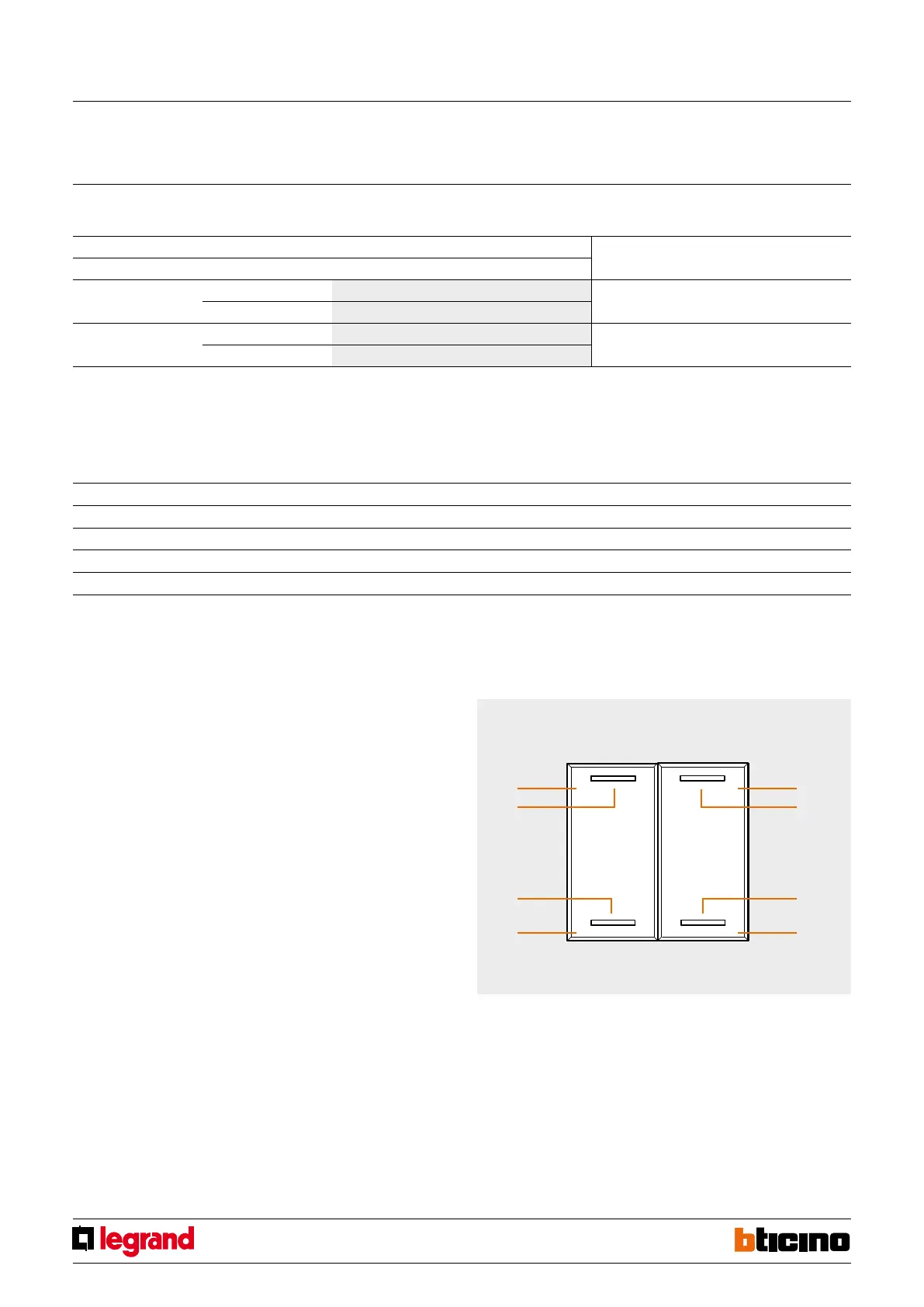
Button 2
Button 2 LED
Button 4
Button 4 LED
Button 1
Button 1 LED
Button 3
Button 3 LED
Buttons for managing scenarios
Special control
MQ00285-c-EN 09/06/2014
For Delayed activation of the top/bottom button use MYHOME_Suite virtual configu-
ration



 To Next Page