14
24/09/2013
0883 31
3577
Configuration
Configuration of the ZigBee network
“Push and Learn” self-learning type.
Definition of the interface operating mode
The interface is already configured during production for connection to a two-way
switch or to a switch. If connecting one or more pushbuttons, change the operating
mode as indicated below:
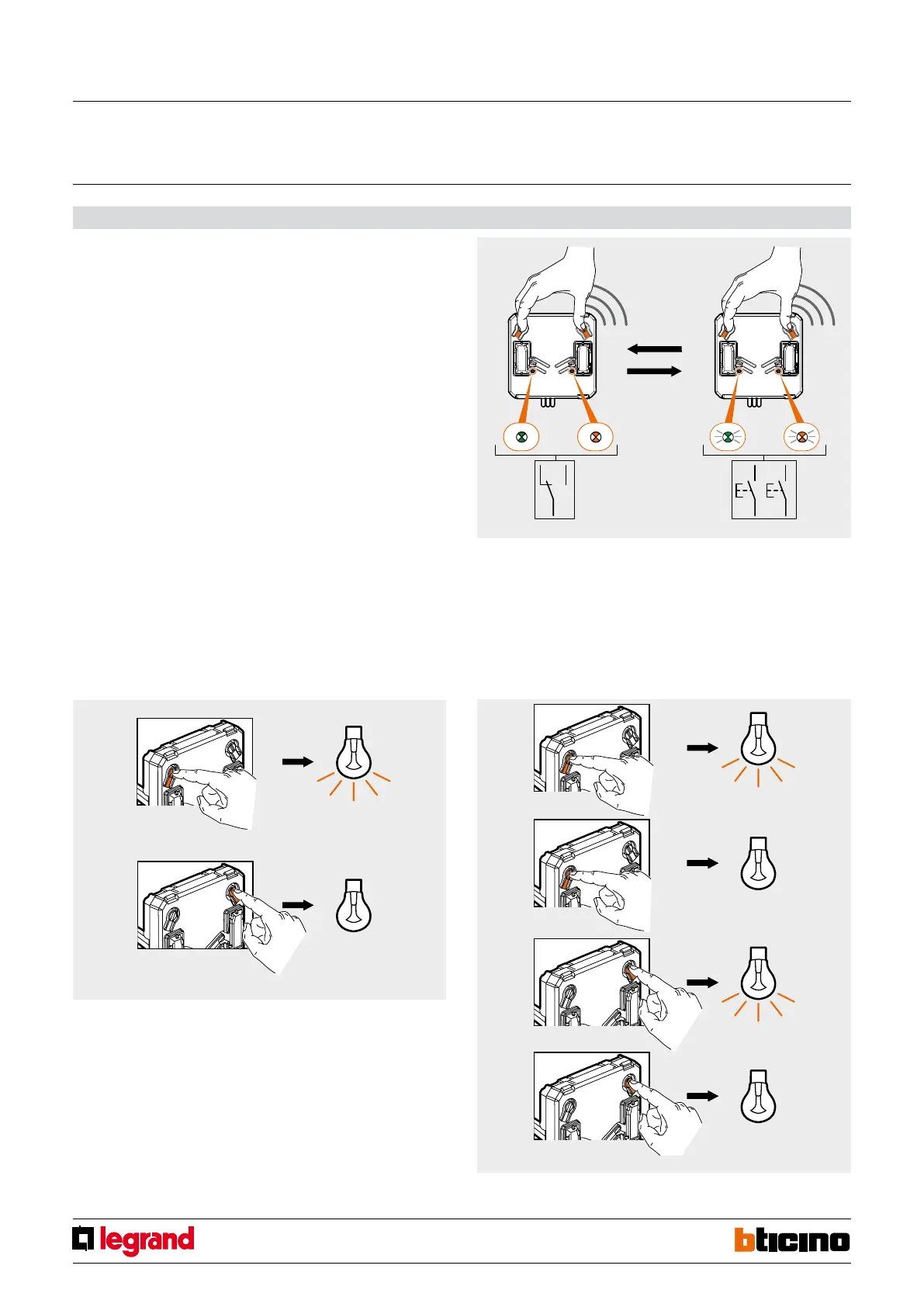
1. Press the two pushbuttons on the interface for at least 5 seconds.
2. When the two LEDs (green on the left and orange on the right) flash slowly,
release the pushbuttons. The interface is now preset for connection to one or more
pushbuttons.
To restore “switch/two-way switch” mode, press the two interface pushbuttons for at
least 5 seconds, and release them when the two LEDs come on steady (not flashing).
Operating test
After completing the wiring and defining the operating mode, the operation of the in-
terface can be tested using the traditional devices connected, or the two pushbuttons:
- If the interface is in “two-way switch” mode, use the left pushbutton to send an ON
command to the radio actuator associated to the two-way switch. Use the right push-
button to send the OFF command.
- If the interface is in “pushbutton” mode, use the right pushbutton cyclically to send a
cyclic ON and OFF command to the radio actuator associated with the P1 pushbutton.
Use the left pushbutton to send a cyclic ON and OFF command to the radio actuator
associated with the P2 pushbutton.
RF ZigBee transmitter with auxiliary inputs (2 inputs)
MQ00492-c-EN



 To Next Page