Group 7 Data Entry Page 76
Release 3.00 Leibinger-Jet 2 se
The draftmode 6 has been especially developed for fast printing of graphics and fonts
with a height of 24 dots.
Note:
The draftmode 6 allows a higher printing speed by up to 250% for fonts with the
matrix height of 24 dots.
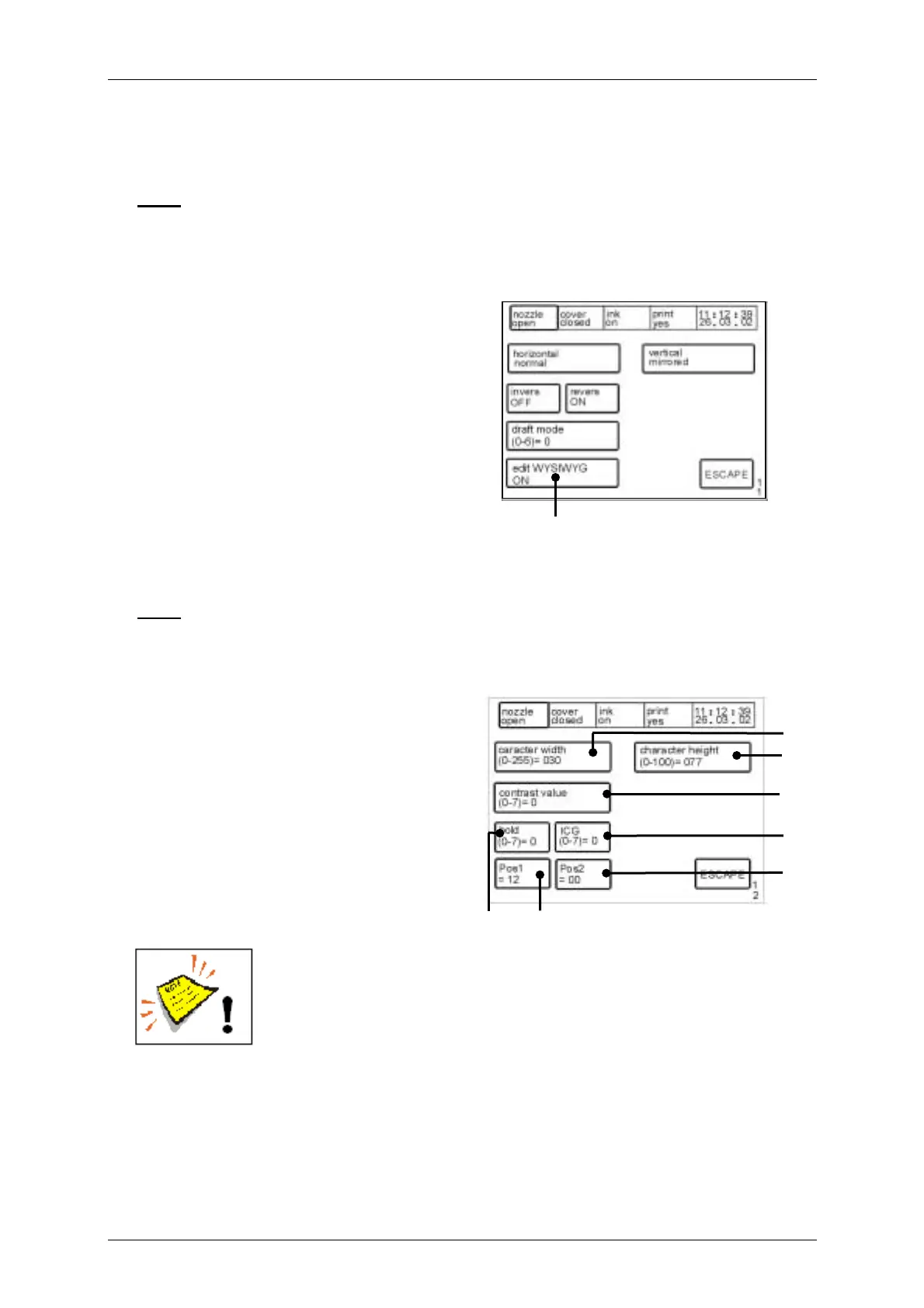
Figure 49
Touch field <edit WYSIWYG> (27): With
this function you can switch on either off
the WYSIWYG-display during the text input
for fontss with a height of ≥ 16 dots.
If the WYSIWYG-function will be switched
off the text is displayed in the matrix 7x5
and therefore you can reach a faster
display mode on the LCD-touch display
and therefore a faster text input as it would
be possible on the WYSIWYG
-display-mode. The display of the text which should be printed in the basis menu
happens in the selected matrix even if the WYSIWYG-function is switched off.
Note:
WYSIWYG = What you see is what you get
Figure 50
In the menu <E12> the following text layout
options are available.
Touch field <character width> (28):
Selection of the print width from 0- 255.
Touch field <character height> (29):
Selection of the print height from 0- 100.
Touch field <bold> (30):
Selection of the boldness value from 0-7.
Note! The set-up has only consequences on text elements which have
been pre-defined withe the <BOLD> - function during the text was
entered!
Further informations can be found in the chapter Bold print.
To reach a bold print several drops are placed next to each other, that means e.g. if the
bold value is set to „1“ on the print-out 2 drops will be placed next to each other.
30
28
[E12]
29
31
32
34
33
[E11]
27



 To Next Page