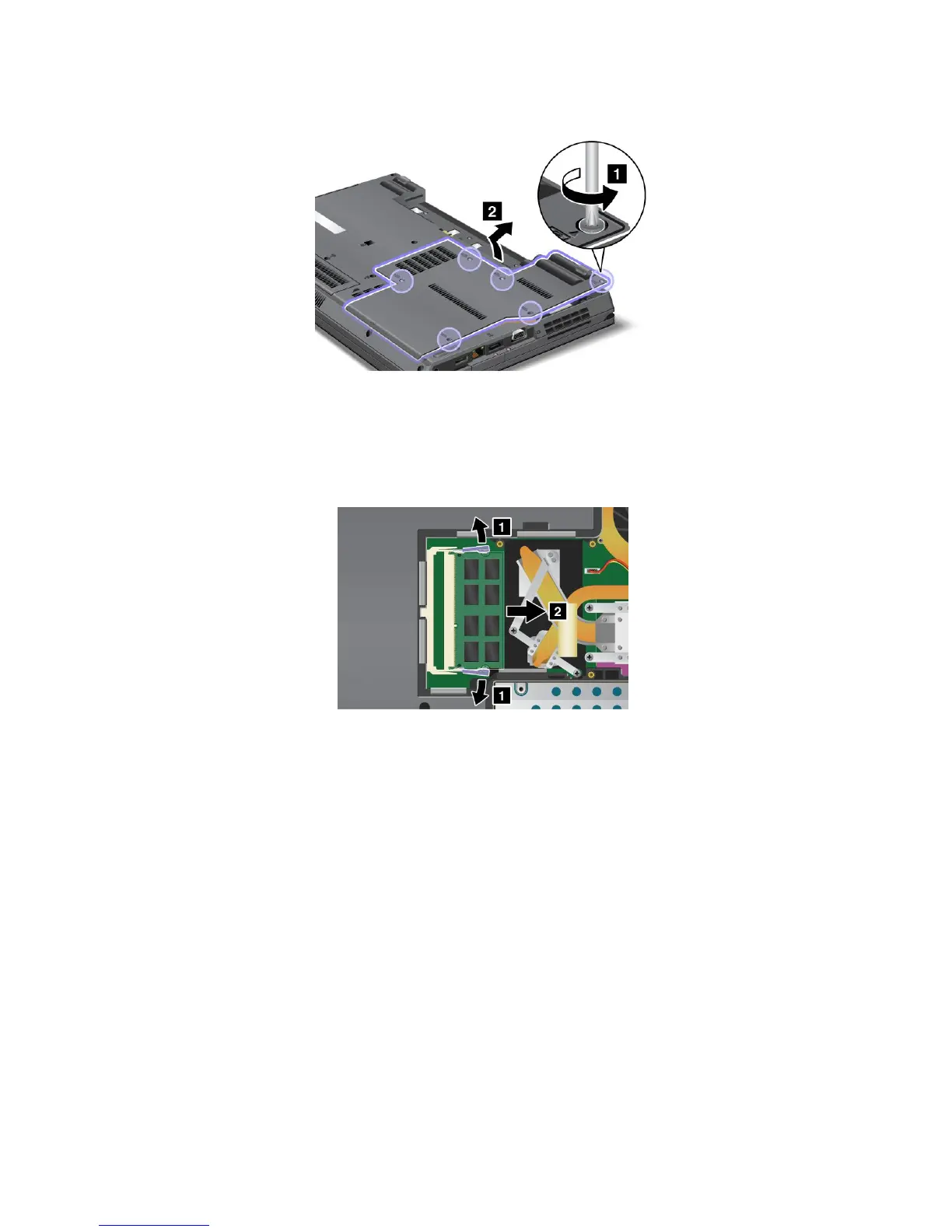
4.Loosenthescrews,andthenremovethecover.
Attention:Donottouchanyexposedpartsotherthanthosereferredtointhisprocedure.Unnecessary
contactswiththeelectricandelectroniccomponentsmightcauseyourcomputertomalfunction.
5.IfthetwoSO-DIMMsarealreadyinthememoryslots,releasethelatchesonbothedgesofthesocket
atthesametime,andthenremovetheSO-DIMMtomakeroomforthenewone.Besuretosave
theremovedmemoryforfutureuse.
6.FindthenotchonthecontactedgesideoftheSO-DIMM.
Attention:ToavoiddamagingtheSO-DIMM,donottouchitscontactedge.
92UserGuide















 To Next Page