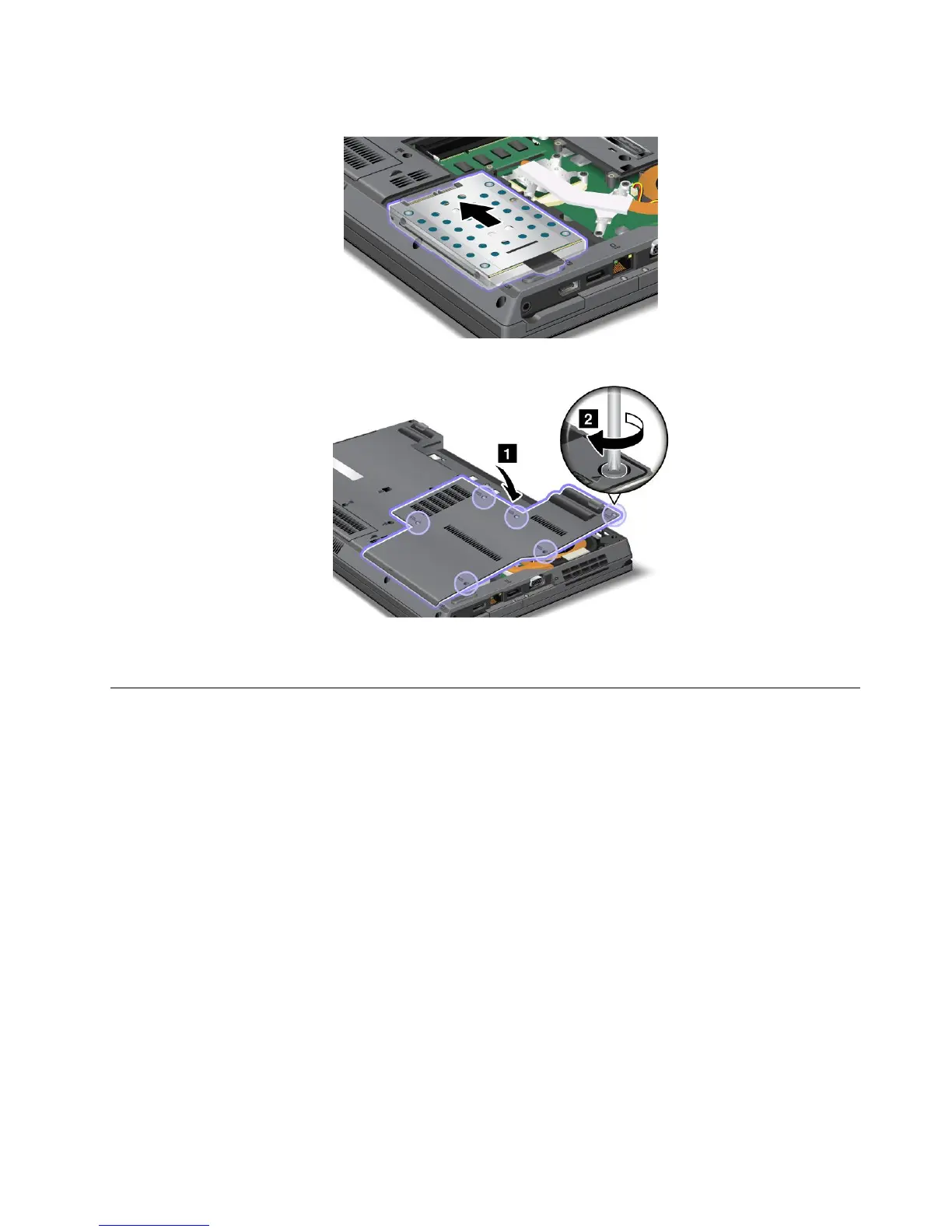
12.Pullthenewharddiskdrivetotheleft.
13.Putthecoverbackinplace,andtightenthescrews.
14.Reinstallthebatteryandturnthecomputeroveragain.Thenreconnecttheacpoweradapterand
thecables.
Replacingthesolidstatedrive
YoucanreplacethesolidstatedrivewithanewonewhichcanbepurchasedfromyourLenovoresellerora
marketingrepresentative.Readthefollowingprerequisitesbeforeyoureplacethesolidstatedrive.
Note:Replacethesolidstatedriveonlyifyouneedtohaveitrepaired.Theconnectorsandslotofthesolid
statedrivewerenotdesignedforfrequentchanges,ordriveswapping.
Prerequisitesfortheprocedure
Whenreplacingthedrive,besuretofollowtheprecautions.
Attention:
•Donotdropthesolidstatedriveorsubjectittophysicalshocks.Putthedriveonamaterial,such
assoftcloth,thatabsorbsanyphysicalshocks.
•Donotapplypressuretothecoverofthedrive.
•Donottouchtheconnector.
Thedriveisverysensitive.Incorrecthandlingcancausedamageandpermanentlossofdata.
Beforeremovingthesolidstatedrive,makeabackupcopyofalltheinformationonit,andthenturnthe
computeroff.
Neverremovethedrivewhilethesystemisoperating,insleep(standby)mode,orinhibernationmode.
Chapter6.Replacingdevices97















 To Next Page