IfyouusetheThinkPadMiniDockSeries3,ortheThinkPadMiniDockPlusSeries3,andattacha
mechanicallockwiththeejectbuttonunlocked,tolocktheejectbutton,usethesystemlockkey.See
“Usingthesystemlockkey”onpage129.
Lenovodoesnotofferamechanicallock.Youwillneedtopurchaseoneelsewhere.Youareresponsible
forevaluating,selecting,andimplementinganylockingdeviceandsecurityfeature.Lenovomakesno
comments,judgments,orwarrantiesaboutthefunction,quality,orperformanceofanylockingdeviceor
securityfeatures.
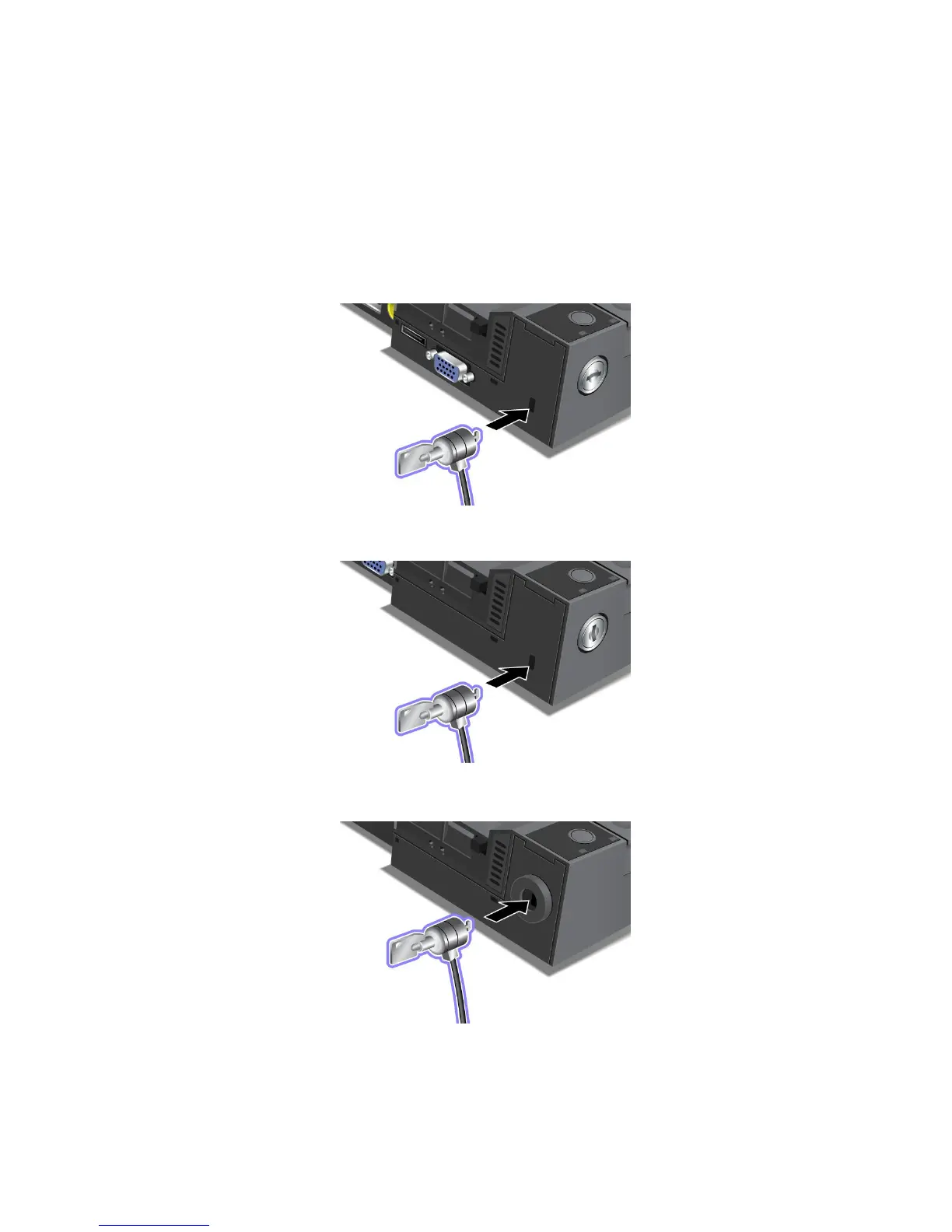
AttachamechanicallocktotheThinkPadMiniDockPlusSeries3asfollows:
AttachamechanicallocktotheThinkPadMiniDockSeries3asfollows:
AttachamechanicallocktotheThinkPadPortReplicatorSeries3asfollows:
Usingthesystemlockkey
Thesystemlockkeyhastwopositions,unlockedandlocked.
Chapter7.Enhancingyourcomputer129















 To Next Page