AttachingaThinkPadportreplicatorordockingstation
Notes:
•BeforeyouattachthecomputertoaThinkPadPortReplicatorSeries3,aThinkPadMiniDockSeries3,or
aThinkPadMiniDockPlusSeries3,disconnectanacpoweradapterfromthecomputer.
•Ifyourcomputerisoperating,makesurethatithasnishedanyoperationsinvolvingdevicesthatare
connectedtoaUSBconnectorandaUSB/eSATAconnector.Alsomakesurethatanyconnectionto
anEthernetporthasended.
•BeforeyouattachyourcomputertoaThinkPadMiniDockSeries3,oraThinkPadMiniDockPlusSeries
3,makesurethatthesystemlockkeyisinplaceandintheunlocked(horizontal)position.
ThefollowingdrawingsarefortheThinkPadMiniDockSeries3,ortheThinkPadMiniDockPlusSeries3.
TheprocedureisthesamefortheThinkPadPortReplicatorSeries3.
ToattachyourcomputertoaThinkPadPortReplicatorSeries3,aThinkPadMiniDockSeries3,ora
ThinkPadMiniDockPlusSeries3,dothefollowing:
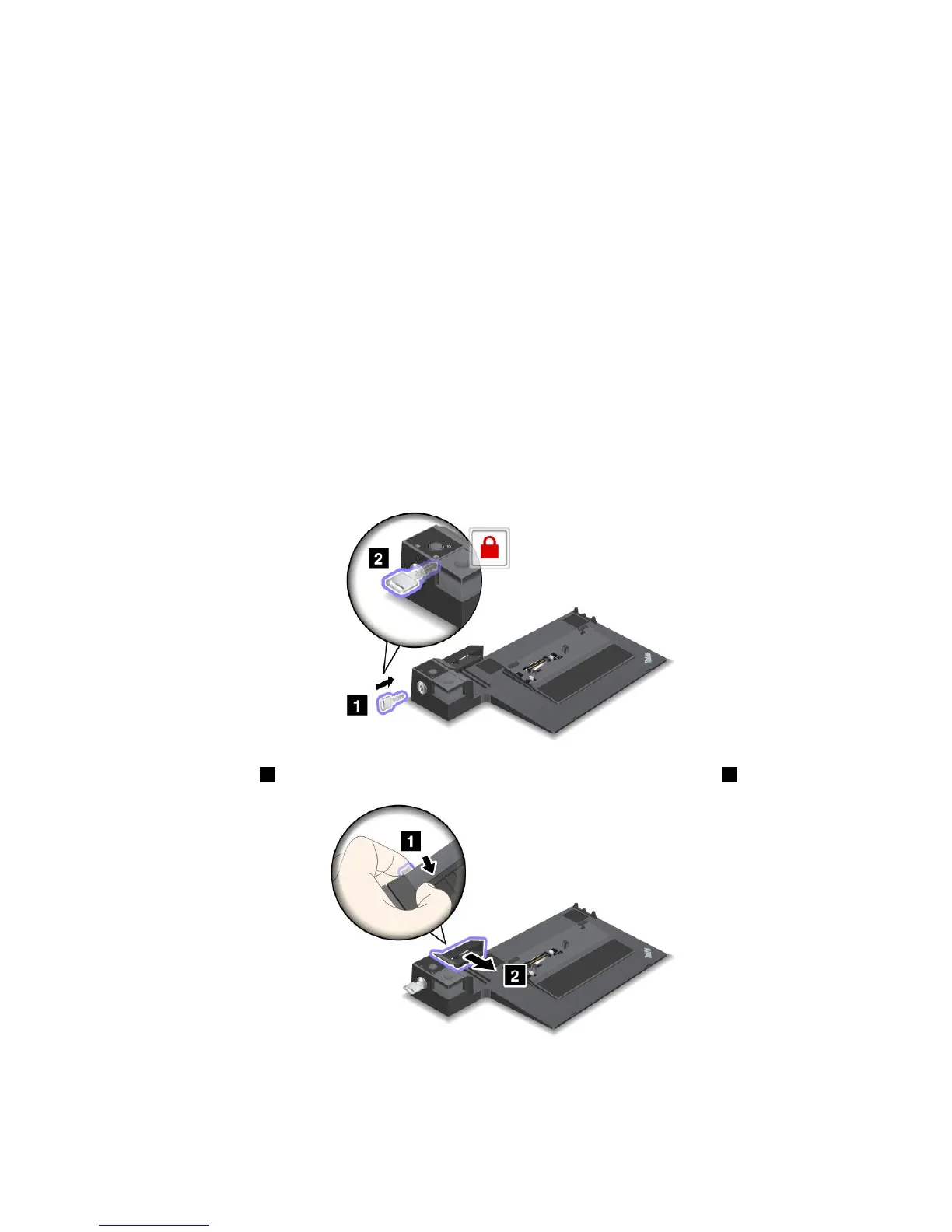
1.Toattachyourcomputer,makesurethatthesystemlockkeyisinplaceandintheunlocked(horizontal)
positionfortheThinkPadMiniDockSeries3,ortheThinkPadMiniDockPlusSeries3.Makesurethat
themechanicallockisdetachedfortheThinkPadPortReplicatorSeries3.
2.Pressthebutton1andpulltheslidingadjusterinthedirectionshownbythearrow2.
Chapter7.Enhancingyourcomputer125















 To Next Page