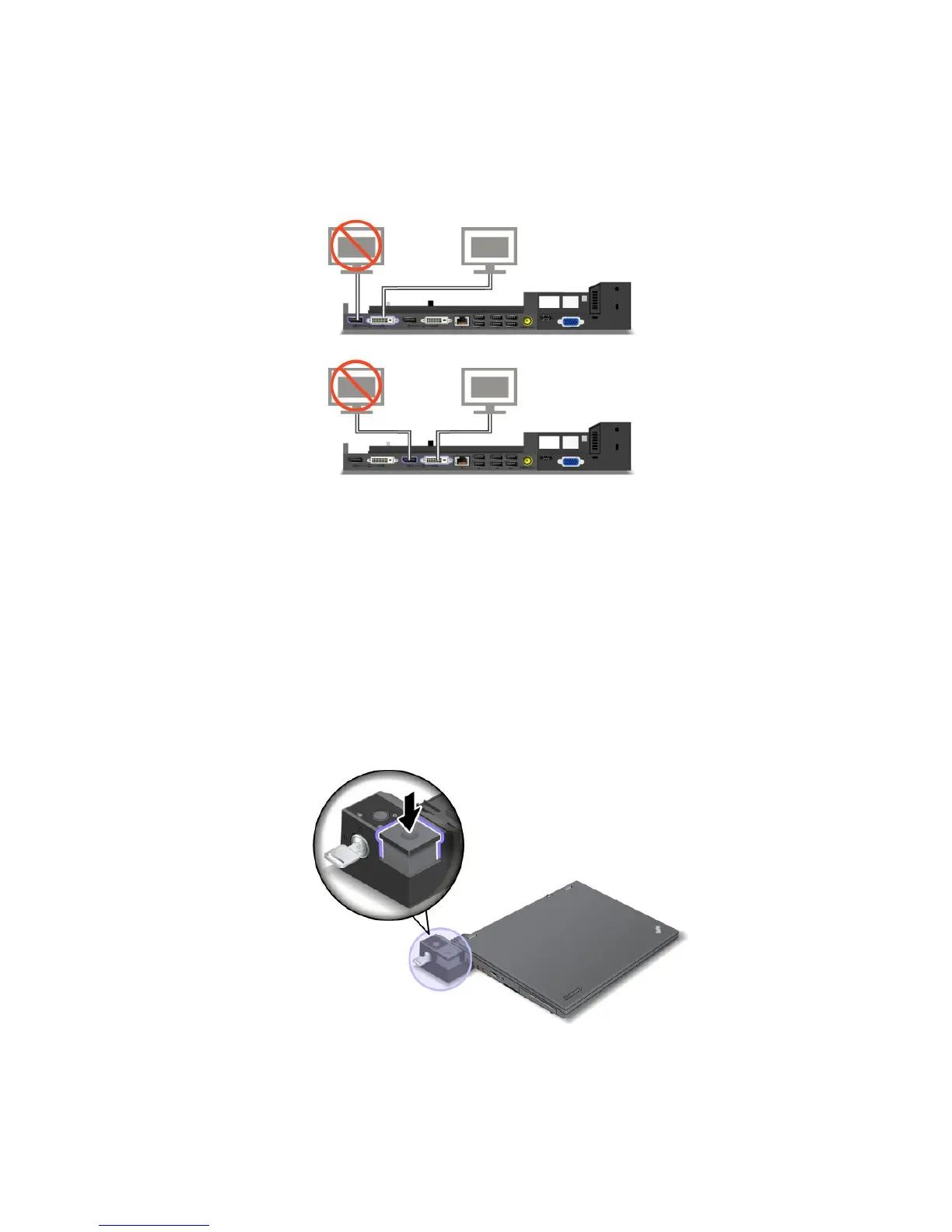
ConnectinganexternaldisplaytotheThinkPadMiniDockPlusSeries3
Group1(topgure)andGroup2(lowergure)areindependentofeachother.EachhasaDisplayPortanda
digitalvisualinterface.IfyouconnectadisplaytoaDisplayPortandaDVIthatareinthesamegroup,the
DisplayPortisinactive.
DetachingaThinkPadportreplicatorordockingstation
TodetachyourcomputerfromtheThinkPadMiniDockSeries3,ortheThinkPadMiniDockPlusSeries3,
dothefollowing:
1.Makesurethat:
•ThedevicesconnectedtoUSBconnectorsarenotinuse.
•TheconnectiontoanEthernetporthasbeenended.
•ThedevicesconnectedtoaneSATAportarenotinuse.
2.MakesurethatthesystemlockkeyoftheThinkPadMiniDockSeries3,ortheThinkPadMiniDock
PlusSeries3isinplaceandintheunlocked(horizontal)position.
Chapter7.Enhancingyourcomputer127















 To Next Page