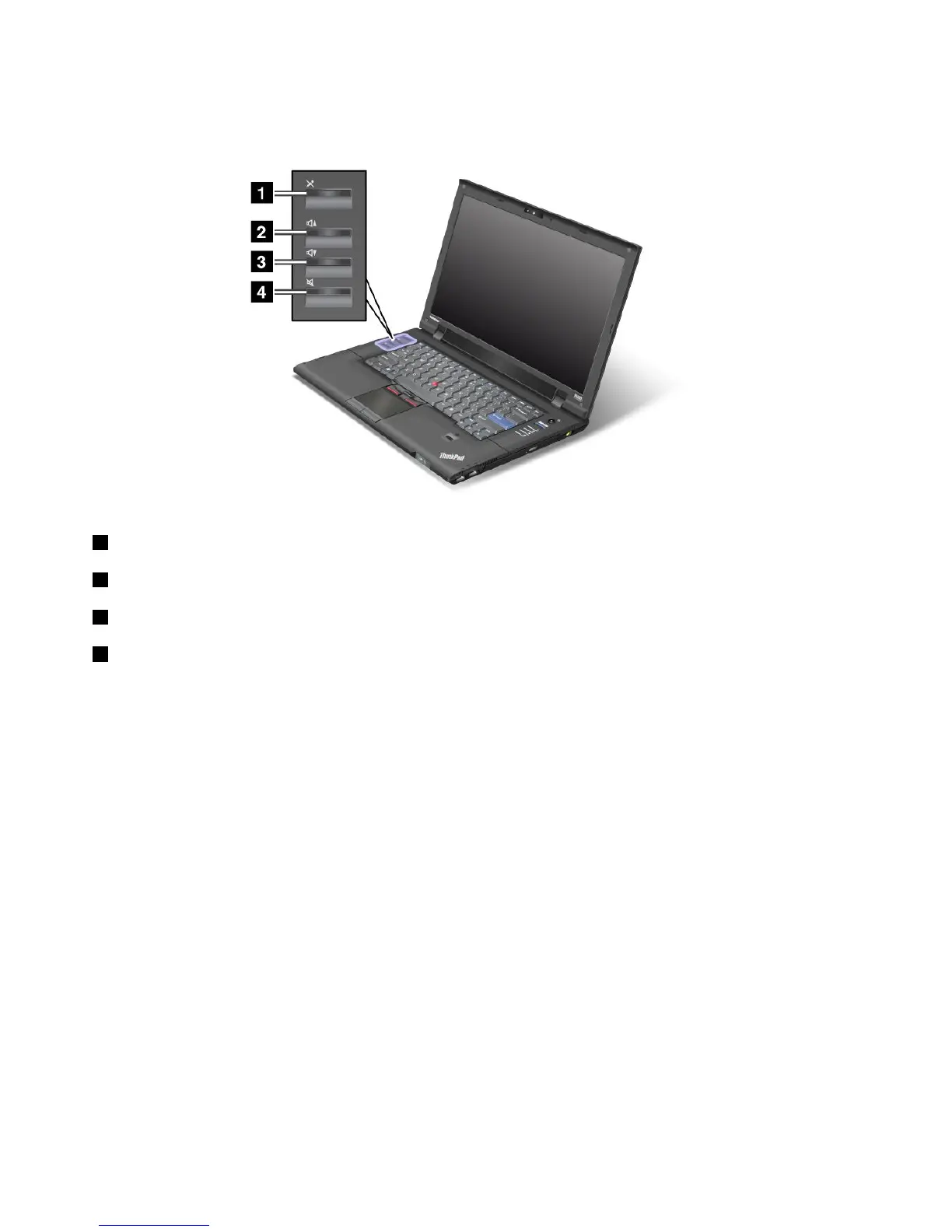
Volumeandmutebuttons
Youcanadjustthesoundlevelofthebuilt-inspeakersbyusingthefollowingthreebuttons:
1Microphonemutebutton
2Volumeupbutton
3Volumedownbutton
4Speakermutebutton
Ifyoumutethesoundandthenturnoffyourcomputer,thesoundwillremainmutedwhenyouturnonyour
computeragain.Toturnonthesound,presstheVolumeuporVolumedownbutton.
Settingthevolume
Eachdevicehasvolumecontrols,whichyoucanset.
Toopenthewindowforadjustingtheoutputvolumeortherecordingvolume,dothefollowing:
ForWindows7andWindowsVista:
1.ClickStart➙ControlPanel➙HardwareandSound➙Sound.TheSoundwindowappears.
2.ClickthePlaybacktaborRecordingtab,andthenclickadevice,whichyouwanttocustomize.
3.ClickthePropertiesbutton.
4.ClicktheLevelstab,andthenchangethevolumebymovingtheslider.
ForWindowsXP:
1.ClickStart➙ControlPanel➙Sounds,Speech,andAudioDevices➙SoundsandAudioDevice.
TheSoundsandAudioDevicePropertieswindowappears.
2.ClicktheAudiotab,andthenclicktheVolumebuttoninSoundPlaybackorSoundRecording.
Notes:
30UserGuide















 To Next Page