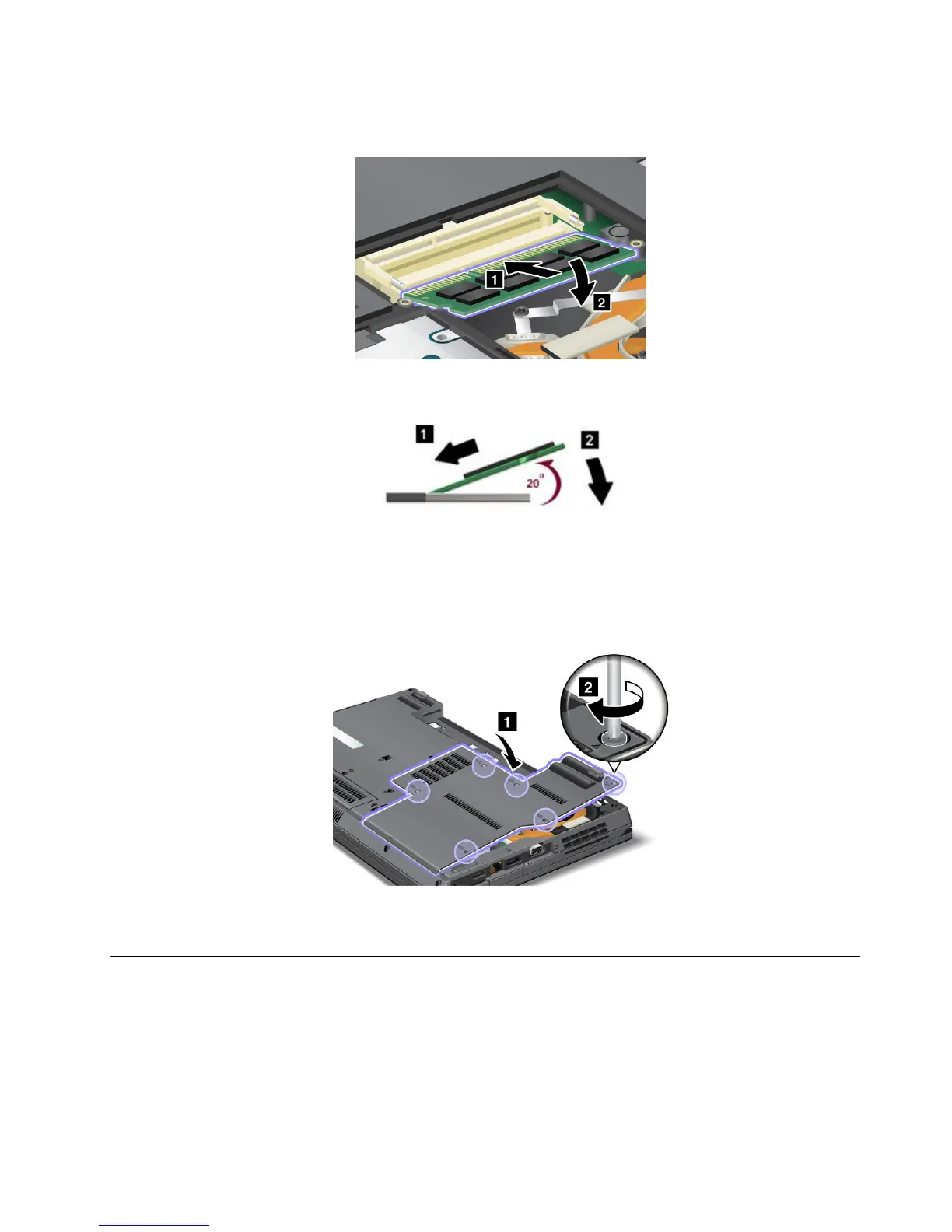
7.WiththenotchedendoftheSO-DIMMtowardthecontactedgesideofthesocket,inserttheSO-DIMM
intothesocket,thenpressitrmly.
Note:InserttheSO-DIMMintothesocketatanangleofabout20degrees.
Note:Ifyouinstallamemorymoduleinonlyoneofthetwomemoryslots,installitinthelowerslot.
8.PivottheSO-DIMMdownwarduntilitsnapsintoplace.
9.Makesurethatthecardisrmlyxedintheslotanddoesnotmoveeasily.
10.Putthecoverbackinplace,andtightenthescrews.
11.Reinstallthebatteryandturnthecomputeroveragain.Thenreconnecttheacpoweradapterand
thecables.
Replacingtheharddiskdrive
YoucanreplacetheharddiskdrivewithanewonewhichcanbepurchasedfromyourLenovoresellerora
marketingrepresentative.Readthefollowingprerequisitesbeforeyoureplacetheharddiskdrive.
Note:Replacetheharddiskdriveonlyifyouupgradeitorhaveitrepaired.Theconnectorsandslotofthe
harddiskdrivewerenotdesignedforfrequentchanges,ordriveswapping.
Chapter6.Replacingdevices93















 To Next Page