7.Reinstallthebatteryandturnthecomputeroveragain.Thenreconnecttheacpoweradapterand
thecables.
ReplacingthePCIExpressMiniCardforwirelessLAN/WiMAX
connection
Beforeyoustart,printtheseinstructions.
YourcomputerhasaPCIExpressMiniCardslotforconnectiontoawirelessLAN/WiMAX.ToreplacethePCI
ExpressMiniCardwithanewone,readthefollowingprerequisitesrst.
Prerequisitesfortheprocedure
DANGER
Duringelectricalstorms,donotconnectthecabletoordisconnectitfromthetelephoneoutlet
onthewall.
DANGER
Electriccurrentfrompower,telephone,andcommunicationcablesishazardous.T oavoidshock
hazard,disconnectthecablesbeforeopeningthecoverofthisslot.
Note:BeforeyoustartinstallingaPCIExpressMiniCard,touchametaltableoragroundedmetalobject.
Thisactionreducesanystaticelectricityfromyourbody.Thestaticelectricitycoulddamagethecard.
Replacingthecard
Toreplacethecard,doasfollows:
1.Turnoffthecomputer,thendisconnecttheacpoweradapterandallcablesfromthecomputer.Waitfor
afewminutes,tilltheinsideofthecomputercools,beforeyoustartthefollowingprocedures.
2.Closethecomputerdisplay,andturnthecomputerover.
3.Removethebattery.See“Replacingthebattery”onpage89.
4.Removetheopticaldrive.See“Replacingtheopticaldrive”onpage103.
5.Removethepalmrest.See“Replacingthepalmrest”onpage106.
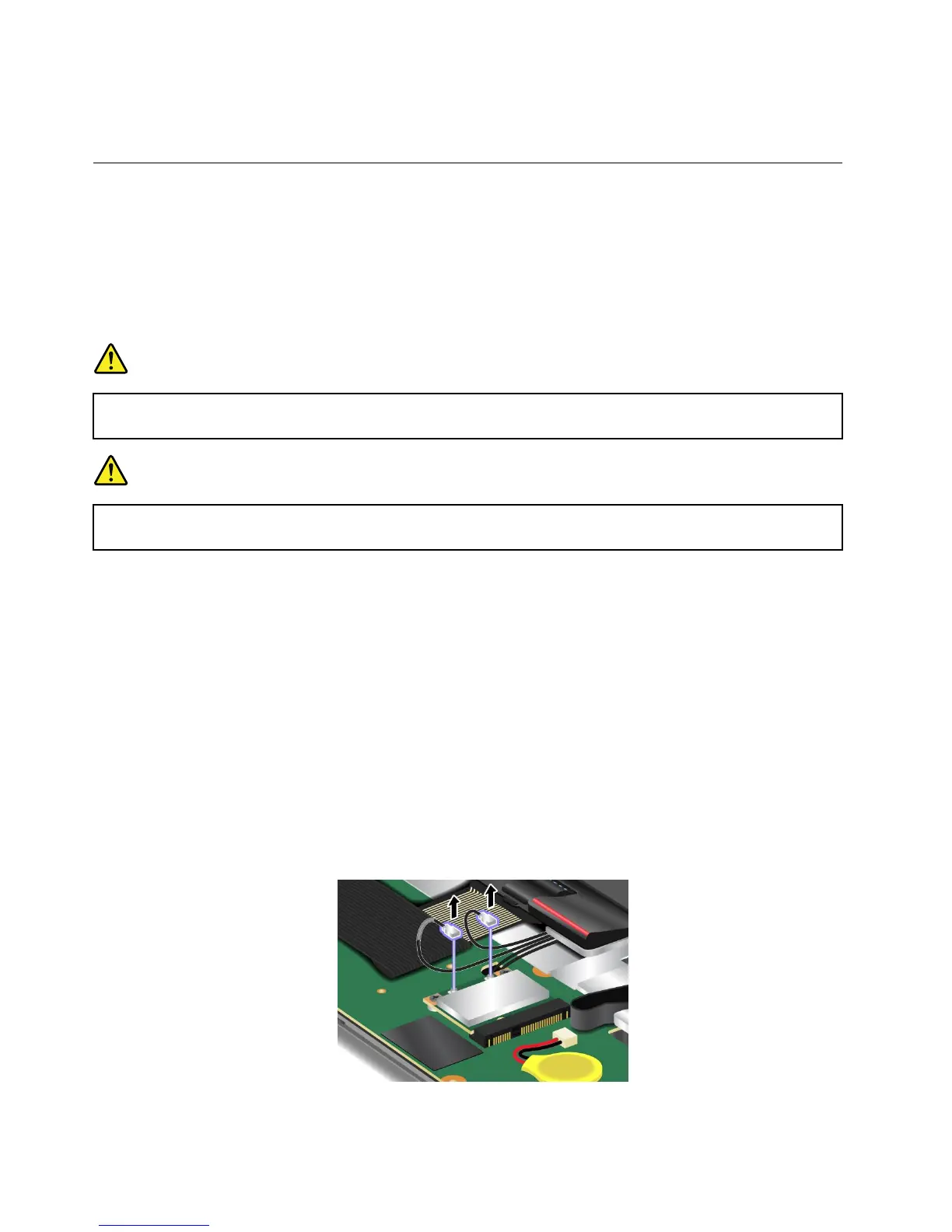
6.Ifatoolforremovingconnectorsisincludedinthepackagewiththenewcard,useittodisconnectthe
cablesfromthecard.Ifnosuchtoolisincluded,disconnectthecablesbypickinguptheconnectors
withyourngersandgentlyunpluggingthem.
110UserGuide















 To Next Page