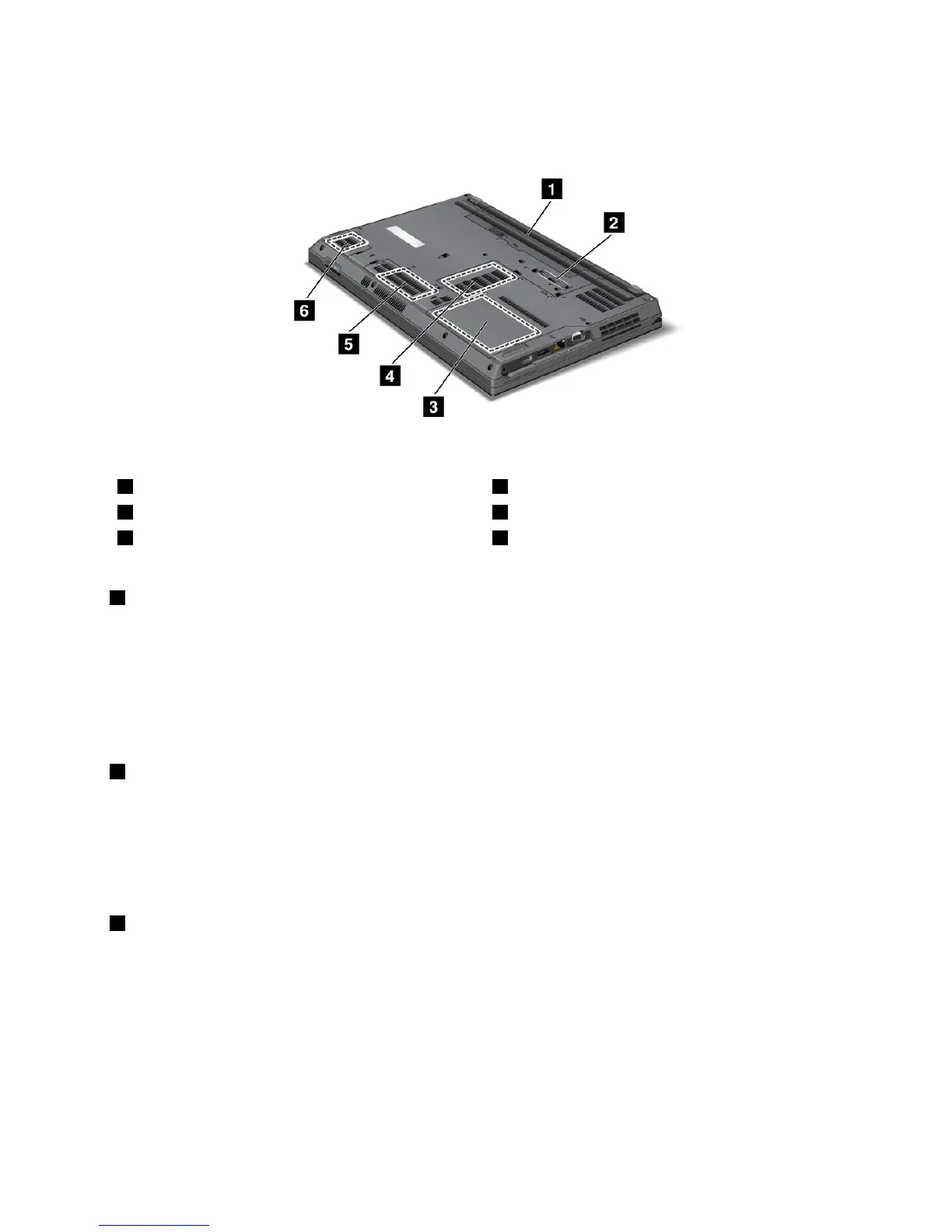
Bottomview
Figure4.ThinkPadL420andL520bottomview
1Battery
2Dockingconnector(somemodels)
3Harddiskdriveorsolidstatedrive4Memory-upgradeslotd
5PCIExpressMiniCardslotforwirelessWANcardor
mSATAsolidstatedrive(somemodels)d
6SIMcardslot
1Battery
Useyourcomputerwithbatterypowerwheneveracpoweradapterisunavailable.
Byinstallinganextendedlifebatteryavailableasanoptionyoucanextendtheoperatingtimeofthe
computer.
YoucanalsousePowerManagertoadjustyourpowersettingasneeded.Fordetails,refertotheinstructions
in“PowerManager”onpage19.
2Dockingconnector(somemodels)
Dependingonmodels,yourcomputermayequippedwithadockingconnector.Thedockingconnectorcan
extendthecomputercapabilitieswhenyouareinyourofceorhomewithaThinkPadportreplicatoror
aThinkPaddockingstation.
Note:Ifyourcomputerhasadockingconnector,itsupportsThinkPadPortReplicatorSeries3,ThinkPad
MiniDockSeries3,andThinkPadMiniDockPlusSeries3.
3Harddiskdriveorsolidstatedrive
Yourcomputermayhavealarge-capacity,customer-upgradableharddiskdrivethatcanmeetavariety
ofstoragedemands.Tokeepthedataonyourdrivesafe,ActiveProtectionSystem™isinstalledonyour
computer.Fordetails,referto“ActiveProtectionSystem”onpage18
.
WithLenovotechnologiesadvancingtoprovideyouwiththebestengineeredsystems,somemodels
areequippedwithasolidstatedrivefordatastorage.Thiscutting-edgetechnologyenablesnotebook
computerstobelighterandfaster.
Note:Thehiddenservicepartitionisthereasonwhythereislessfreespacethanexpectedonyourhard
diskdrive.
Chapter1.ProductOverview7















 To Next Page