4Memory-upgradeslot
Youcanincreasetheamountofmemoryinyourcomputerbyinstallingamemorymoduleinthememory
bay.Memorymodulesareavailableasoptions.
5PCIExpressMiniCardslotforwirelessWANcardormSATAsolidstatedrive(somemodels)
YourcomputermightincludeaPCIExpressMiniCardinthePCIExpressMiniCardslotwhichenables
wirelessWANcommunications.
WithLenovotechnologiesadvancingtoprovideyouwiththebestengineeredsystems,somemodelsare
equippedwithamSATAsolidstatedrivefordatastorage.
6SIMcardslot(somemodels)
IfyourcomputerhasawirelessWAN(WideAreaNetwork)feature,itmayrequireaSIM(Subscriber
IdenticationModule)cardtoestablishawirelessWANconnection.Dependingonthecountryofdelivery,
theSIMcardmaybealreadyinstalledintheSIMcardslot.
Fordetails,refertotheinstructionsin“ReplacingtheSIMcard”onpage104.
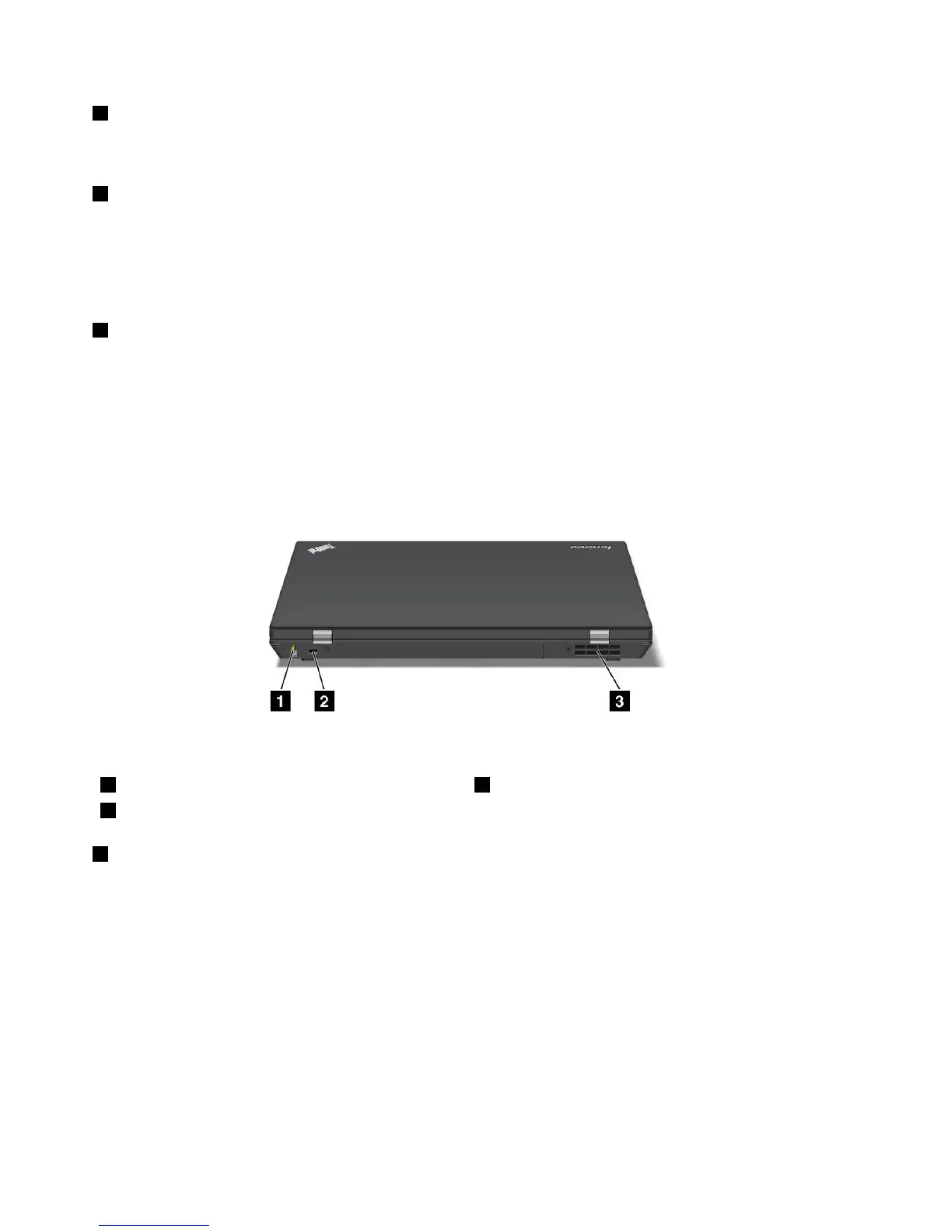
Rearview
Figure5.ThinkPadL420andL520rearview
1AlwaysonUSBconnector2Securitykeyhole
3Fanlouvers(rear)
1AlwaysonUSBconnector
TheUniversalSerialBus(USB)connectorisusedforconnectingUSBinterface-compatibledevices,such
asaprinterordigitalcamera.
Bydefault,evenwhenyourcomputerisinsleep(standby)mode,theAlwaysOnUSBconnectorstillenables
youtochargesomedevices,suchasiPod
®
andiPhoneandBlackBerry
®
smartphones,byattachingthe
devicestotheconnector.
However,withtheacpoweradapterattached,ifyouwanttochargethesedeviceswhenyourcomputer
isinhibernationmodeorpoweredoff,youwillneedtoopenthePowerManagerprogramandcongure
correspondingsettingstoenabletheAlwaysOnUSBconnectorfunction.Fordetailsabouthowtoenable
theAlwaysOnUSBconnectorfunction,refertotheonlinehelpofthePowerManagerprogram.
Note:YourcomputeriscompatiblewithUSB1.1orUSB2.0.
8UserGuide















 To Next Page