•Blinkinggreen:Thecomputerisenteringsleep(standby)orhibernationmode,orisresumingnormal
operation.
IfyourcomputerisshippedwithawirelessLANfeature,awirelessWANfeature,aWiMAXfeature,anda
Bluetoothfeature,youcanusethefollowingindicators:
3WirelessLAN/WAN/WiMAXstatus
•Green:ThewirelessLAN/WANorWiMAXfeatureison,andtheradiolinkisreadyforuse.
•Blinkinggreen:Dataisbeingtransmittedinsomemodels.
4Bluetoothstatus
•Green:Thefeatureison,andtheradiolinkisreadyforuse.
•Blinkinggreen:Dataisbeingtransmitted.
Locatingimportantproductinformation
Thissectionprovidesinformationtohelpyoulocateyourmachinetypeandmodellabel,FCCIDandIC
Certicationlabel,andtheMicrosoft
®
CerticateofAuthenticity(COA)label.
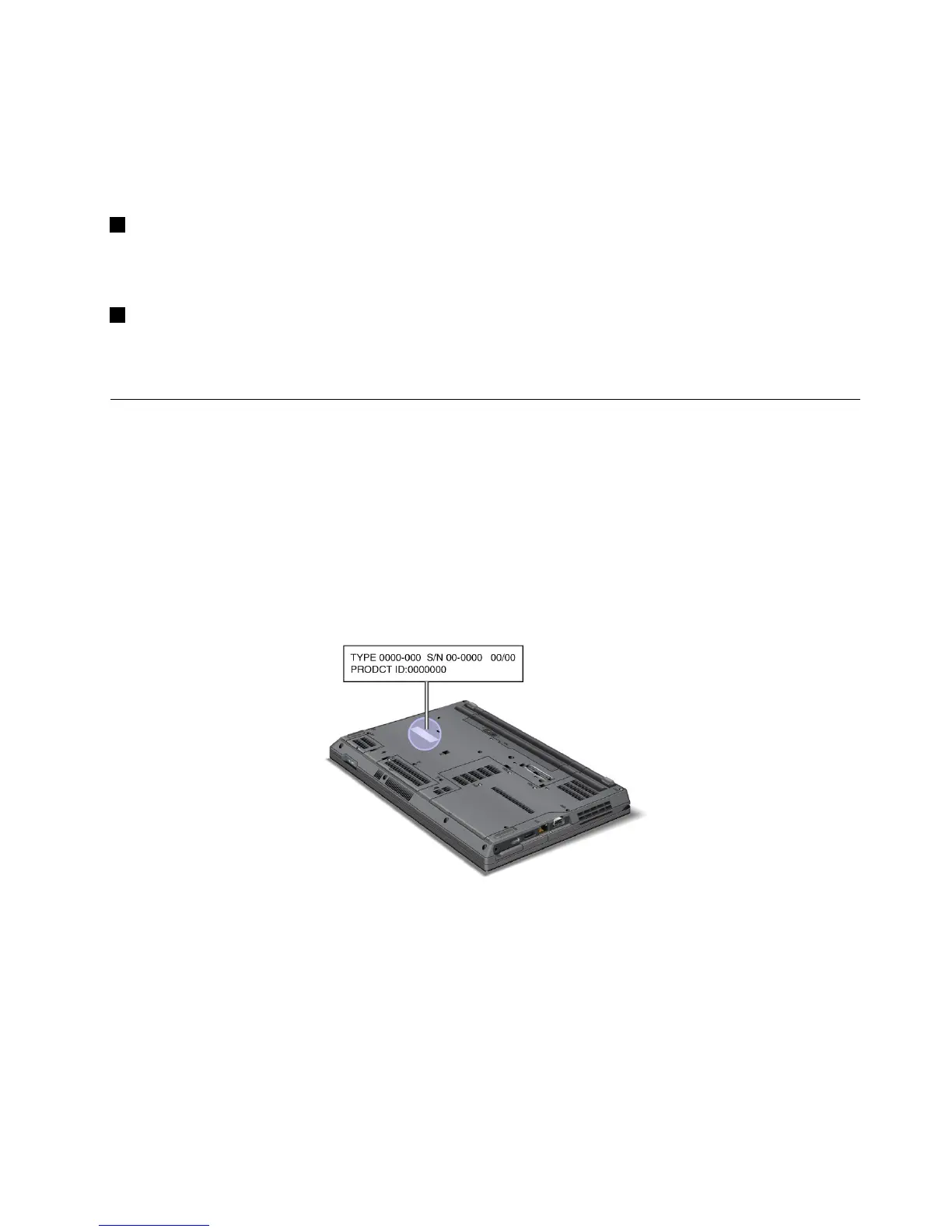
Machinetypeandmodellabel
Themachinetypeandmodellabelidentiesyourcomputer.IfyoucontactLenovoforhelp,themachine
typeandmodelnumberwillhelpsupporttechnicianstoidentifyyourcomputerandprovidethehighest
levelofservice.
Youcanndthemachinetypeandmodelofyourcomputerinthelabelasshownbelow:
FCCIDandICCerticationnumberlabel
ThereisnoFCCIDorICCerticationnumberforthePCIExpressMiniCardshownontheenclosureof
yourcomputer.TheFCCIDandICCerticationnumberlabelisafxedonthecardinstalledintheMini
PCIExpressCardslotofyourcomputer.
Chapter1.ProductOverview11















 To Next Page