CapsLockmodeisenabled.Youcanenterallalphabeticcharacters(A-Z)inuppercasewithoutpressing
theShiftkey.
Note:Anothermodeavailableforyourcomputer,thoughthereisnoindicatorforit,isScrollLockmode.
Whenthismodeisenabled,thearrowkeyscanbeusedasfunctionkeysforscreen-scrolling,butnotfor
movingthecursor.Toenableordisablethismode,presstheScrLkkey.Notallapplicationprograms
supportthisfunction.
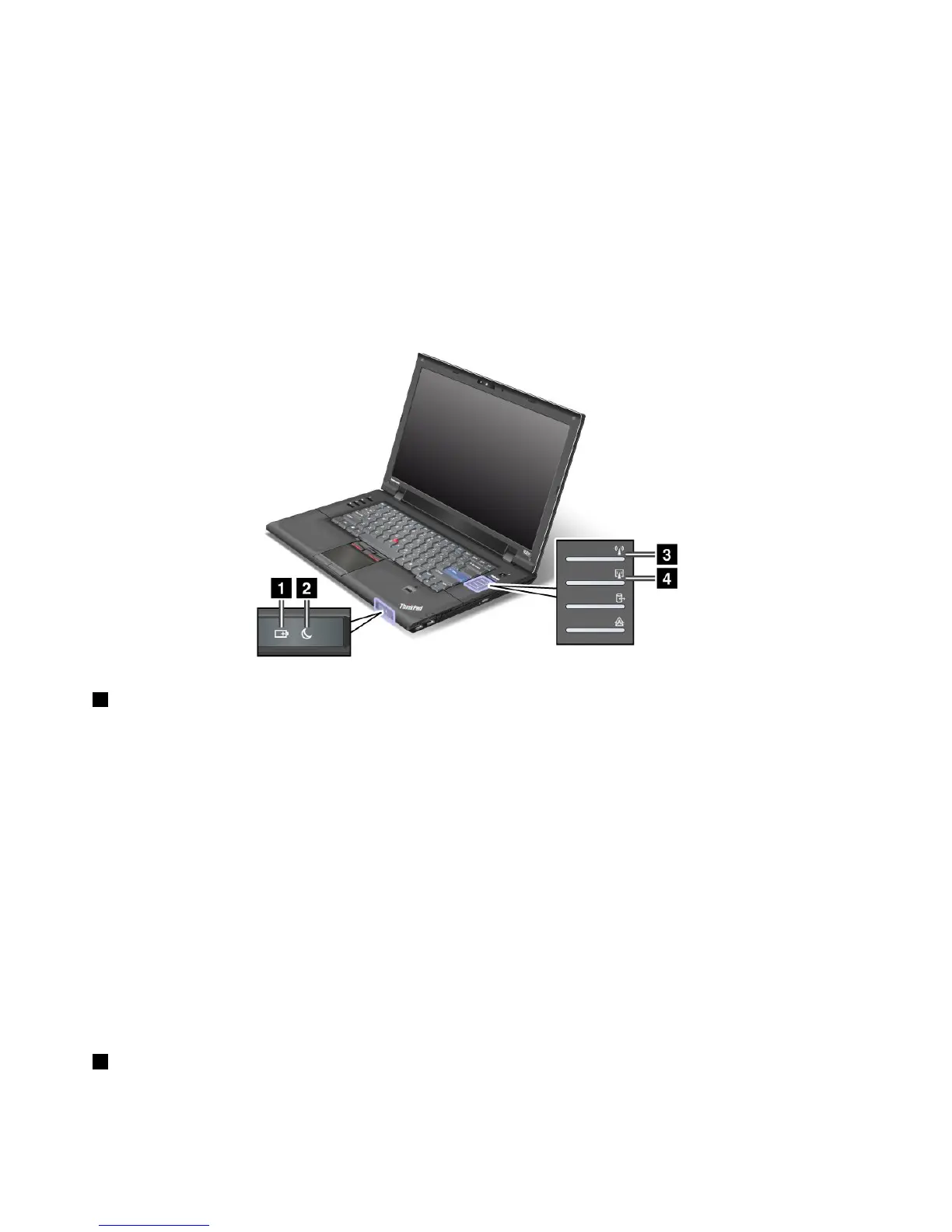
Power-statusindicators
Thecomputerhasstatusindicatorsthatshowthemode(sleep/standby,hibernation,ornormal)andthe
statusofthebattery.Thefollowingshowsthelocationandthemeaningoftheindicators:
1Batterystatus
•Green:Thebatteryhasmorethan20%charge.
•Orange:Thebatteryhasbetween5%and20%charge
•Fastblinkingorange:Thebatteryhaslessthan5%charge.
Note:Thebatterymaybecharging.
•Slowblinkingorange:Thebatteryisbeingcharged.Whenitreaches20%,theblinkingcolorchangesto
green.
•Slowblinkinggreen:Thebatteryhasbetween20%and80%charge,andchargingiscontinuing.
Whenthebatteryreaches80%charge,blinkingstops,butthechargingmaycontinueuntilthebatteryis
100%charged.
•Quickblinkingorange:Anerrorhasoccurredinthebattery.
•Thebatterystatusindicatorisoff:Thebatteryisfullychargedorthebatteryisdetached.
Note:Ifthecomputerisoperatingonbatterypower,thebatterystatusindicatordoesnotworkwhilethe
computeristurnedofforisinsleep(standby)modeorhibernationmode.
2Sleep(standbyinWindowsXP)status
•Green:Thecomputerisinsleep(standby)mode.
10UserGuide















 To Next Page