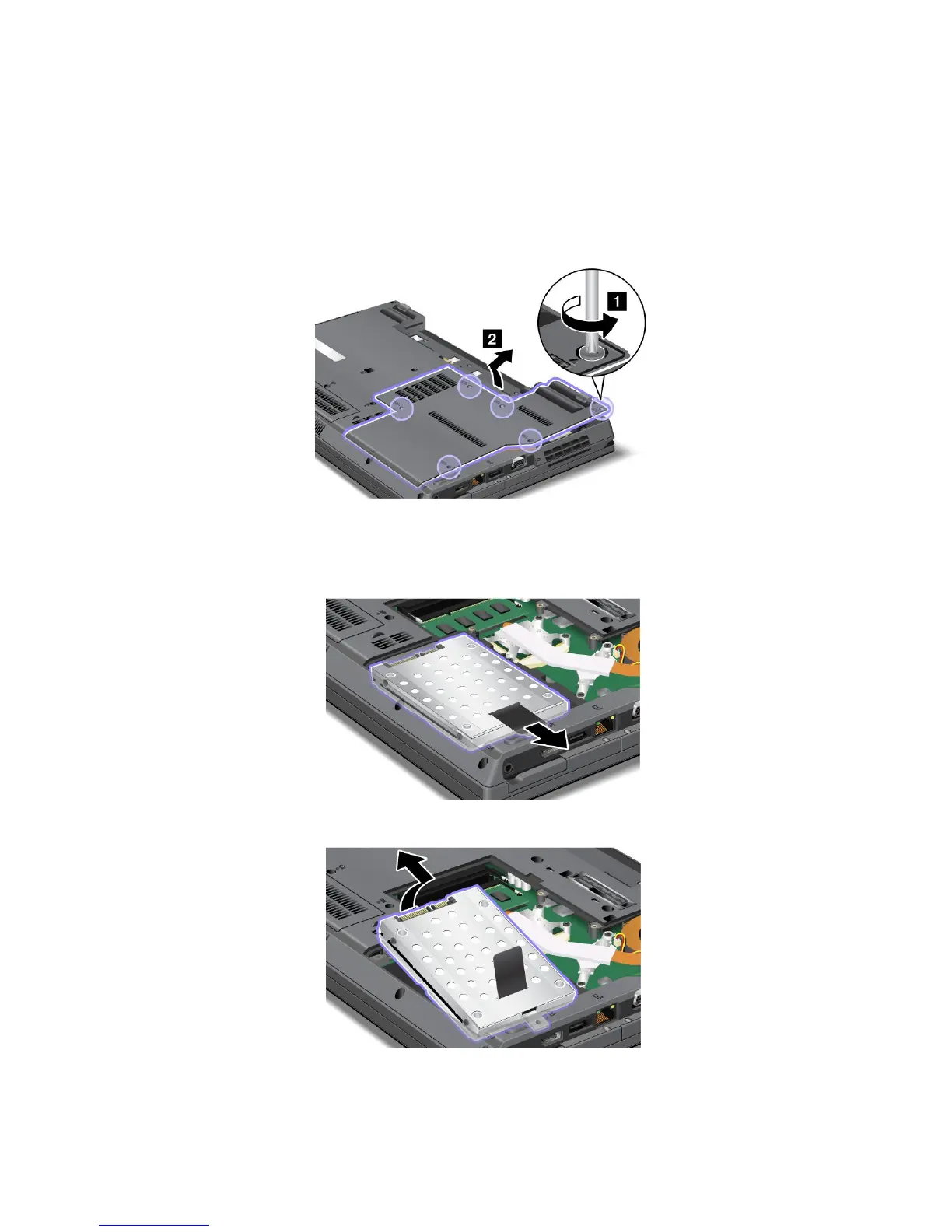
Replacingthesolidstatedrive
Toreplacethesolidstatedrive,dothefollowing:
1.Turnoffthecomputer,thendisconnecttheacpoweradapterandallcablesfromthecomputer.
2.Closethecomputerdisplay,andturnthecomputerover.
3.Removethebattery.See“Replacingthebattery”onpage89.
4.Loosenthescrews,andthenremovethecover.
Attention:Donottouchanyexposedpartsotherthanthosereferredtointhisprocedure.Unnecessary
contactswiththeelectricandelectroniccomponentsmightcauseyourcomputertomalfunction.
5.Pullthesolidstatedrivetotheright.
6.Removethesolidstatedrivebyliftingitsleftside.
98UserGuide















 To Next Page