Diagnosis and troubleshooting
Leuze electronic GmbH + Co. KG BPS 348i 103
State-related diagnostics
To report malfunctioning or status changes in a field device to a system control, it is possible to enter low-
priority diagnostics messages or status messages only in the diagnostic buffer instead of actively reporting
them to the superior control. This option can also be used for preventive maintenance or for low-priority
warnings, for example.
Tab.10.1: BPS alarm and diagnostic messages
Diagnosis Description BPS-
Category
API/
Slot/
Subslot
Type Coming/go-
ing
Parameter
error
Error in the con-
figuration of a
module.
Error 0/nn = module
number/0
Diagnostics alarm
Only diagnostics or
process alarms actually
trigger the transmission of
an alarm. All other types
(preventive maintenance
and status messages) only
lead to an entry into the di-
agnostics buffer and are
thus part of the state-
based diagnostics.
Coming
Configura-
tion error
Error in the con-
figuration of a
module.
Error 0/n/0 Diagnostics alarm Coming
10.1.2
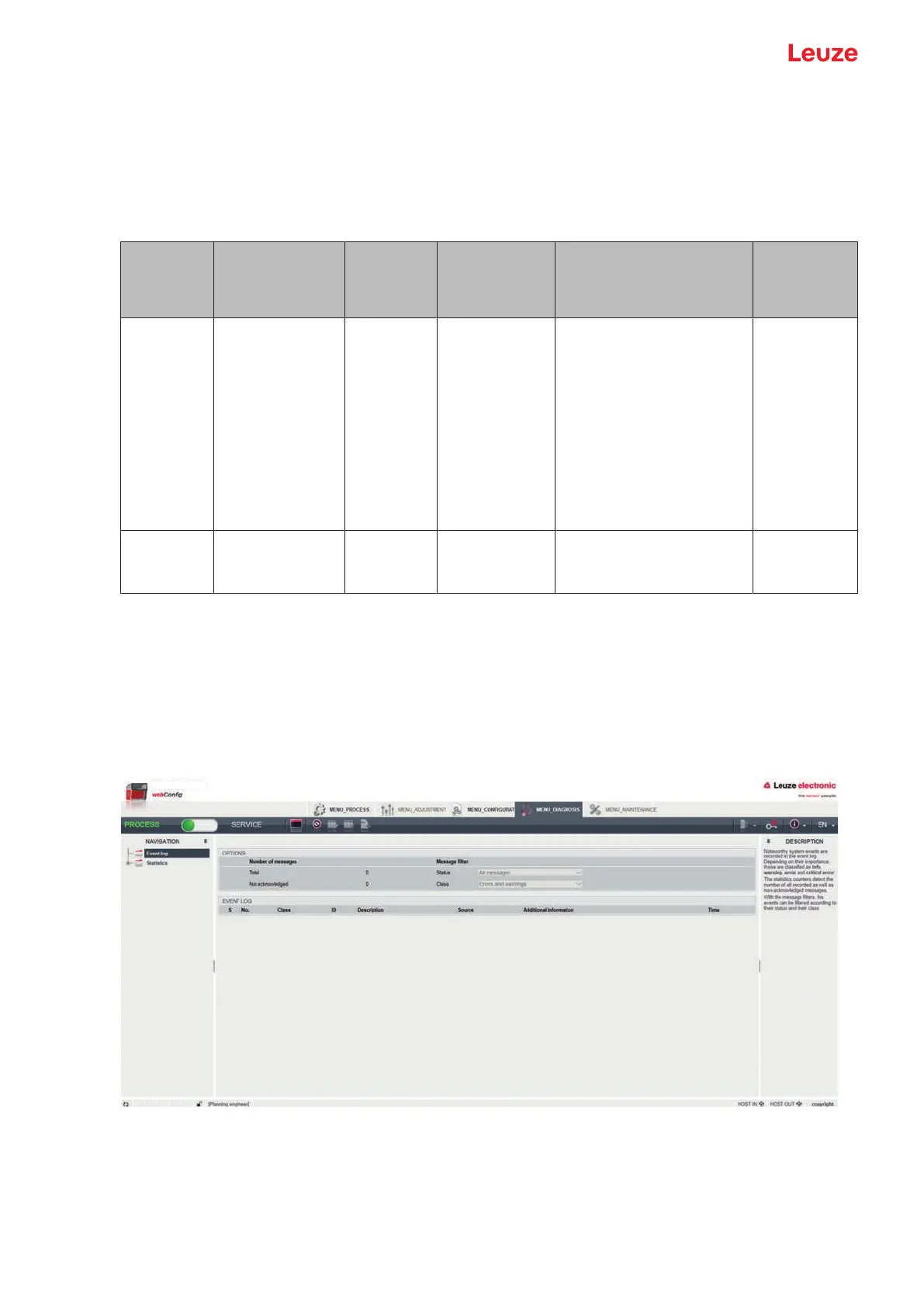
Diagnosis with webConfig tool
System events are displayed in the webConfig tool via the DIAGNOSIS tab. Noteworthy system events are
recorded in the event log. Depending on their importance, the events are classified as info, warning, error
and critical error. The statistics counters detect the number of all recorded as well as non-acknowledged
messages. With the message filters, the events can be filtered according to their status and their class.
Fig.10.1: DIAGNOSIS webConfig function


 To Next Page