Device description
Leuze electronic GmbH + Co. KG BPS 348i 17
Tab.3.2: Meaning of the LED indicators on the connection hood
LED Color, state Description
ACT0/LINK0 Green, continuous light Ethernet connected (LINK)
Yellow, flickering light Data communication (ACT)
ACT1/LINK1 Green, continuous light Ethernet connected (LINK)
Yellow, flickering light Data communication (ACT)
3.3.2
Display indicators
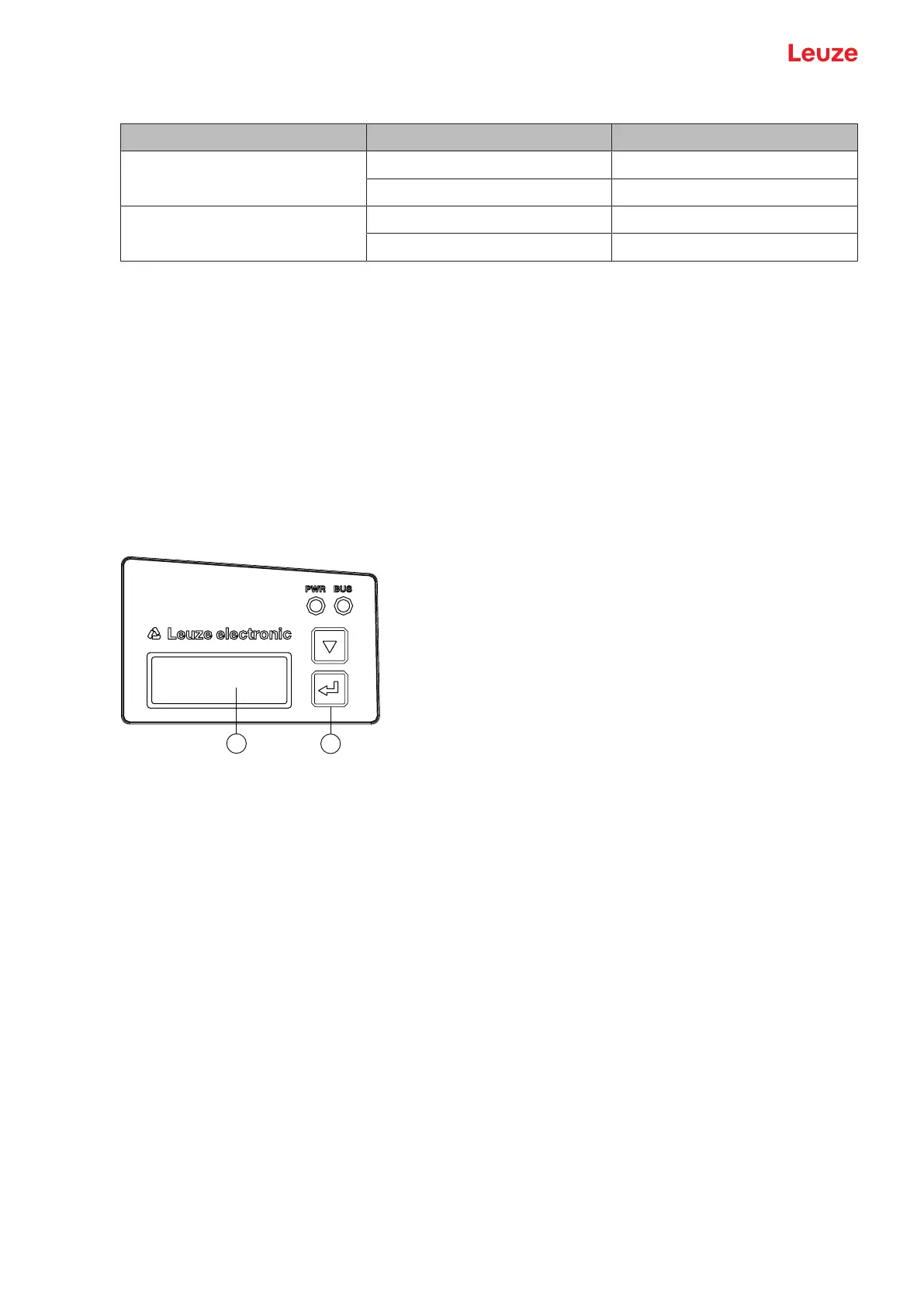
The optional display of the BPS is only used as a display element. The display has the following features:
• Monochromatic with white background lighting
• Double line, 128 x 32 pixels
• Display language: English
Two control buttons can be used to control which values appear in the display.
The background lighting is activated by pressing any control button and is automatically deactivated after
ten minutes have passed.
The display shows the content on two lines:
• The upper display line shows the selected function as an English term.
• The lower display line shows the data of the selected function.
1 Display
2 Control buttons
Fig.3.9: Display on the device housing
Display functions
The following functions can be displayed and activated in the display:
• Position value
• Position Value
• Position value in mm
Display with "." as decimal separator character (e.g., +34598.7mm)
• Reading quality
• Quality
• 0…100%
• Device status
• BPS Info
• SystemOK / Warning / Error
• I/O status


 To Next Page