Mounting
Leuze electronic GmbH + Co. KG BPS 348i 41
6.2.1
Mounting instructions
NOTICE
Select the mounting location.
Ä Make certain that the required environmental conditions (humidity, temperature) are main-
tained.
Ä Make certain that the distance between BPS and bar code tape is sufficiently large.
The scanning beam of the BPS should cover three or more barcodes.
The distance between BPS and bar code tape must be in the working range of the reading
field curve.
Ä Make certain that the exit window does not become soiled, e.g., by leaking liquids, abrasion
from cardboard packaging or residues from packaging material.
Ä Mounting the BPS outdoors or with BPS with integrated heating:
Mount the BPS in a way which provides maximum thermal isolation, e.g., using rubber-
bonded metal.
Mount the BPS so that it is protected from airflow, e.g., in a protective housing.
Ä Mounting the BPS in a protective housing:
When installing the BPS in a protective housing, ensure that the scanning beam can exit the
protective housing without obstruction.
Ä Make certain that the working range determined from the scanning curve is adhered to at all
locations where a position determination is to be made.
Ä Ensure that the scanning beam is always incident on the BCB when the system is moving.
For the position calculation, the scanning beam of the BPS must be incident on the BCB
without interruption.
For the best functionality, the BPS must be guided parallel to the BCB. It is not permitted to
move outside of the approved working range of the BPS (50…170mm) while the system is
in motion.
Ä Make certain that there is only one control barcode (or marker label) in the scanning beam
at a time.
The minimum distance between two control barcodes is determined by the distance be-
tween the BPS and barcode tape and the resulting length of the scanning beam.
NOTICE
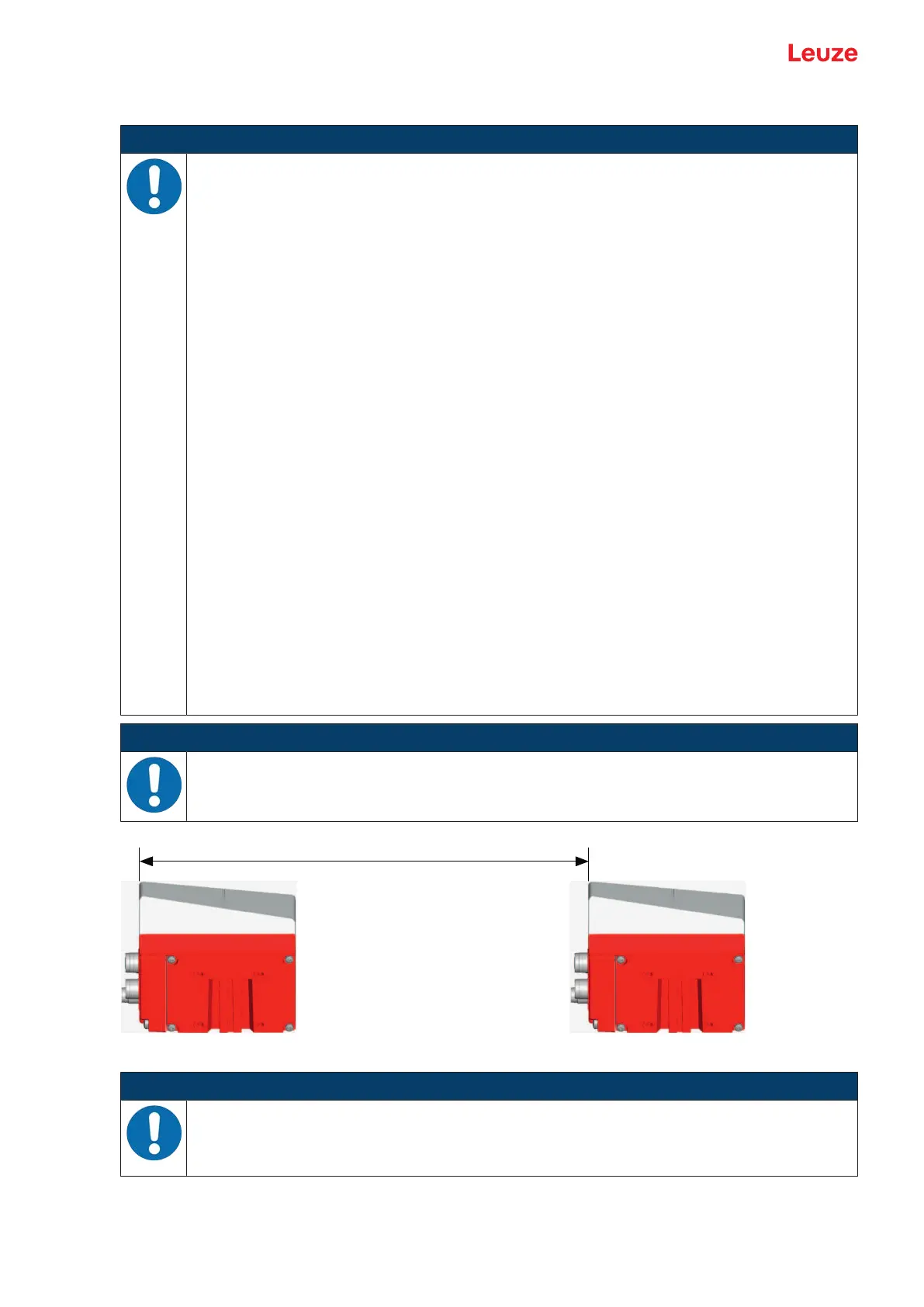
For parallel mounting, maintain the minimum distance!
Ä Maintain the minimum distance of 300mm if you mount two BPS next to or above one an-
other.
Fig.6.8: Minimum distance for parallel mounting
NOTICE
Install the connection hood before mounting the BPS!
Ä Screw the MS348 or MK348 connection hood to the device housing with two M4 screws.
Ä Tighten the screws on the connection hood with a tightening torque of 1.4Nm.


 To Next Page