Electrical connection
Leuze electronic GmbH + Co. KG BPS 348i 51
7.5.2
HOST/BUSIN (Host/Bus input, Ethernet)
For the creation of a PROFINET network with multiple participants, the BPS is equipped with the incoming
HOST/BUSIN PROFINET interface.
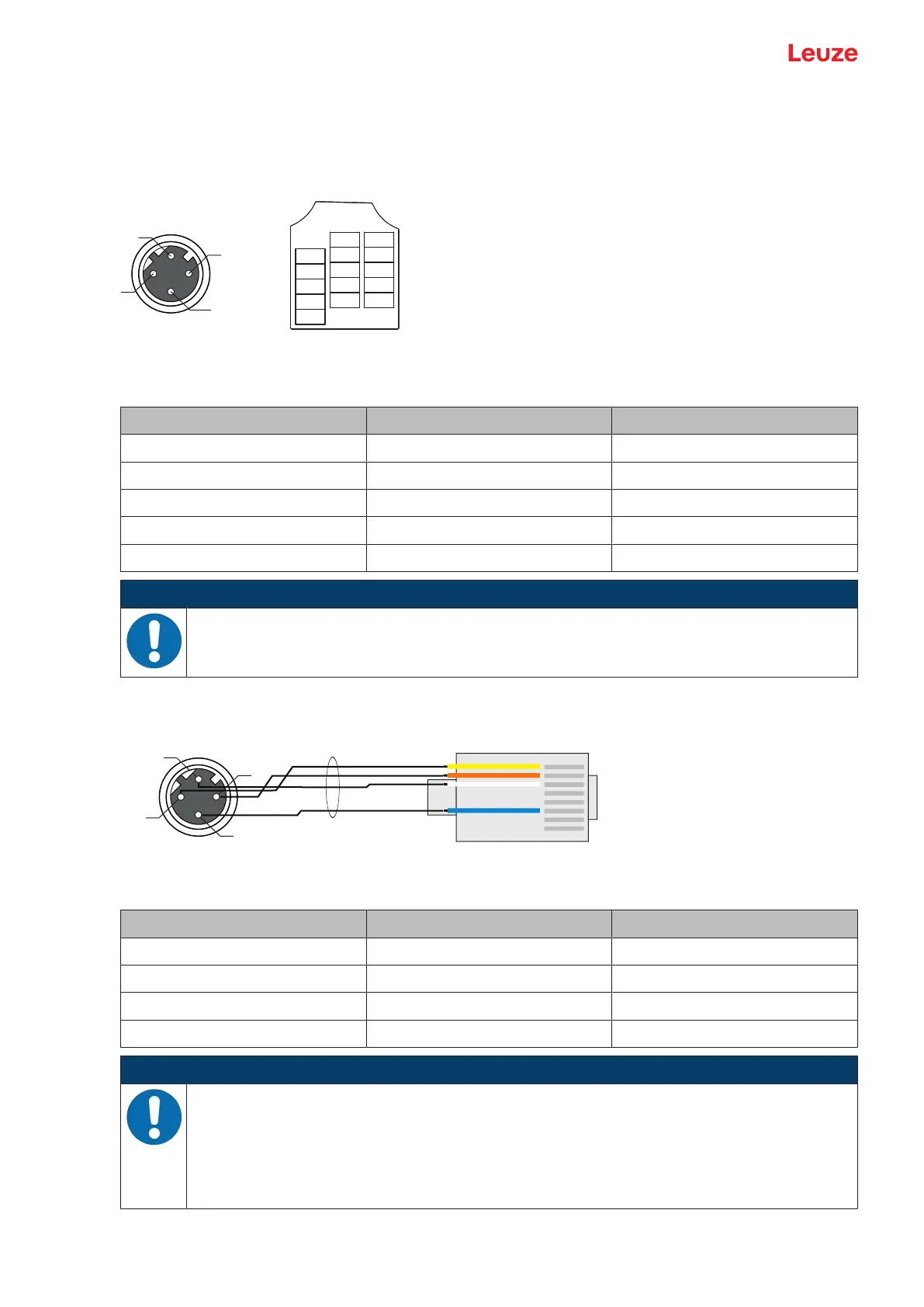
4-pin, M12-socket (D-coded) or terminal block for connecting to HOST / BUS IN.
Fig.7.5: HOST/BUSIN connection
Tab.7.2: HOST/BUS IN pin assignment
Pin/terminal Designation Assignment
1 TD+ Transmit Data +
2 RD+ Receive Data +
3 TD- Transmit Data -
4 RD- Receive Data -
5 - Not connected
NOTICE
Use ready-made cables!
Ä If possible, use the ready-made cables from Leuze (see chapter 14.3 "Cables accessories").
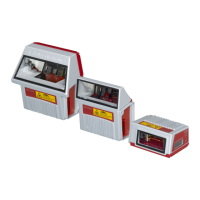
PROFINET - cable assignments
Fig.7.6: HOST/BUS IN cable assignments on RJ-45
Designed as shielded cable, max. 100m.
Pin (M12) Designation Pin/core color (RJ45)
1 TD+ 1/yellow
2 RD+ 3/white
3 TD- 2/orange
4 RD- 6/blue
NOTICE
Self-configured cables with PROFINET interface!
Ä Ensure adequate shielding.
Ä The entire interconnection cable must be shielded and earthed.
Ä The RD+/RD- and TD+/TD- wires must be stranded in pairs.
Ä Use CAT5 cable for the connection.


 To Next Page