17
3.3 Shutting Down the Server
Shutdown, reboot and startup actions
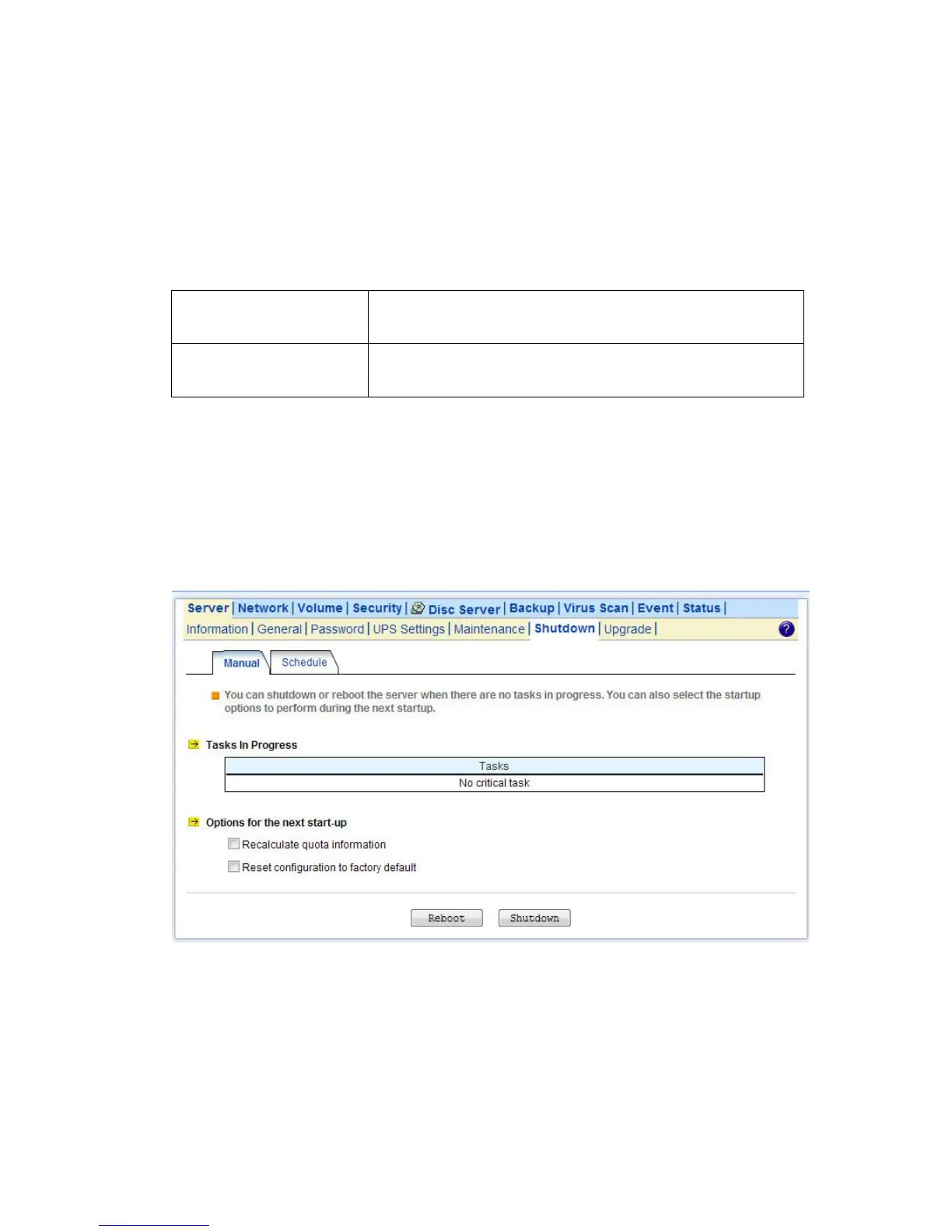
The NAS server can be shut down by pressing the power button twice at the front of the server case. The whole shutdown
process might take seconds to minutes until data are all safely saved to the hard disks. To shut down the server from the
Administration Homepage, select Shutdown from the Server menu and click the Reboot or Shutdown button.
You can specify the actions to take during the next startup.
Recalculate user quota
information
Recalculate the storage consumption per user during the next startup.
It may take much time if there are a huge amount of files in disk.
Reset configuration to
factory default
Reset all configurations to default.
Scheduled shutdown and power-on
To set the automatic power-on and shutdown schedules, select the Server→Shutdown menu. Click the Schedule tab to
modify the schedules. On the schedule settings page, you can set daily or day of month schedules. Check the Enable
check-boxes and specify the time of powering on or shutting down. Remember to click the Apply button to submit the
changes.



 To Next Page