18
3.4 Enabling UPS Support
The NAS server supports UPS and basic power management functions. It sends alerts when there are power events like
utility power failure or low battery capacity. When power events occur, the NAS server can shut down itself automatically
to prevent potential data loss.
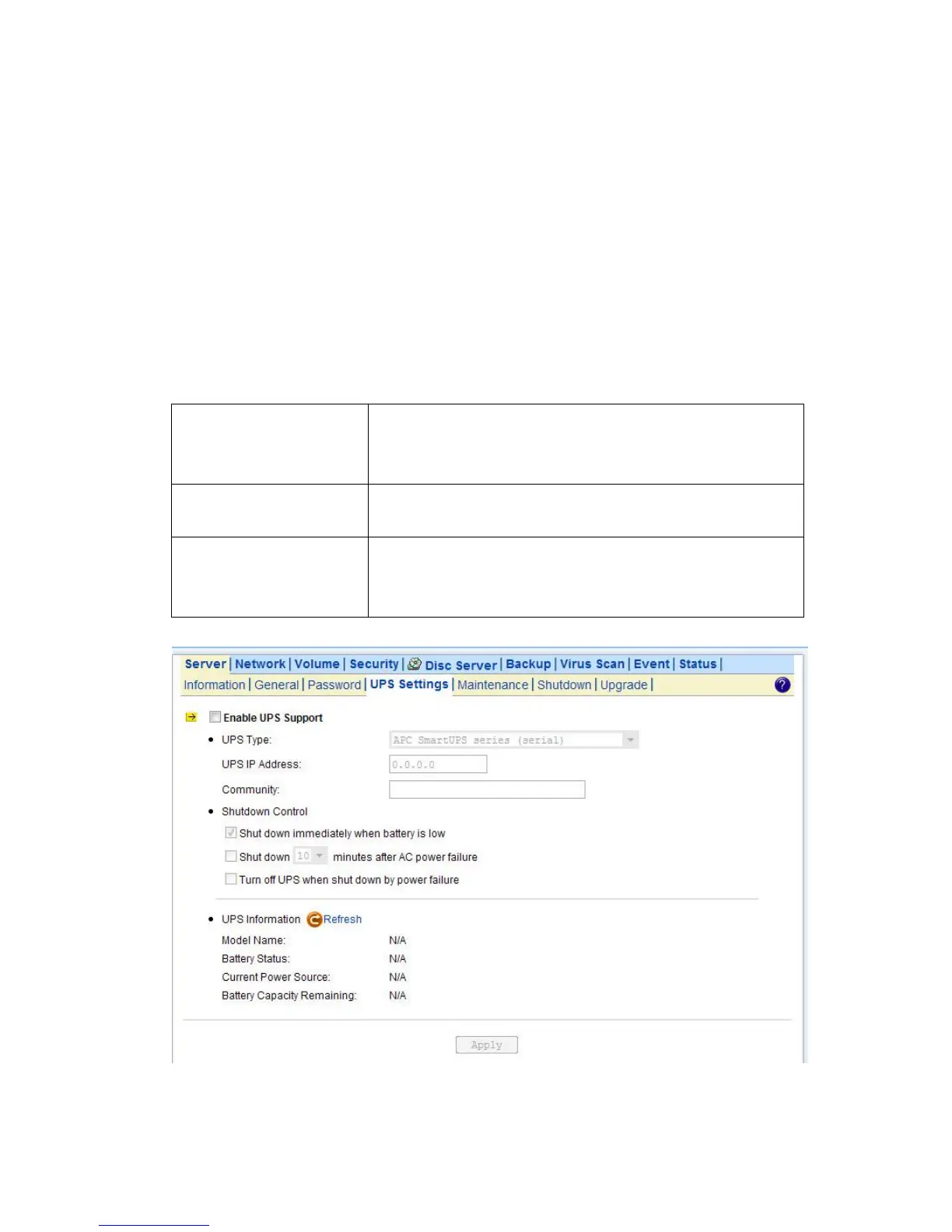
To use smart-signaling UPS, connect UPS to the NAS server with an RS-232 or USB cable. Then go to the Server UPS
Settings menu on the administration page to enable UPS support.
To use network-type UPS, connect the UPS to the LAN first. Then go to the Server UPS Settings page on the
administration page. Enable APC Smart UPS series、 USB UPS、 Generic serial UPS Type 1 and Type 2, select Network
UPS from the UPS Type menu and enter the UPS IP address and correct community.
Below are the shutdown options on the page.
Specify whether to shut down the server when UPS battery is low.
Note:
When utility power fails, the NAS server will always shut down.
If checked, the NAS server will turn off the UPS while it is shutting
down by power failure. If not, the UPS will still be working when the
server is shut down.



 To Next Page