22
destination addresses using both LAN1 and LAN2. If the traffic of one of the LAN port starts to get
congested, requests are then forwarded to the other LAN port with more capacity until the traffic of
both LAN ports start to get balance. Note that only the LAN1 Ethernet port receives incoming traffic.
Load Balancing also incorporates Fault Tolerance protection.
Link Aggregation: combines both LAN1 & LAN2 into a single channel, appearing to use a single
MAC address to provide greater bandwidth. It must be used with a network switch having the Link
Aggregation or Trunking function.
Wake-On-LAN
NAS server also supports Wake-On-LAN (available for LAN2 only). Wake-On-LAN allows
administrators to remotely power on your NAS server to perform maintenance task on the server with
no need to go to the server physically.
Configuring TCP/IP Settings
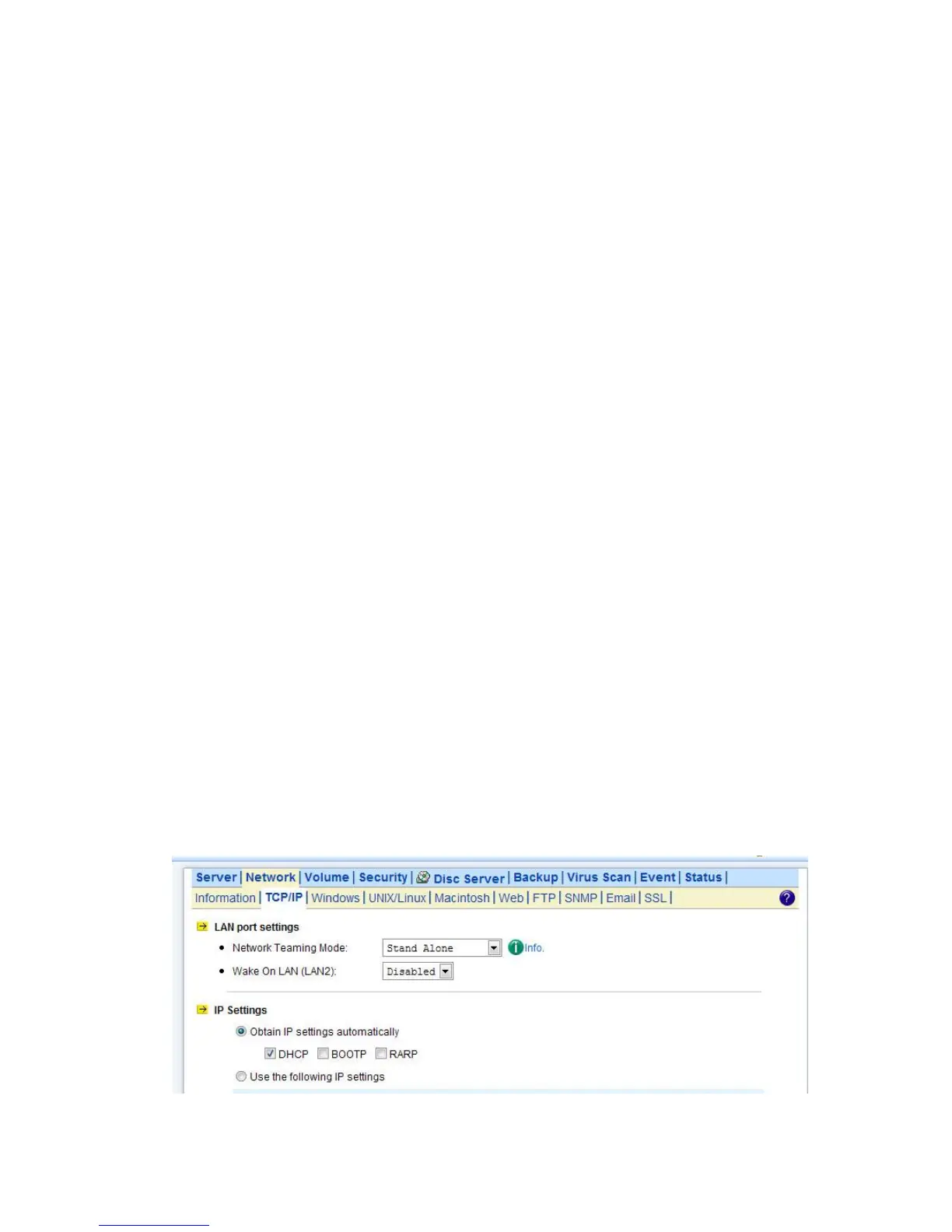
1. Select a Network Teaming Mode from the pull-down menu that suit you need.
2. Enable or Disable Wake On LAN (Available for LAN2 only).
3. Click the Obtain IP settings automatically radio button to obtain IP addresses of your NAS server from DHCP, BOOP
or RARP server on the network.
4. Or, click the Use the following IP settings radio button to assign the IP addresses manually.
5. Note that LAN3 IP address field will appear only when the optional Gigabit Ethernet adapter is installed in your system.
6. Input the WINS server IP address.
7. Input the DNS server IP address.
8. Input the DNS Suffix.
9. Input the NTP Time Server IP Address if available.
10. Click Apply to save the setting.
To disable a LAN port, enter 0.0.0.0 in its IP address field. If you happen to disable all LAN ports and
cannot access the administration page, please use the LCD panel to change the IP address to
non-zero values.



 To Next Page