Removing optional cards
142
Administration
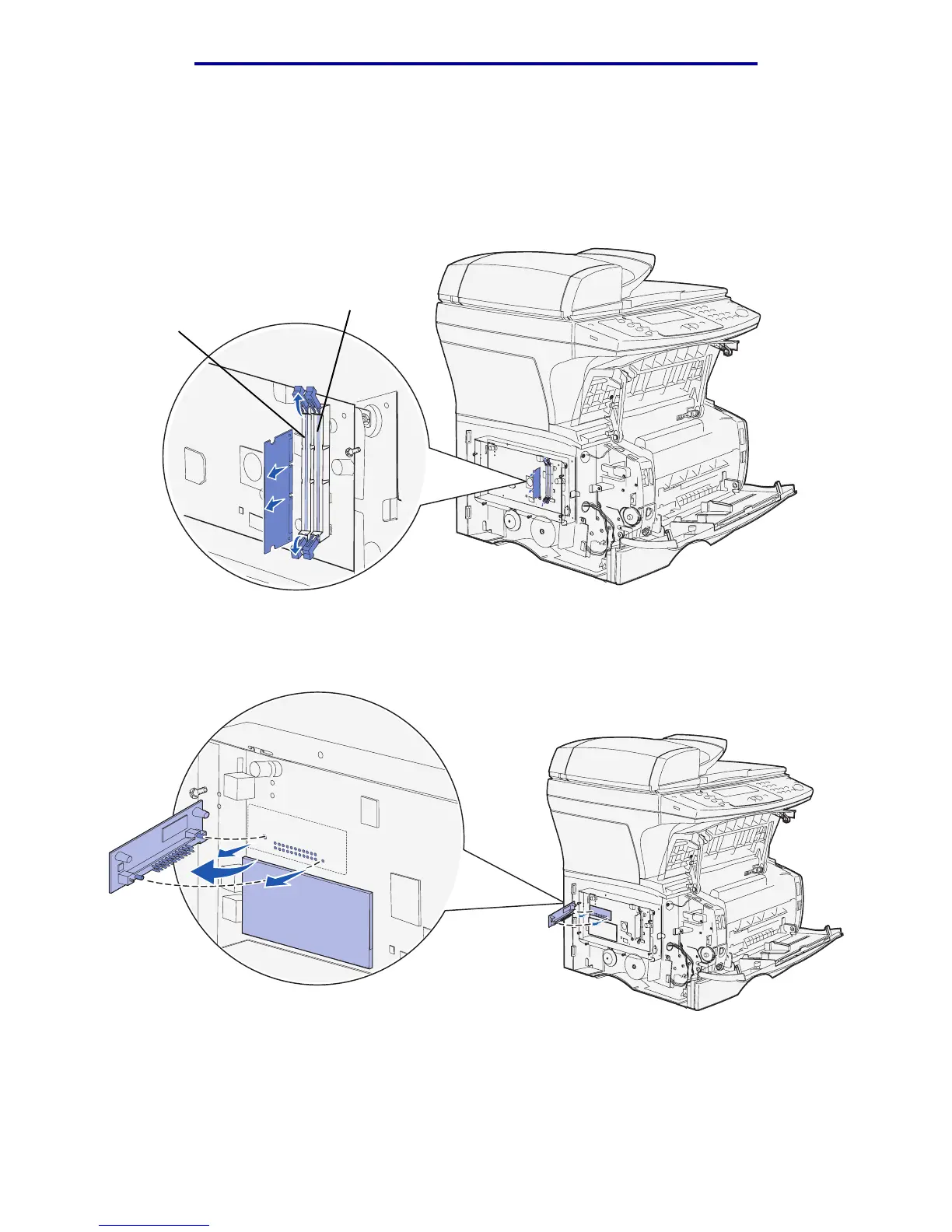
3 Push the connector latches on both ends of the connector away from the optional memory
card.
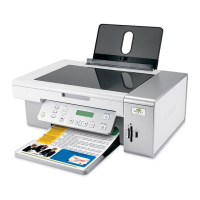
4 Pull the card straight out of the connector as shown in the following illustrations for the type of
card you are removing.
• Optional memory card
• Optional flash memory card
Note: The card in the illustration is shown at an angle, so you can see the pins and
connectors on the card. Do not pivot the card to remove it. Pull it straight out.
Slot 2
Slot 1


 To Next Page