Audio System
ES300_Navi_U (L/O 0208)
109
2003 ES300 Navigation from Aug. ’02 Prod. (OM33592U)
When “TA” is received next time, the system
compares the volume before “TA” is received
and the memorized TA volume and automat-
ically selects the louder volume. However,
the range of volume memory is limited: if the
volume received previously is less than the
minimum, this volume will be used.
You can adjust the volume independently
from the memorized TA volume range while
receiving a TA station.
Traffic announcement can be canceled by
turning RDS off, or pressing the “TRAF” but-
ton again.
Cassette tape player operation
(a) Playing a cassette tape
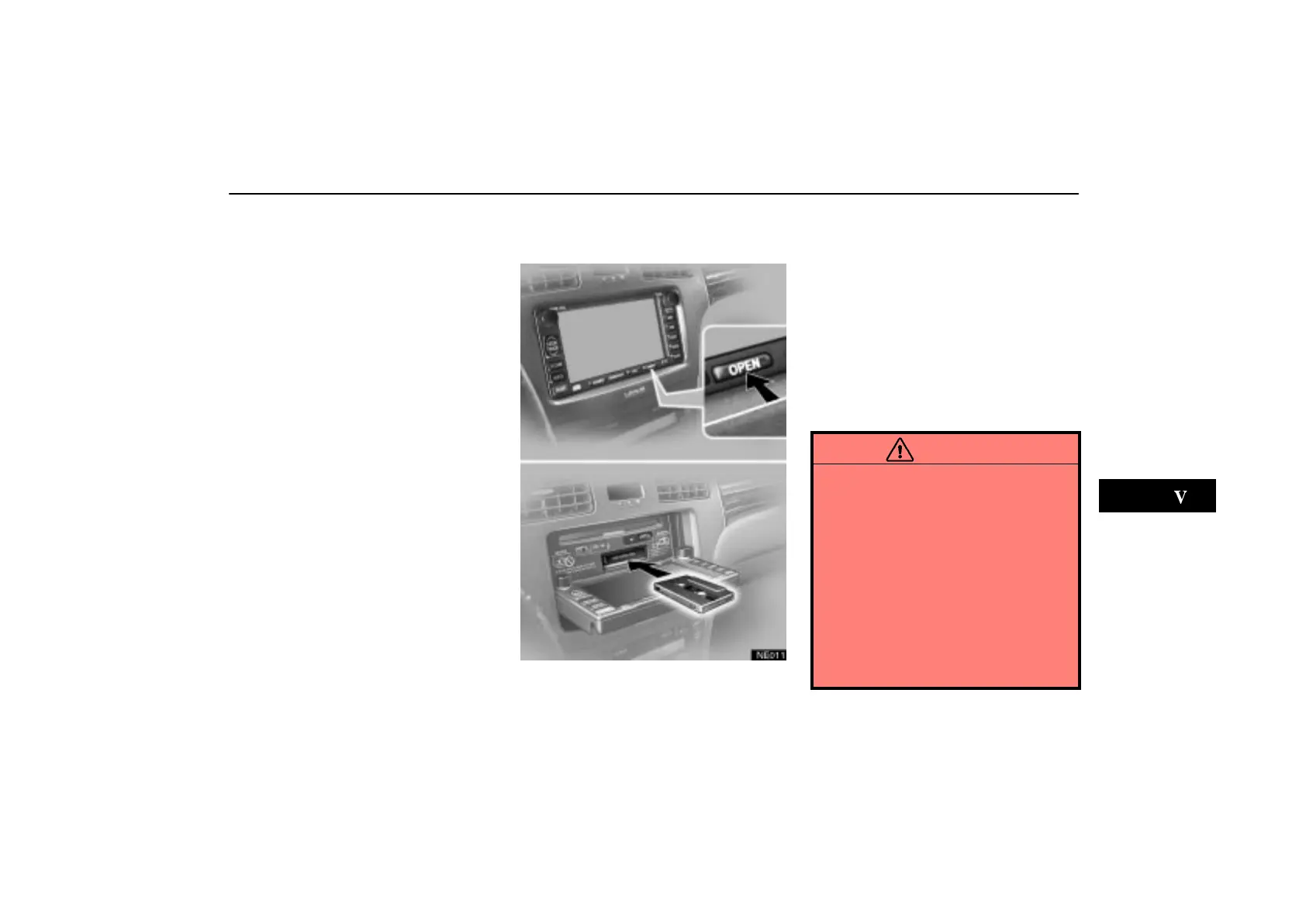
NE011
To insert a cassette tape, push the
“OPEN” button to lower the display. Put
the cassette tape in the slot with the ex-
posed tape side to the right and lightly
push it in.
The player will automatically start when you
insert the cassette tape. At this time, “Tape”
appears on the screen.
If a metal or chrome equivalent cassette tape
is put in the cassette player, the player will
automatically recognize it and “MTL” ap-
pears on the screen.
CAUTION
Do not place anything on the opened
display, as such items may be
thrown about in the compartment
and possibly injure people in the
vehicle during sudden braking or in
an accident.
To reduce the chance of injury in
case of an accident or sudden stop
while driving, keep the display
closed.
Take care not to jam your hand while
the display is moving. Otherwise,
you could be injured.


 To Next Page