Setting and Deleting Preferred Road
ES300_Navi_U (L/O 0208)
31
2003 ES300 Navigation from Aug. ’02 Prod. (OM33592U)
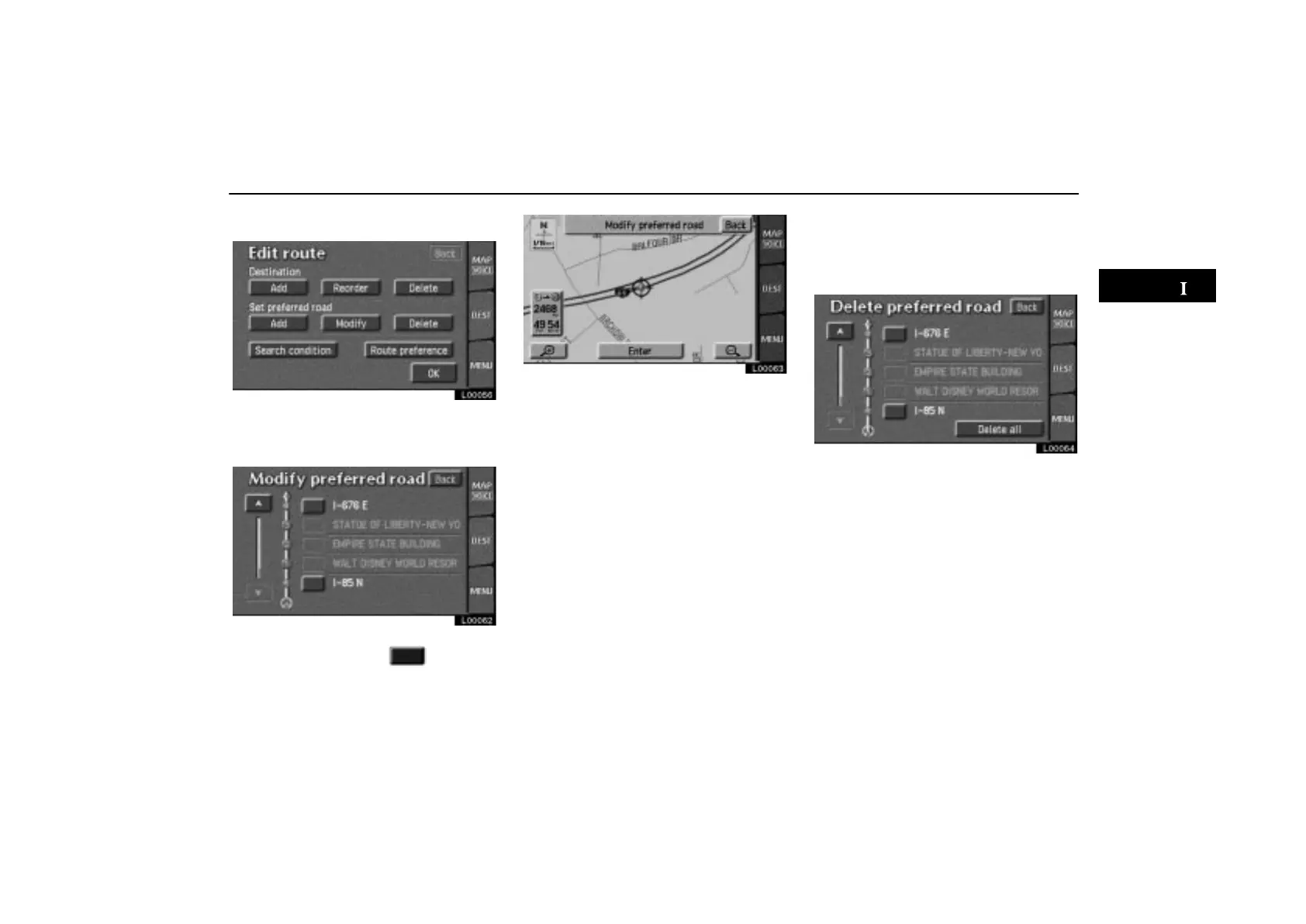
(b) Modifying preferred road
L00056
Touch the “Modify” switch under “Set
preferred road”. The “Modify preferred
road” screen appears.
L00062
Select the preferred road which you want
to modify and touch the
switch.
L00063
Follow the same procedure as when adding
a preferred road. (See page 30.)
(c) Deleting preferred road
1. Touch the “Delete” switch under
“Set preferred road”. The “Delete prefer-
red road” screen appears.
L00064
2. Select the preferred road which you
want to delete. Touch the
“Delete all”
switch if you want to delete all preferred
roads.
3. Messages appear to confirm your re-
quest to delete the preferred road. To de-
lete the road(s), touch the
“Yes” switch.
If you touch the
“Yes” switch, the data can-
not be recovered.
If you want to try again or cancel deletion,
touch the
“No” switch. The previous
screen will return.



 To Next Page