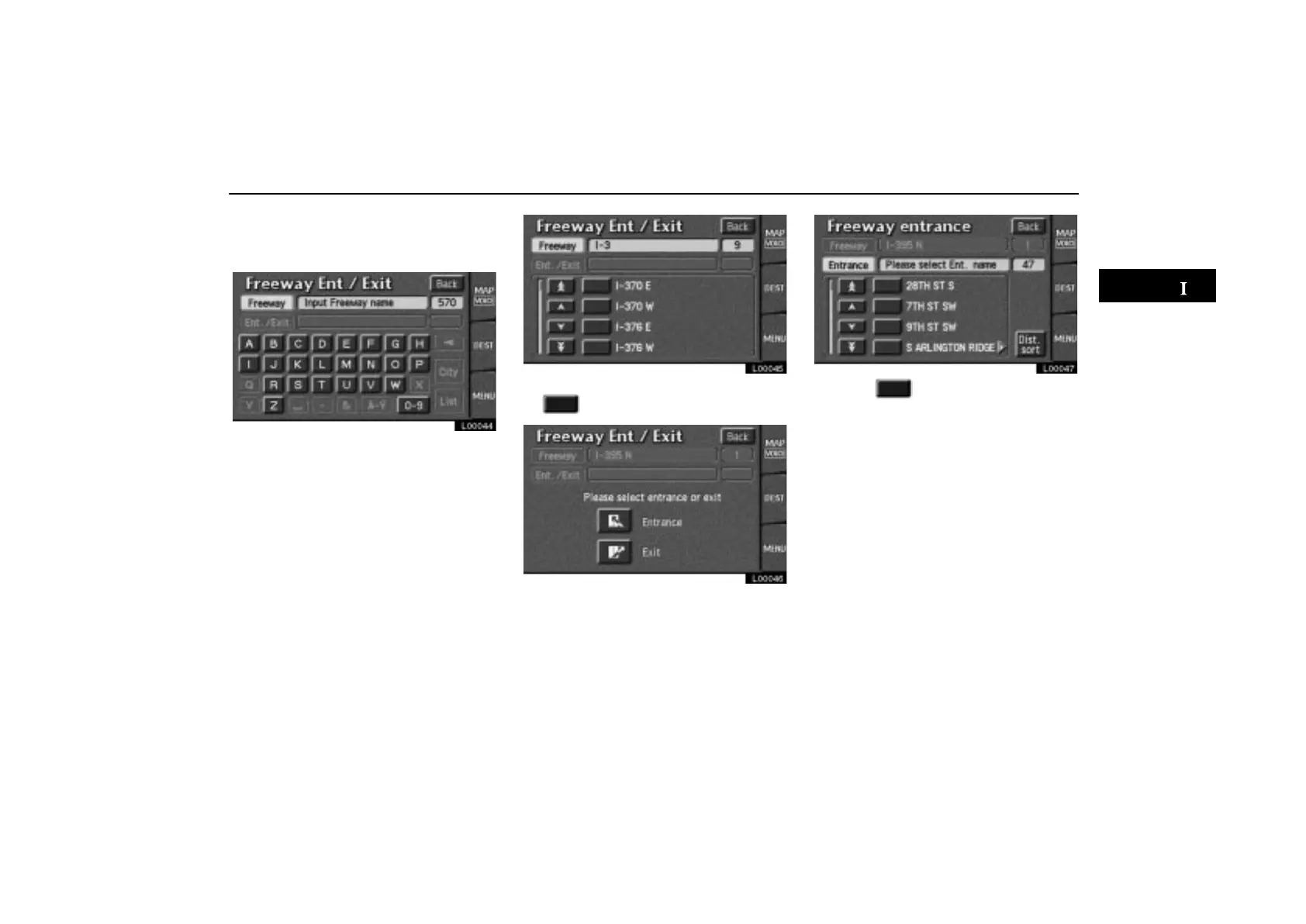
Destination Input by FREEWAY ENTRANCE or EXIT
ES300_Navi_U (L/O 0208)
23
2003 ES300 Navigation from Aug. ’02 Prod. (OM33592U)
To input a freeway entrance or exit, touch
the
“FWY Ent./Exit” switch on the
“Destination” screen.
L00044
Be sure to use the complete name of the
freeway or highway, including the hyphen,
when entering the destination. Freeways
and interstates use an “I” (I–405). US high-
ways use the state designation before the
number (CA–118).
As the number of matching freeways de-
creases, you can touch the
“List” switch to
display the list. When the number of sites be-
comes 4 or less, the list screen appears au-
tomatically.
L00045
Select the desired freeway by touching
the
.
L00046
You can then select either a freeway “En-
trance”
or “Exit”.
L00047
Touch the of the desired entrance or
exit name. The screen changes and dis-
plays the map location of the selected
destination and the route preference.
(See “(a) Entering destination” on page
26.)



 To Next Page