Marked Points
ES300_Navi_U (L/O 0208)
68
2003 ES300 Navigation from Aug. ’02 Prod. (OM33592U)
When you touch the desired icon or
“Back”, or complete the direction setting,
the previous screen is displayed.
With sound: When you set
“With
sound”
for these icons, a buzzer sounds
as your vehicle approaches them.
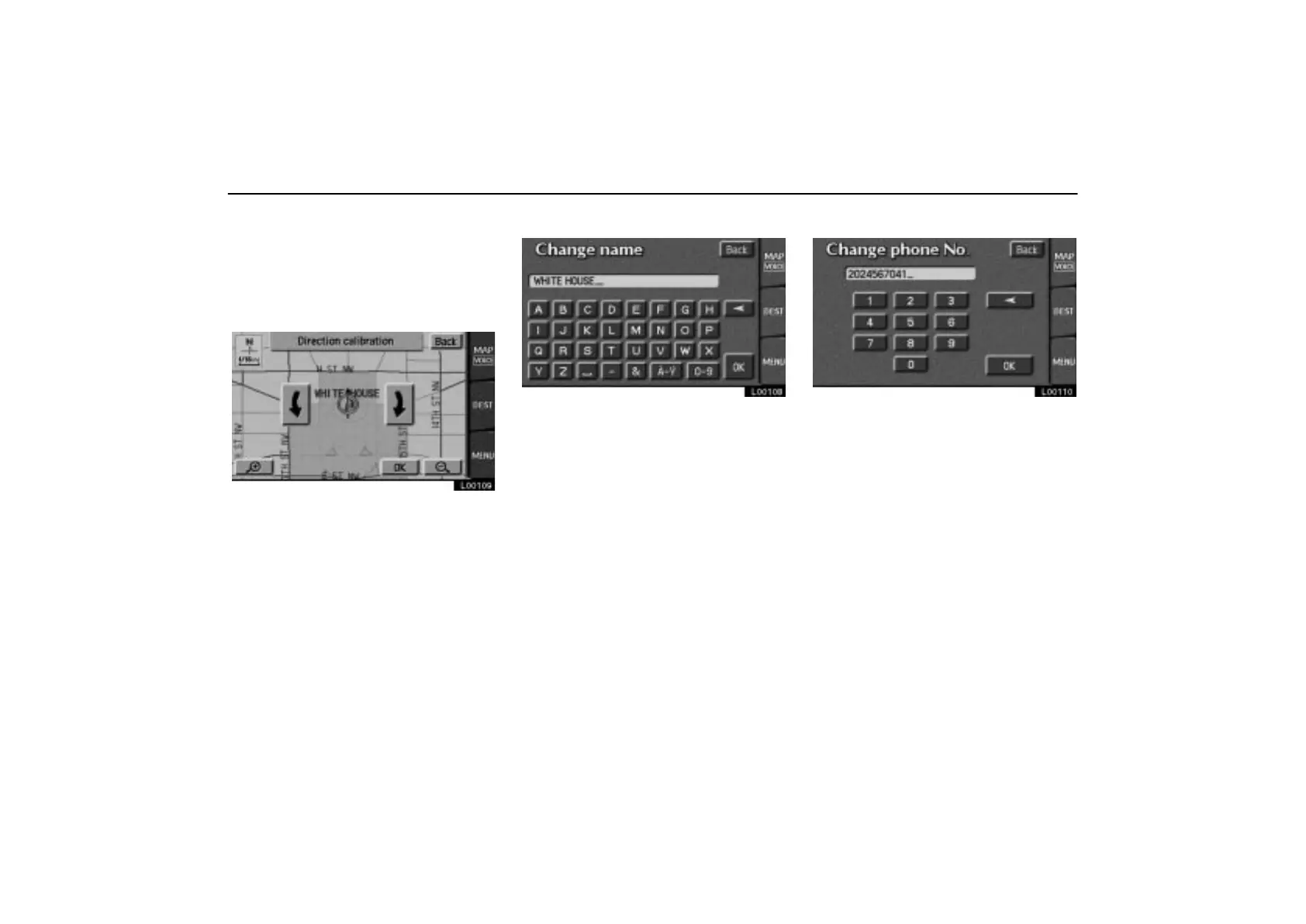
L00109
Touch the direction switches to adjust the
direction. Touch the
“OK” switch. The
buzzer sounds when your vehicle ap-
proaches this icon in the direction that you
set.
When you touch the desired icon or
“Back”, or complete the direction setting,
the previous screen is displayed.
CHANGING THE NAME
L00108
Touch alphabet or numeral keys directly
to input the name.
After you finish your entry, touch the
“OK”
switch.
The previous screen will be displayed. If you
touch the
“Off” switch of “Show name”, the
name of the marked point will not be shown
on the map.
CHANGING THE PHONE NUMBER
L00110
Touch numeral keys directly.
After you finish your entry, touch the “OK”
switch.
The previous screen will be displayed.



 To Next Page