Destination Input by PREVIOUS DESTINATION
ES300_Navi_U (L/O 0208)
20
2003 ES300 Navigation from Aug. ’02 Prod. (OM33592U)
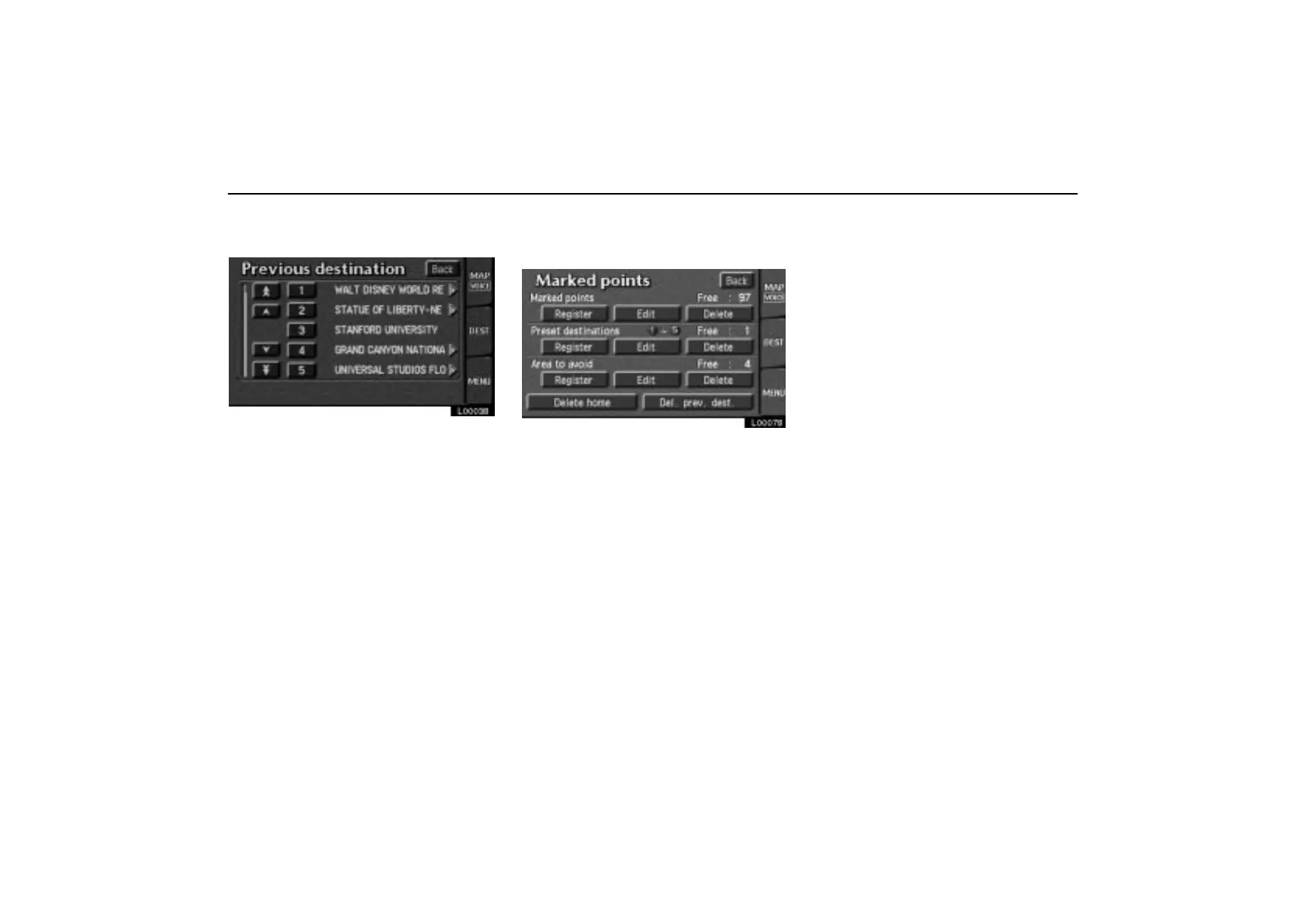
Touch the “Prev. dest” switch on the
“Destination” screen.
L00038
The screen lists up to 20 previously set des-
tinations.
Select your desired destination. The
screen changes and displays the map
location of the selected destination and
the route preference. (See “(a) Entering
destination” on page 26.)
You can delete the list of previous destina-
tions while you stop your car, if you no longer
need them.
L00078
Touch the “MENU” tab on the screen to
display the menu screen and touch the
“Marked points” switch. Touch the
“Del. prev. dest.” switch.
When you touch the switch for each pre-
vious destination or the
“Delete all”
switch, a message appears to confirm
your request. If you are sure, touch the
“Yes” switch. If not, touch the “No”
switch.



 To Next Page