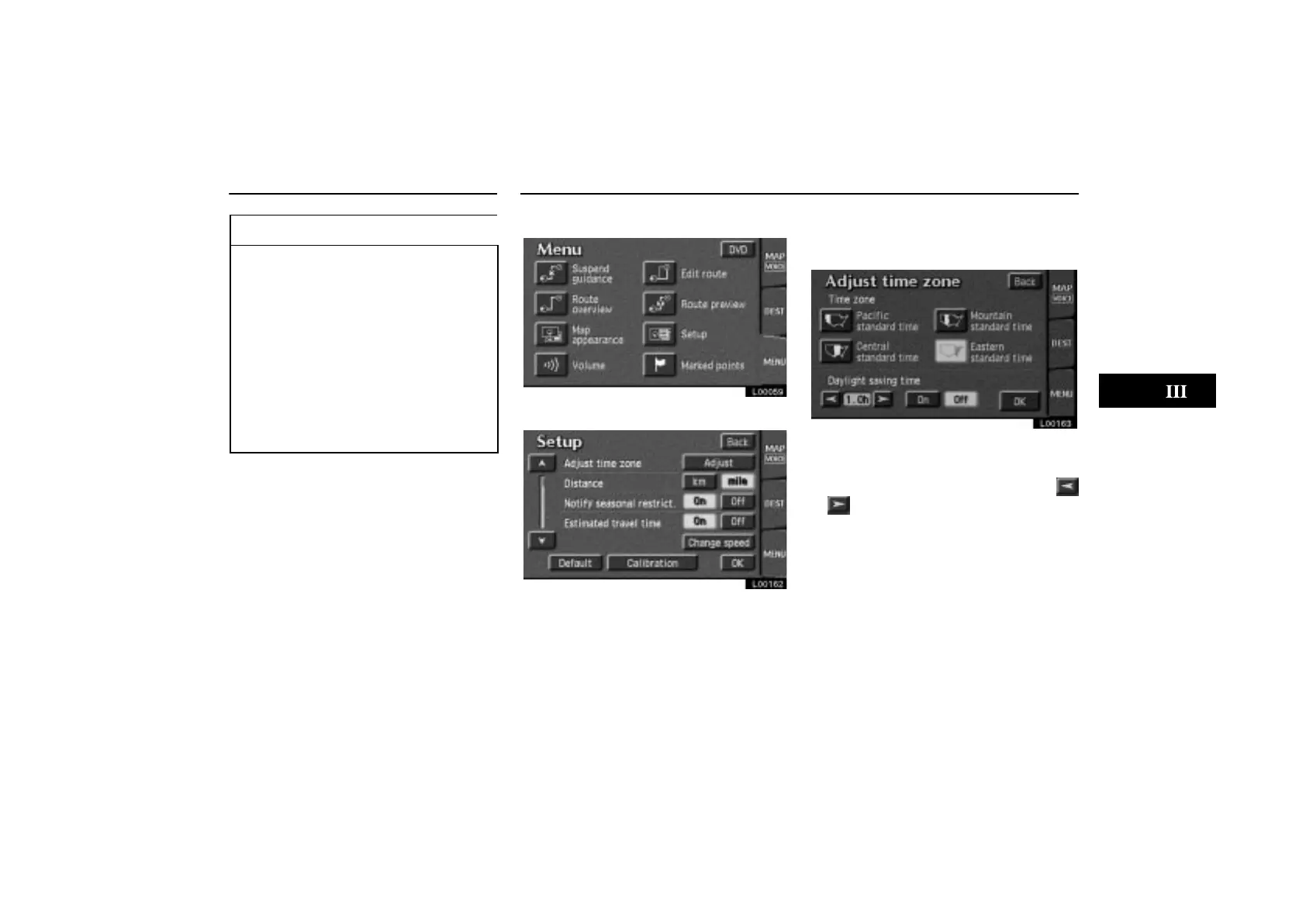
Estimated Travel Time Adjust Time Zone
ES300_Navi_U (L/O 0208)
81
2003 ES300 Navigation from Aug. ’02 Prod. (OM33592U)
INFORMATION
The displayed time to the destination
is the approximate driving time cal-
culated based on the speeds you se-
lected and your actual position
along the guidance route.
The time shown may vary greatly de-
pending on your progress along the
route (which may be affected by road
conditions such as traffic jams,
construction work, etc.)
Up to 99 hours 59 minutes can be dis-
played.
1. Touch the “MENU” tab on the screen.
L00059
2. Touch the “Setup” switch.
L00162
3. Touch the “Adjust” switch. The “Ad-
just time zone” screen appears on the
display.
L00163
4. Select your desired time zone. The se-
lected switch is highlighted in green.
Touch the
“On” switch and then touch
or to set daylight saving time.
5. Touch the “OK” switch on the screen.
The “Setup” screen returns.



 To Next Page