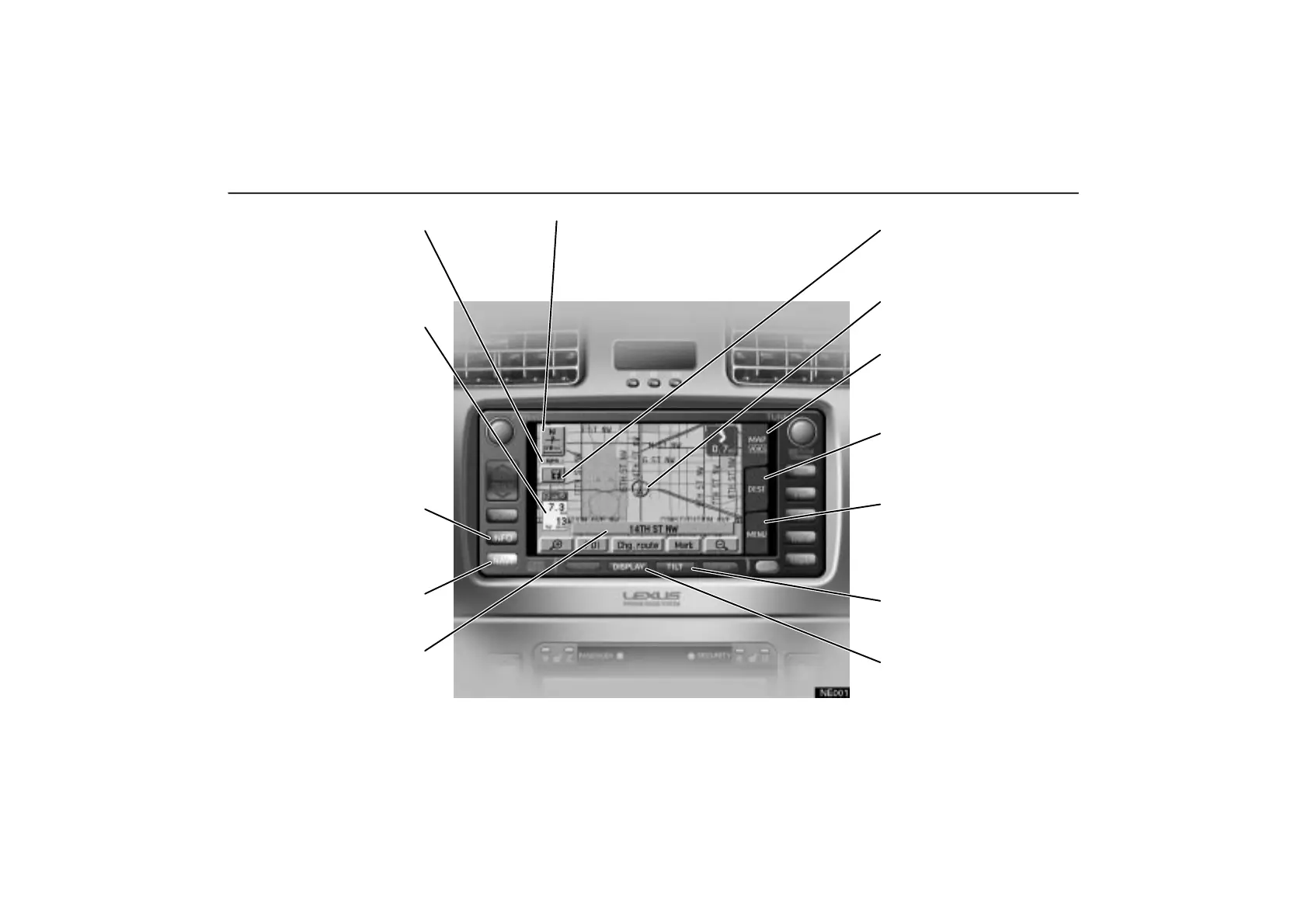
Symbols, Switches and Buttons
NE001
Map/Guidance
Touch this switch to change the
screen mode. For details, see
page 32.
Current vehicle position mark
To indicate the current position.
For details, see page 36.
MAP/VOICE tab
Touch this tab to repeat voice
guidance, cancel one touch scroll
and start guidance. For details,
see page 37.
DEST tab
Touch this tab to display the
“Destination” screen. For details,
see page 5.
MENU tab
Touch this tab to display the
“Menu” screen. This screen
allows you to make adjustments or
correct settings of various options
and functions.
TILT button
Push this button to tilt the display.
For details, see page 2.
DISPLAY button
Push this button to display the
“Display” screen. For details,
see page 96.
GPS mark (Global Positioning
System)
Whenever your vehicle is
receiving signals from the GPS,
this mark is displayed. For details,
see page 50.
Distance and time to destination
Displays the distance and the
estimated travel time to the
destination. If you input more than
two destinations, it displays the
distance and time to the next
destination. Touching this
indication will change it to the
distance and time to the other
destinations. The direction will be
indicated when your vehicle is off
the route.
INFO button
Push this button to display the
“Information menu” screen. For
details, see pages ii, 84, 89 and
97.
NAVI button
Push this button to turn the
navigation system on.
Current street name
Turn on this function to indicate
the current street name. For
details, see page 83.
North–up or heading–up symbol and
scale of map
Indicates a map view with north up or
heading up. Touching this symbol changes
the map orientation. The figure indicates
the map scale. For details, see page 49.
ES300_Navi_U (L/O 0208)
vi
2003 ES300 Navigation from Aug. ’02 Prod. (OM33592U)



 To Next Page