Route Guidance Screen
ES300_Navi_U (L/O 0208)
33
2003 ES300 Navigation from Aug. ’02 Prod. (OM33592U)
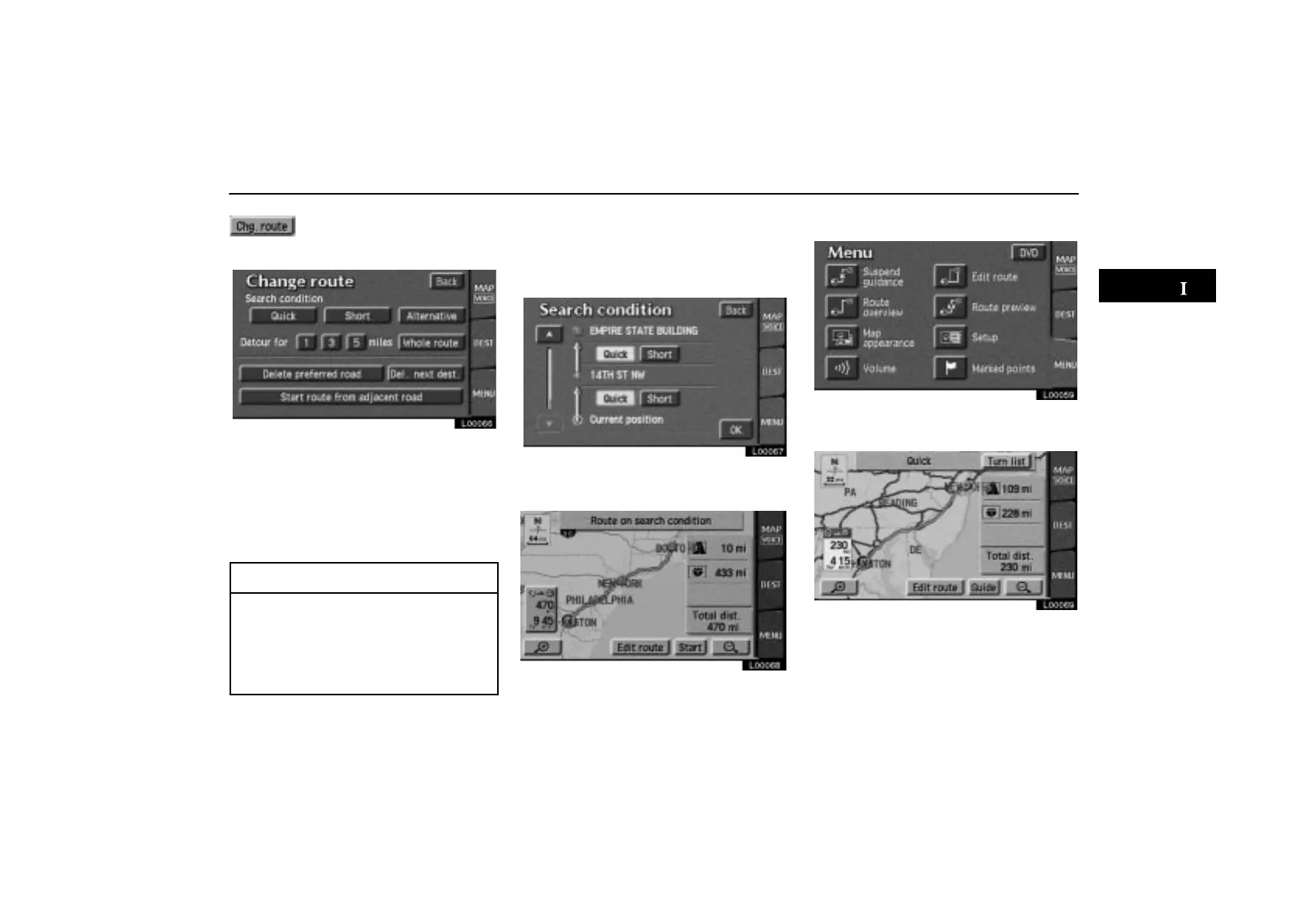
The “Change route” screen ap-
pears and the following settings
are available.
L00066
Search condition: To change the condition
for Reroute.
Detour: To change the condition for detour.
(For details, see page 43.)
Del. next dest.: To delete and skip the next
destination.
INFORMATION
If the calculated route includes a trip by
ferry, the route guidance shows a sea
route. After you travel by ferry, the cur-
rent vehicle position may be incorrect.
Upon reception of GPS signals, it is au-
tomatically corrected.
Search Condition
Touch the “Search condition” switch
on the “Edit route” screen. The “Search
condition” screen appears.
L00067
Touch the “Quick” or “Short” switch
and touch the
“OK” switch.
L00068
Route Overview
L00059
Touch the “Route overview” switch
on the “Menu” screen.
L00069
The entire route from the starting point to the
destination is displayed.



 To Next Page