6 iGrowSeries 100 Installation Manual 960-0001-20
Ramping
In addition, you have the option of a temperature ramp between the setpoints. Each setpoint time period begins
with a Ramp time. The benefit of ramping allows for you to make smooth transitions within the hydroponic
facility so that the plants don‟t experience temperature shock. Ramping also saves energy, which translates
directly into lower operating costs.
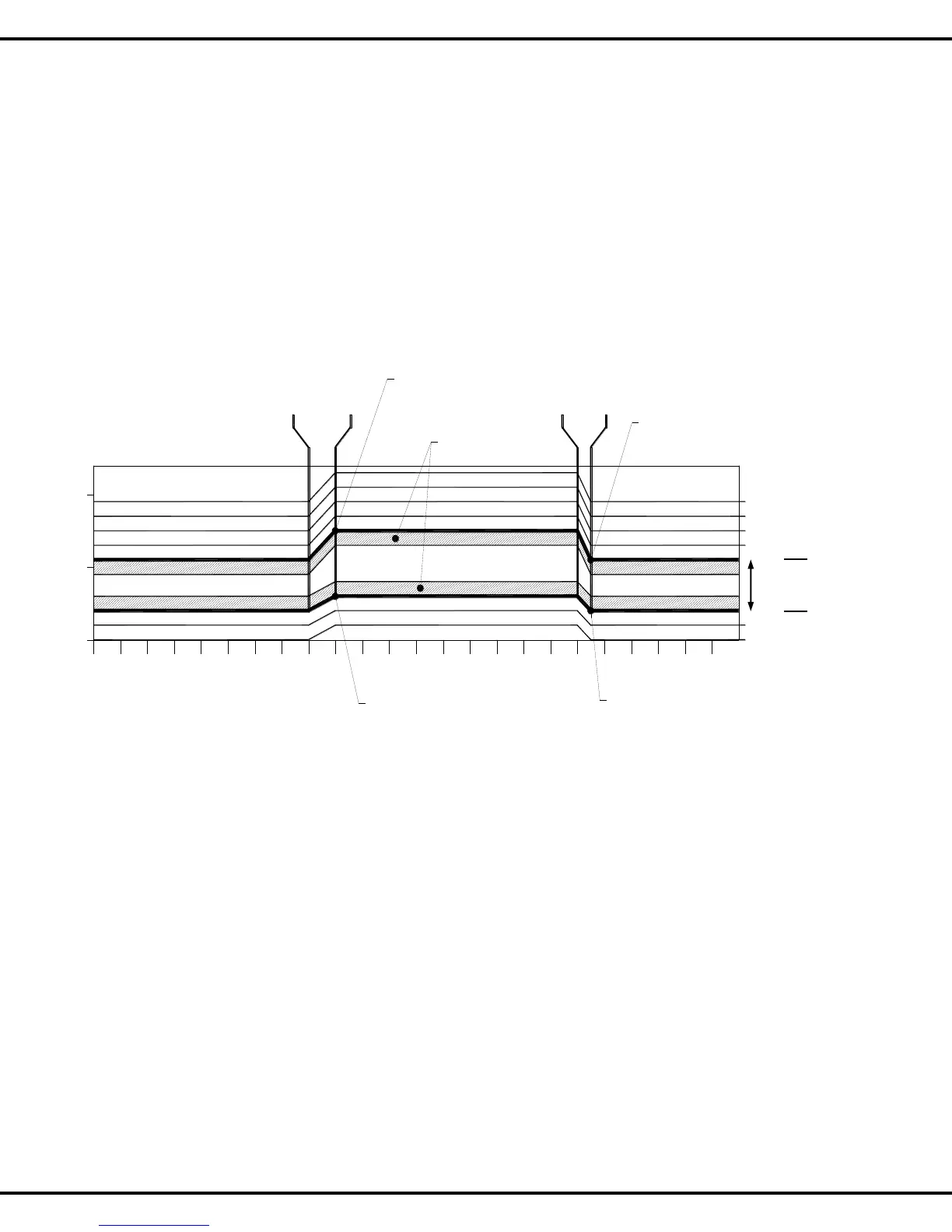
In the example below, the start time is 8:00a with a 30-minute ramp time. The ramp time enables a smooth
transition of the target temperatures between the setpoint time periods. Of course, the ramp times can be set to
0 and in this case there will be an immediate step transition in the set points. This is best explained by the
illustration shown below.
12am
1
2 3
4 5
6
7
8 9 10
11
12pm
1
2 3
4 5
86
7
9 10
11
65°F
70°F
75°F
Setpt 1
72.5°F
Setpt 1
68.0°F
Setpt 2
70.5°F
Beginning of
Ramp time
8:00am
End of
Ramp time
9:00am
Cool Stage 1
Cool Stage 2
Cool Stage 3
Cool Stage 4
Heat Stage 1
Heat Stage 2
Setpt 2
67.0°F
End of
Ramp time
6:30pm
Beginning of
Ramp time
6:00pm
1°F Deadbands
in this Example:
Setpoint 1 is set to 9:00am with a 60minute Ramp, Temp is set as 68 to 72.5F
Setpoint 2 is set to 6:00pm with a 30minute Ramp, Temp is set as 67 to 70.5F
Figure 2.1 Example of Setpoints, Staging, & Deadbands
Temp
Range



 To Next Page