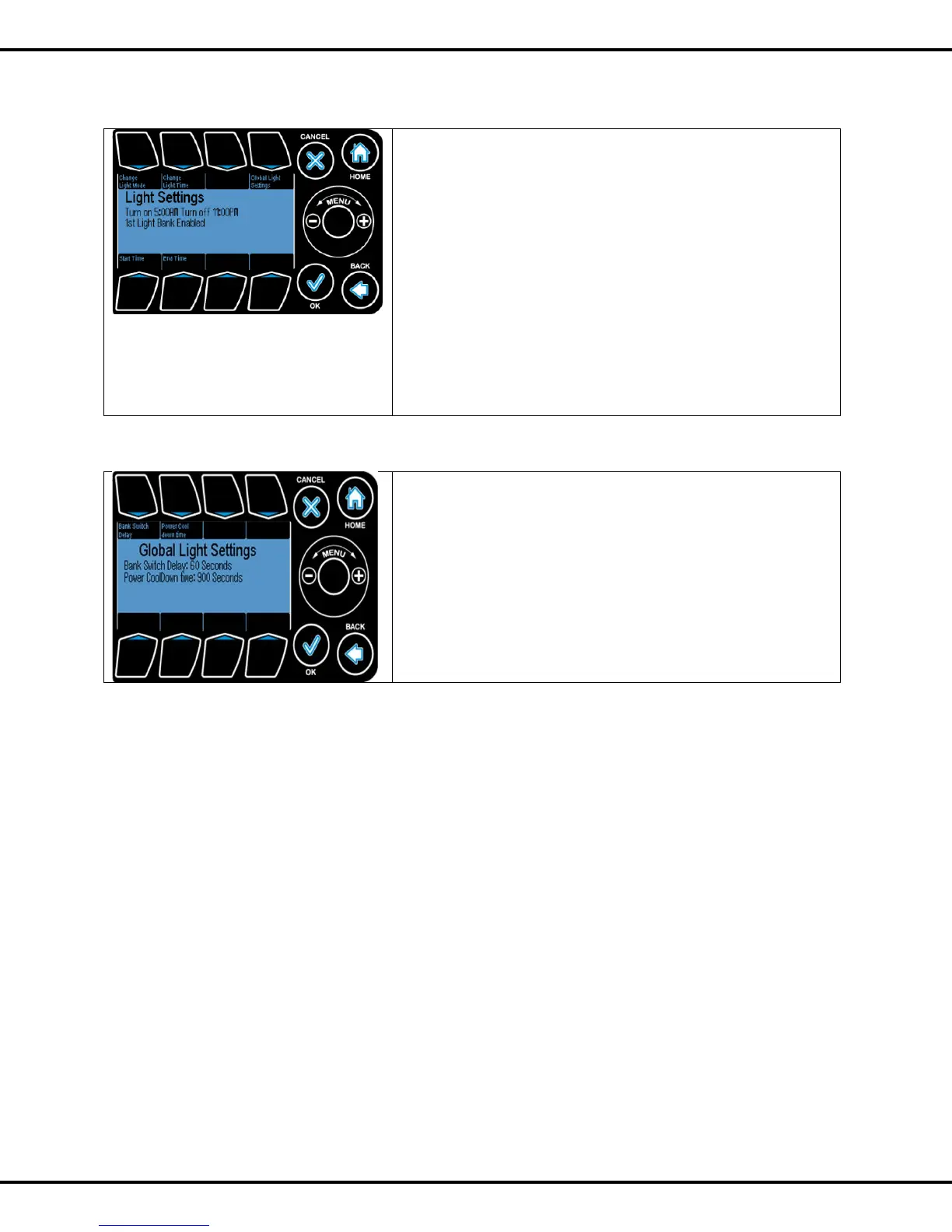
Press #1 Change Light Mode. Options are:
1
st
bank only
Alternate banks
2
nd
bank only
Both banks
Press #2 Change Light Time
The option lets you either to set a fixed time window, i.e,, a
Turn ON .and a Turn OFF time, or to synchronize the lights
ON with the Day Setpoint.
Press #5 to enter Start Time of light enable window
Press #6 to enter End Time of light enable window.
Press #4 to go to Global Light Settings – see next screen.
Ref Page No: 47 to change start time end time
Bank Switch Delay is the time delay to switch between two
banks of light. Press #1 followed by wheel to change the value
Power Cool Down Time is the amount of time required for
the grow lights to cool off before they are switched on again.
This is done to extend bulb life.
Press #2 followed by wheel to change the value.



 To Next Page