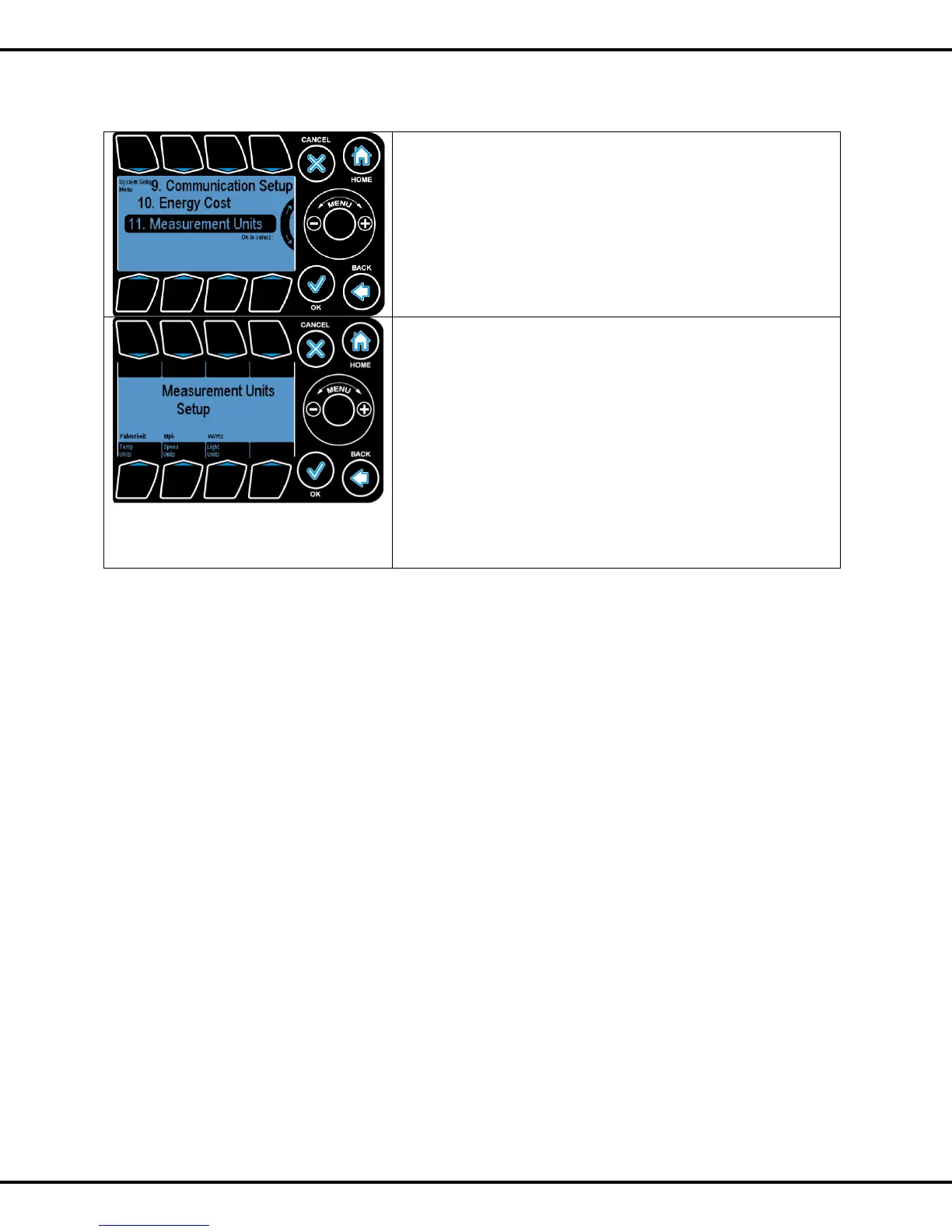
The units for temperature, wind speed, as well as light can be
adjusted under the Measurement Units section of the System
Setup.
Scroll the Wheel to the desired menu and select OK.
The units can be changed by pressing the buttons for the
corresponding measurement (Button #5, #6,
#7). Pressing the buttons toggles the units.
Temperature: Choose either degree Fahrenheit (°F) or
degree Centigrade (°C)
Speed: Choose either miles per hour(Mph) or kilometers per
hour (kmph)
Light: Choose either Watts/meter2 or klux.



 To Next Page