28 iGrowSeries 100 Installation Manual 960-0001-20
2.0 GROWTH SCHEDULE
The growth schedule enables the user to set specific temperature, humidity, CO2 and light levels
setpoints on a weekly or growing stage basis. The purpose is to eliminate the need to regularly alter the
setpoints as the plants are growing but to let the controller do it automatically for you. The Vegetative
phase and the Flowering phase let you program one set of setpoints for the entire phase.
For example, the Veg phase may be 4 weeks. The setpoints will be the same for all 4 weeks. Similarly,
the Flowering phase will be the same for whatever duration you set. In the Setpoint by Week option you
can vary the setpoints on a week by week basis over a maximum of 16 weeks. You can use this option to
modify a particular week or weeks setpoints within the Vegetative or Flowering time windows. The
“Growth Curve Setup” is the screen where you will enter the start date for the whole process, the total
duration in weeks, and the start dates for the vegetative and flowering phases.
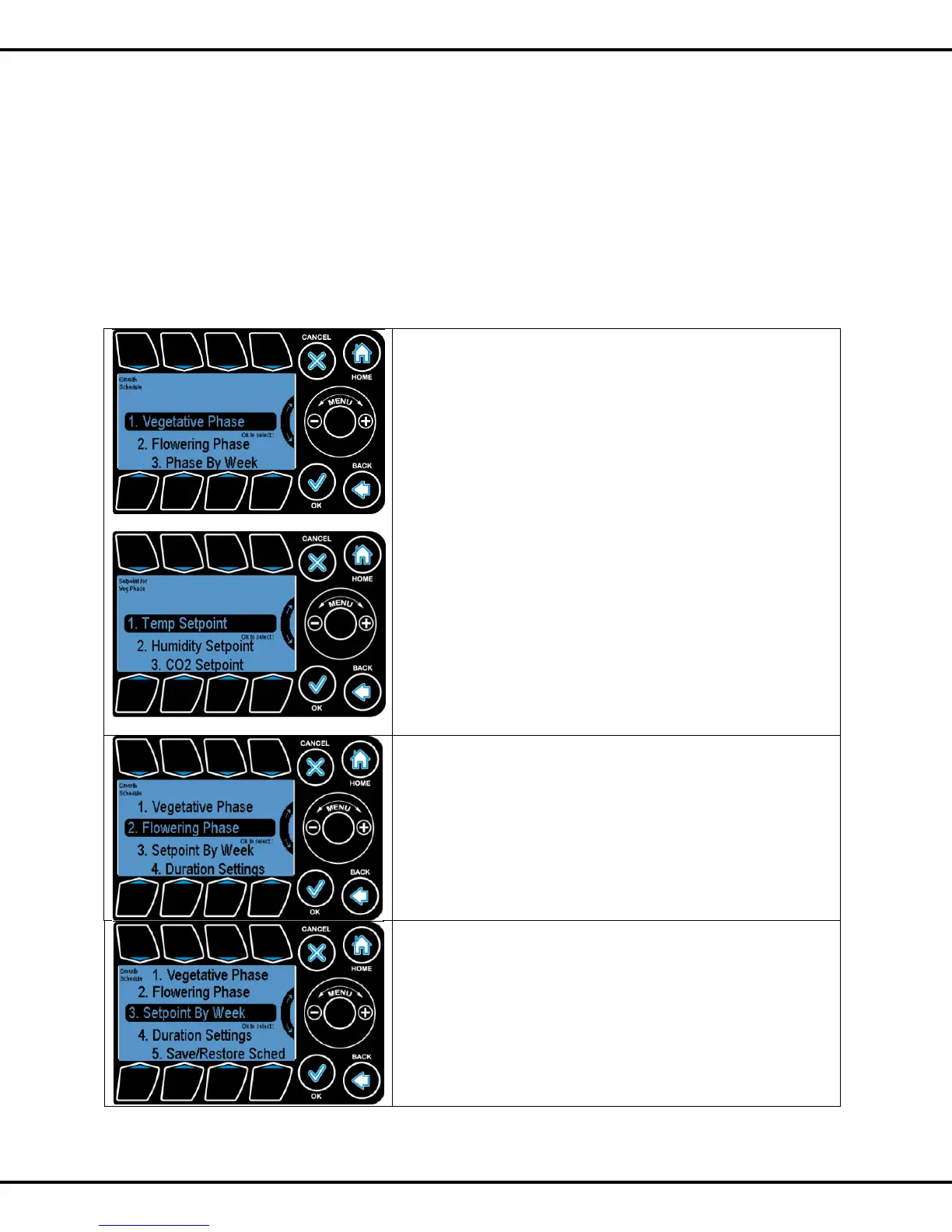
This takes you to the Vegetative stage of the growth schedule.
This is section where you can change the setpoints for the
whole phase which is terms of weeks.
Press OK to go to the next screen.
Select the desired setpoint option and press OK.
If you select Temp Setpoint, you will go to screens described
in Section 1.1 above.
If you select Humidity Setpoint, the screens will be described
in Section 1.2.
If you select CO2 Setpoint, the screens will be described in
Section 1.3
If you select Light Setpoint, the screens will be described in
Section 1.4
This takes you to the Flowering stage of the growth schedule.
This is where you can change the setpoints for the whole
phase.
Press #2 followed by OK to go to the next screen. After
entering the screen please refer to setpoint screen to change
the settings
This option enables you to change the setpoints on a weekly
basis over a period of up to sixteen weeks.
Press OK to go to the next screen.



 To Next Page