960-0001-20 iGrowSeries 100 Installation and User Manual 21
1.0 CURRENT SETPOINT PROGRAMMING
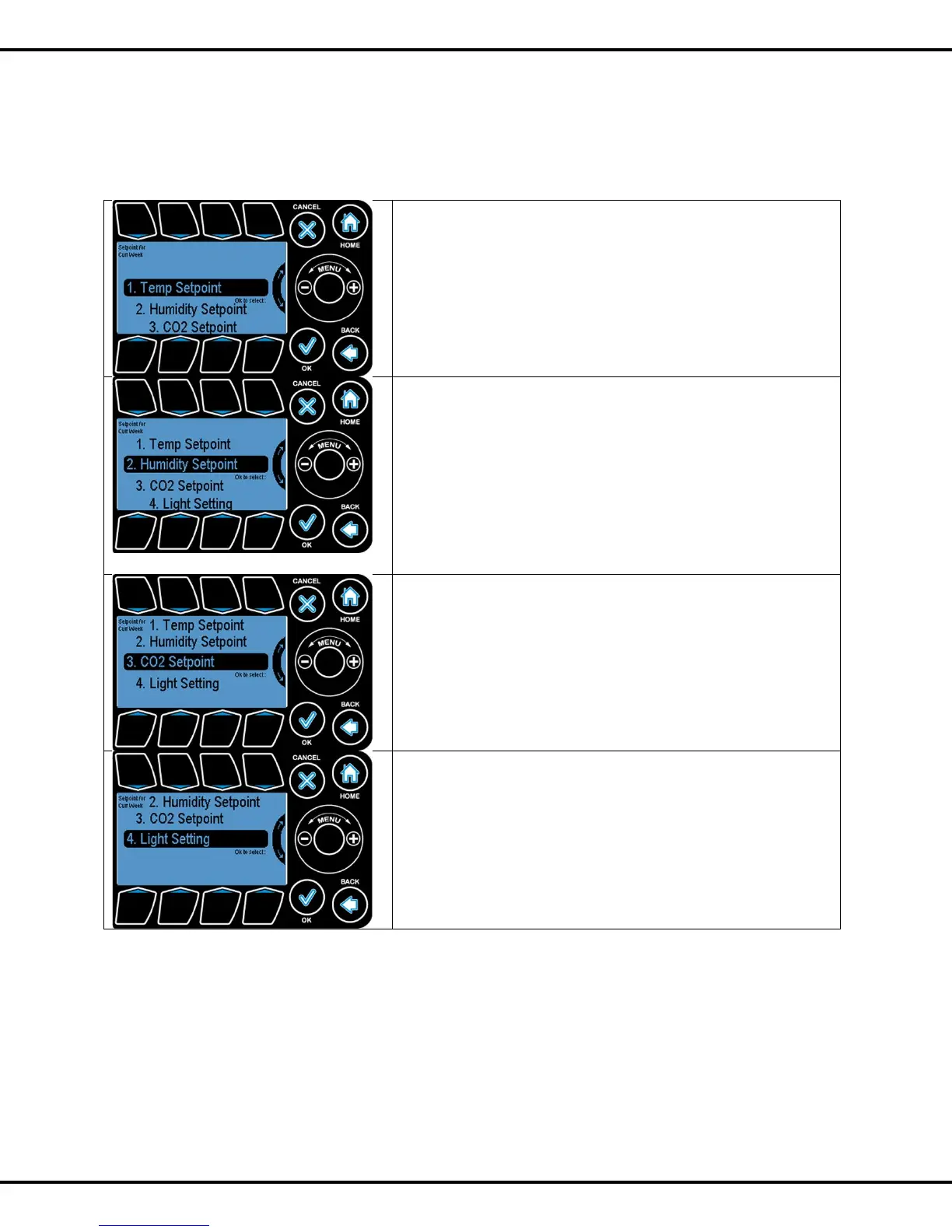
From the main menu when you select 1. Current Setpoints, you will see the following
screen.
Setpoint programming enables the user to program three
different setpoints for temperature and humidity during the 24
hour day.
The Setpoints Menu can be entered by highlighting the
Current Setpoints option on Main Menu using the Wheel or
Button #1 and pressing OK.
There are two parameters for each humidity setpoint:
Humidify - if the Relative Humidity (RH) reading is below this
parameter, the condition is considered too dry, and the system will
go into humidification stage.
Dehumidify - if the RH reading is above this parameter, the
condition is considered too damp, and the system will go into
dehumidification stage
Press OK to go to the humidity set point screen
The iPonic controller has the capability to maintain up to three
target CO2 levels for each 24 hour period. One for each daily
time periods, aka SetPoints (Day, Night, and DIF). By default,
the day CO2 level is set at 800PPM and the night is at
400PPM. The DIF period is not set.
Press OK to go to the CO2 day set point screen
This Light Setting option is where you set the light start and
stop times and other light based parameters.
Press OK to go to the Light Setting screen



 To Next Page