960-0001-20 iGrowSeries 100 Installation and User Manual 47
4.5 Time/Date Setup
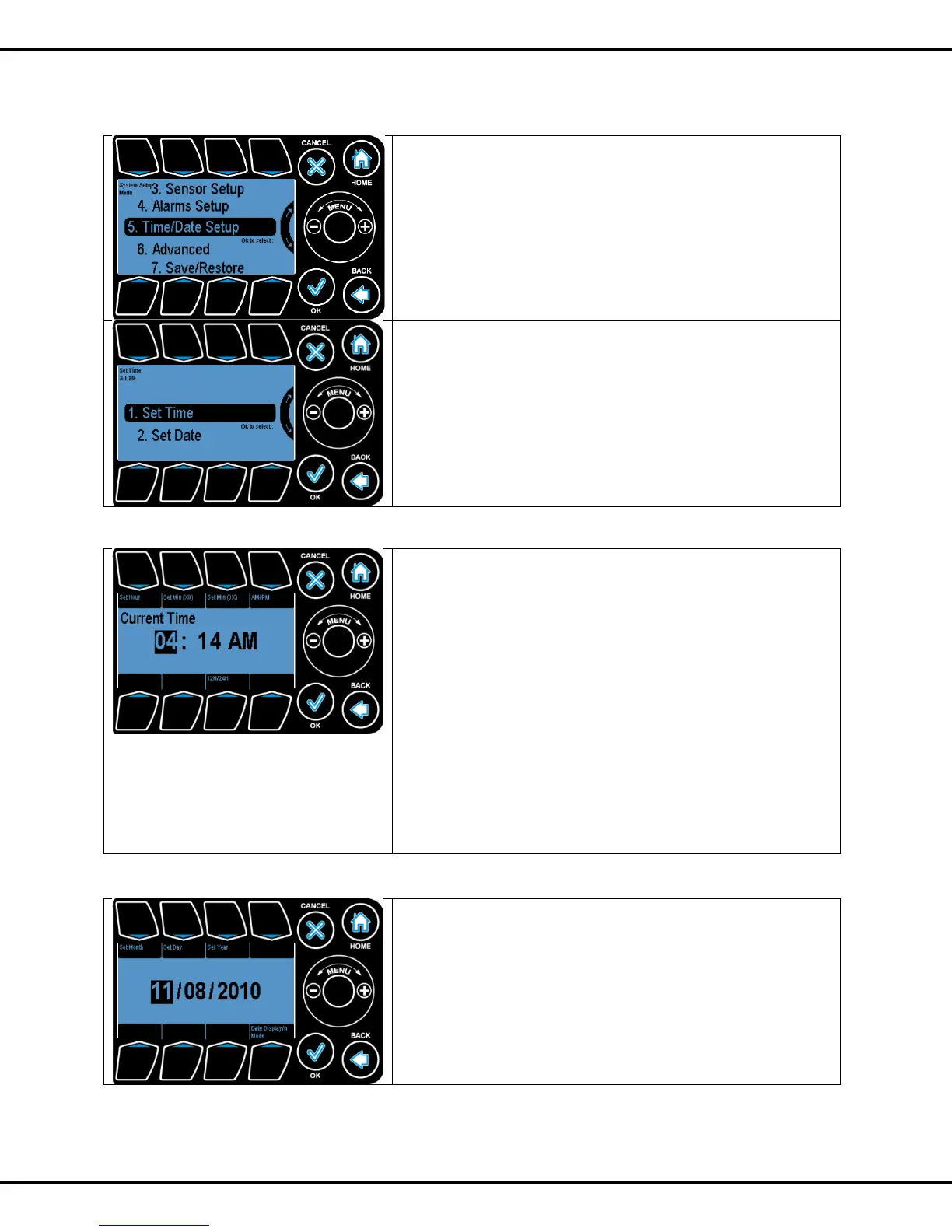
This section allows the user to change the time and date
values on the iPonic controller.
Time and Date setup menu can be found under system setup
menu
Wheel or Button #5 can be used to go to highlight this option
and OK to select this option.
After selecting Time & Date Setup the user can choose to
select either
Set Time or Set Date from the menu. Highlight your choice by
using the Wheel or Button #1, #2 and press
OK to go to the highlighted selection.
4.5.1 Set Time
The time on the system clock can be adjusted by highlighting
a chosen field (Button #1, #2, #3) and using the Wheel to
modify the field value. If a given field is already highlighted
repressing that button causes the value in that field to be
increased.
12H/24H: Used to set the time display as 24 hr/12 hr duration.
Set Hour: Used to highlight the hour field.
Set Min(X0): Used to highlight the tens place of minutes
value.
Set Min (0X): Used to highlight the single place of minutes
value.
AM/PM: Used to set AM/PM value.
Note that when the clock is set to 24H, the AM/PM button
increments the time by 12 hours.
4.5.2 Set Date
The date on iPonic controller can be adjusted by highlighting a
chosen field (Button #1, #2, #3) and using the Wheel to modify
the field value. If a given field is already highlighted repressing
that button causes the value in that field to be increased.
The date is displayed in MM/DD/YYYY format.
Set Month: Used to highlight the month field.
Set Day: Used to highlight the day field.
Set Year: Used to highlight the year field.



 To Next Page