960-0001-20 iGrowSeries 100 Installation and User Manual 55
5.0 SAVE/RESTORE CONFIG
This option lets you label and store your program in either the internal memory of the iPonic controller or
a USB drive or SD Card.
You may have programs for different crops or for different seasons of the year. This will be a convenient
way of storing your programs with the capability to restore the program whenever desired.
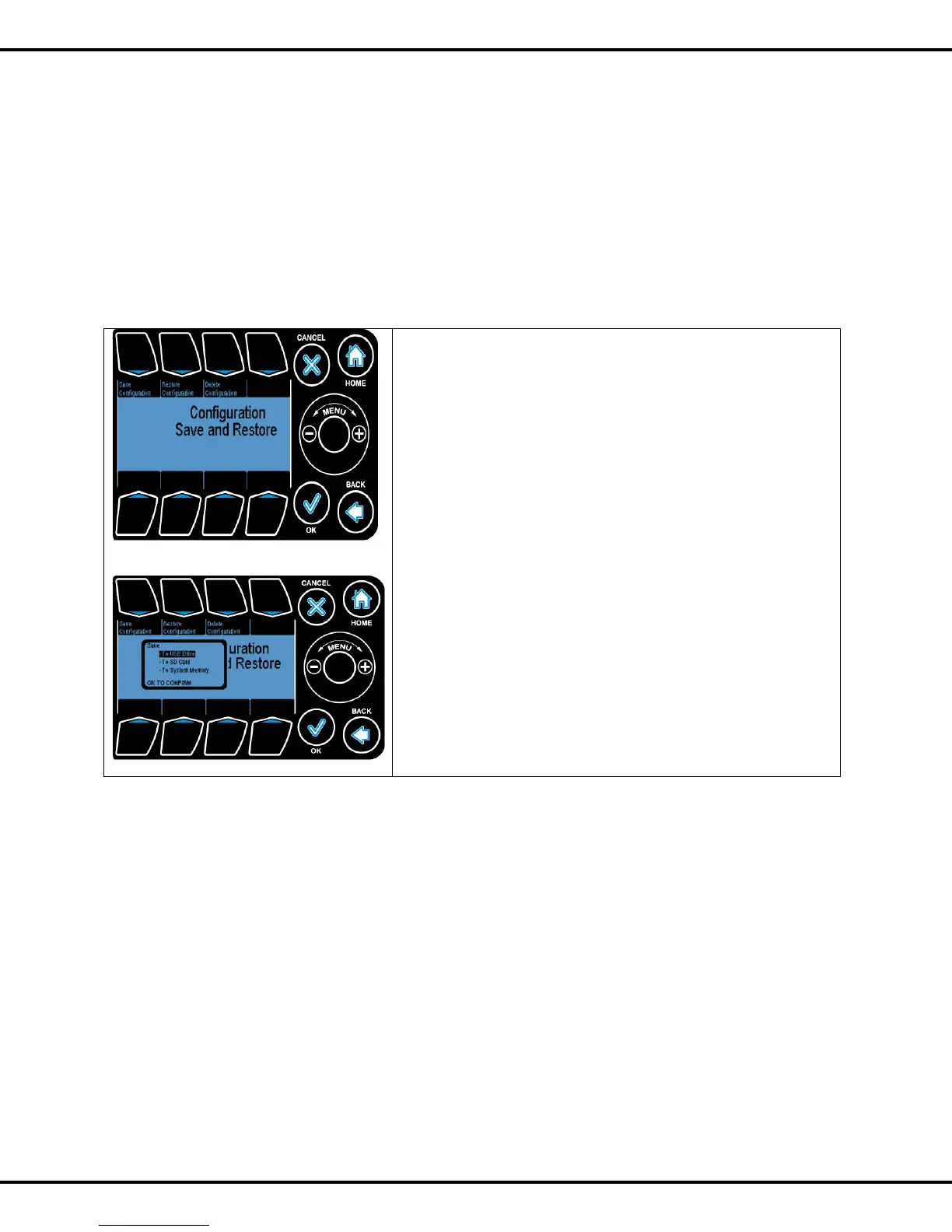
Save Configuration: Allows the user to store the controller settings/configuration to onboard
memory/USB.
Restore Configuration: Allows the user to restore the configuration stored on the onboard system
memory or USB.
Delete Configuration: Allows the user to delete the configuration files stored in system memory/USB.
Save Configuration: Allows you to store controller
settings/configuration to SD Card/ USB/System Memory
Restore Configuration: Allows you to restore configuration
stored on SD card or USB or system memory.
Delete Configuration: Allows you to delete the files stored in
system/ SD card/ USB
Once the user has selected what action they would like to
perform, the system prompts for a destination to perform the
action to.
Currently supported save/load devices include:
• SD Card
• USB Drive
• System Memory
Wheel is used to highlight the desired option and OK to go the
option
Once a save/restore option is selected the user is prompted to
enter the file name in the screen indicated below.
Note: This is same as Save Restore Configuration – in section 4.7 above.



 To Next Page