960-0001-20 iGrowSeries 100 Installation and User Manual 23
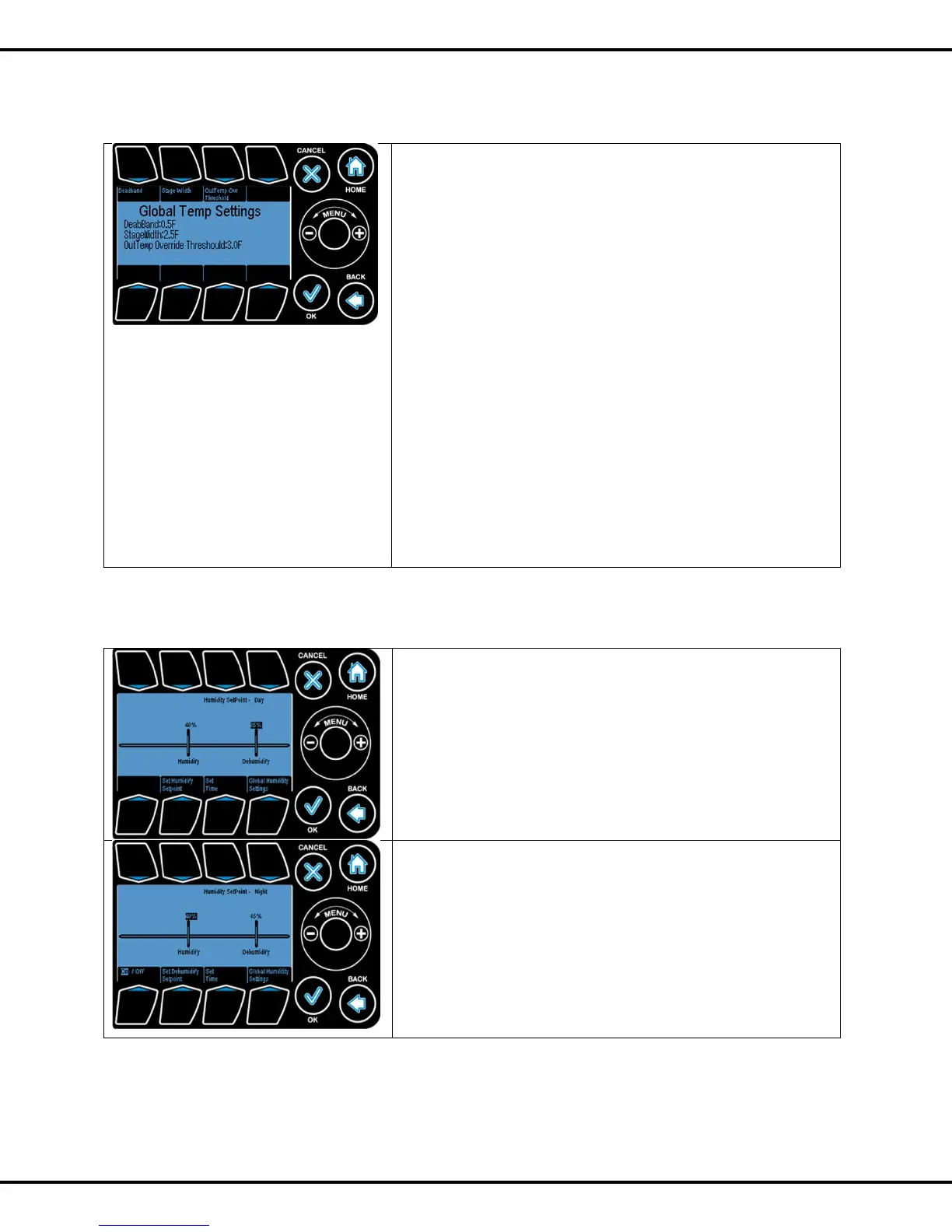
1.1.1 Global Temperature Settings
Deadband functions as a hysteresis when temperature drops to
a lower stage of cooling or heating. This prevents the adjacent
stages from oscillating back and forth from small temperature
fluctuations. Press #1 followed by wheel to increase or decrease
deadband value.
The number of degrees between each heating and cooling
stage is called the “Stage Separation” or „Stage Width”. Press
# 2 followed by wheel to increase or decrease stage width value
For example, when the temperature in the zone goes above
the cool setpoint, the system will go into Cool 1. If the
temperature continues to rise and goes above the Cool
Setpoint + the Stage Separation temperature, the system will
go into Cool 2, and so forth.
Press # 3 followed by wheel to increase or decrease OutTemp
OverrideThreshold. This is the temperature at or below which the
outside air exchange is disabled.
1.2 Humidity Setpoint
The same process as temperature can be used to modify the
humidity Set Points
Press #6 followed by wheel to change humidify setting. You can
togglee to dehumidify settings by pressing #6 again.
Note that the start and end times are the same for
Temperature Setpoints and Humidity Setpoints
There are two parameters for each humidity setpoint:
Humidify - if the RH reading is below this parameter, the
condition is considered too dry, and the system will go into the
humidification stage.
Dehumidify - if the RH reading is above this parameter, the
condition is considered too damp, and the system will go into
the dehumidification stage.
You can switch the Night humidity on or off by pressing #5



 To Next Page