960-0001-20 iGrowSeries 100 Installation and User Manual 49
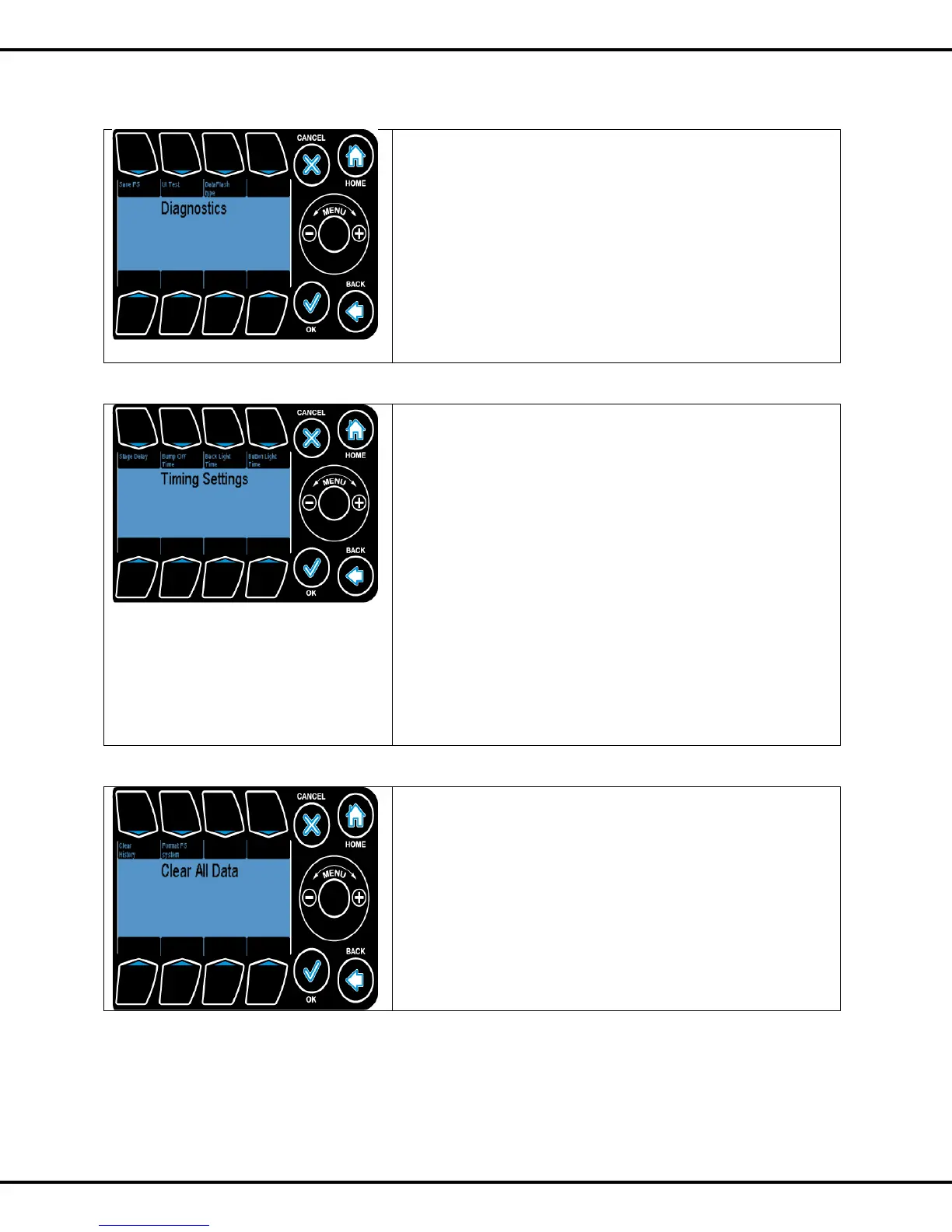
4.6.2 Diagnostics
Save FS: This option lets you save all the files into a USB.
The files include log and configuration files.
UI Test
This tests the functionality of the touch sensitive user
interface. Press #2 followed by conformation to run the test.
Pressing a given button highlights it on the screen. To come
out form this mode press button #1 to #8 one after another.
4.6.3 Time Settings
Stage Delay is used to set the time delay between stages.
Press #1 followed by wheel to change the value.
Bump Off Time: This option lets you to check whether the
curtain is fully closed or open. Bump off time is the time
interval after which the system checks the curtain position.
Press #2 followed by wheel to change the value.
Note: this option is valid only when the curtain is in fully open
or close position.
Back Light Time: It is the time interval through which the
back lights remain on. Press #3 followed by wheel to change
the value.
Button Light Time: It is the time interval through which the
button lights remain on. Press #4 followed by wheel to change
the value.
4.6.4 Clear Data
Clear History formats the data flash and deletes all log files (all
history files) on the unit. Press #1 followed by OK to clear the
data.
Format FS system will remove all the files. Press #2 followed
by OK to format FS system.



 To Next Page